
Java 教程:注册机器、配方类型与配方
MBD2 21.1.1本教程在 Java 模组中分发一个由编辑器制作的单方块粉碎机和配方类型 UI,再通过 Java 添加 iron_ingot -> iron_nugget 内置配方。
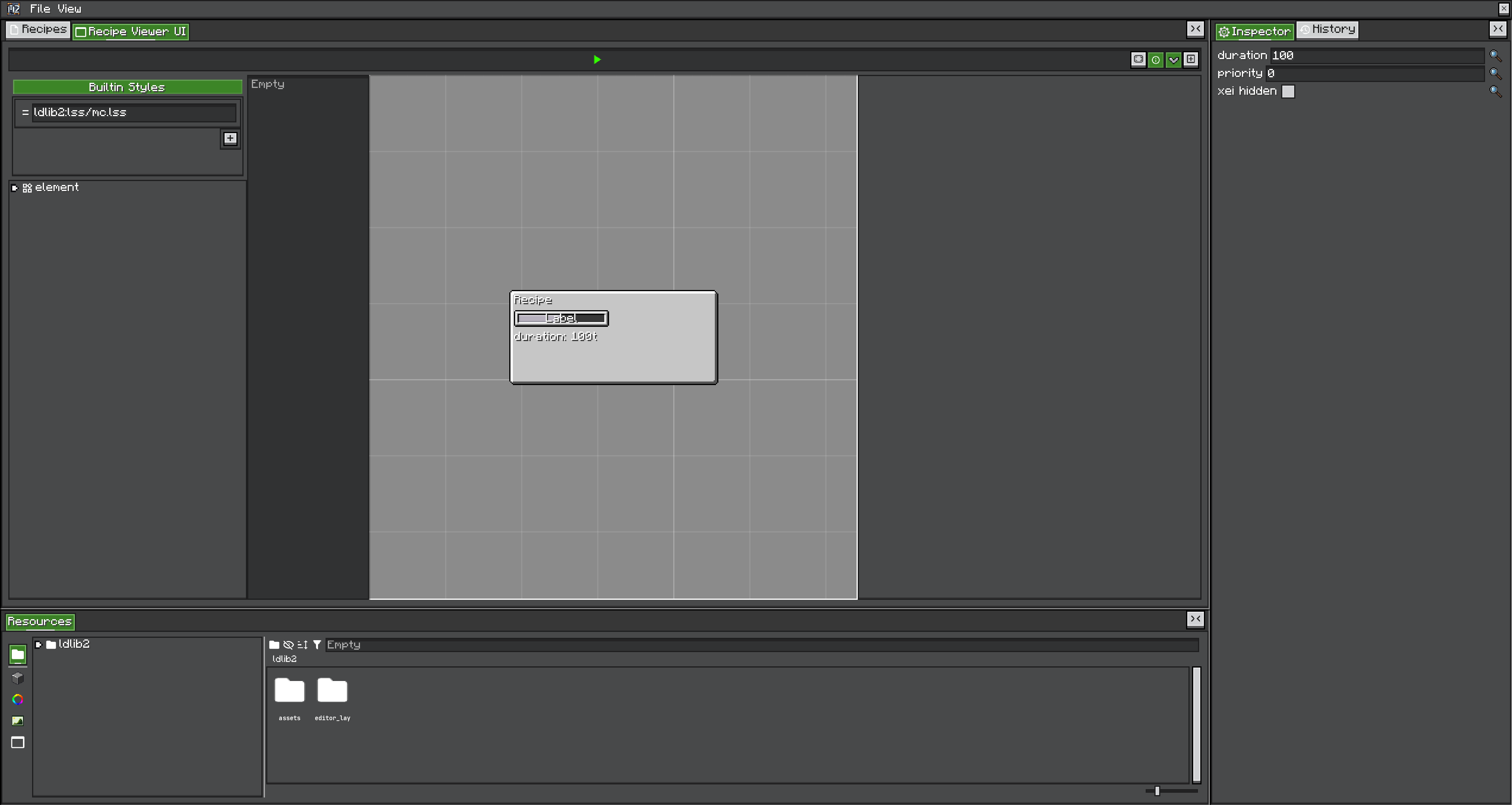
最终结果与 ID
整个教程保持以下 ID 不变:
| 对象 | ID |
|---|---|
| 机器定义/方块 | examplemod:crusher |
| 配方类型 | examplemod:crushing |
| 配方 | examplemod:crush_iron |
机器 ID 与配方类型 ID 有意不同。机器的 Recipe Logic 设置必须引用 examplemod:crushing。
1. 配置 Gradle
先完成 Gradle 依赖配置,再确认:
./gradlew.bat compileJava编译期需要 MBD2 与 LDLib2;开发运行环境也必须实际加载这两个模组。
2. 创建并导出产品
打开 /mbd2_editor,创建 recipe-type 项目:
- Registry ID 设置为
examplemod:crushing。 - 在配方 UI 中加入物品输入与物品输出组件。
- 导出 productive recipe-type 文件
crushing.rt。
创建 single-machine 项目:
- Registry ID 设置为
examplemod:crusher。 - 添加一个
recipeHandlerIO = IN的物品 Trait,命名为input。 - 添加一个
recipeHandlerIO = OUT的物品 Trait,命名为output。 - 启用 Recipe Logic,并选择
examplemod:crushing。 - 生成/制作包含两个 Trait 与进度条的 UI。
- 导出 productive machine 文件
crusher.sm。
把产品放在准确的 classpath 位置:
src/main/resources/
└─ assets/
   └─ examplemod/
      └─ mbd/
         ├─ recipe_types/
         │  └─ crushing.rt
         └─ machines/
            └─ crusher.sm
不要手工编辑这些 NBT 产品文件。可编辑项目应单独保存,把 .rt/.sm 当作导出构建产物。
3. 订阅 Mod Event Bus
package com.example.examplemod;

import com.lowdragmc.mbd2.common.event.MBDRegistryEvent;
import net.neoforged.bus.api.IEventBus;
import net.neoforged.fml.common.Mod;

@Mod(ExampleMod.MOD_ID)
public final class ExampleMod {
    public static final String MOD_ID = "examplemod";

    public ExampleMod(IEventBus modBus) {
        modBus.addListener(MBDRegistration::registerRecipeTypes);
        modBus.addListener(MBDRegistration::registerMachines);
    }
}
MBDRegistryEvent 实现了 IModBusEvent;不要把这些 listener 注册到 NeoForge.EVENT_BUS。
4. 注册配方类型与 Java 配方
package com.example.examplemod;

import com.lowdragmc.mbd2.api.recipe.MBDRecipeType;
import com.lowdragmc.mbd2.api.registry.MBDRegistries;
import com.lowdragmc.mbd2.common.event.MBDRegistryEvent;
import net.minecraft.resources.ResourceLocation;
import net.minecraft.world.item.Items;

public final class MBDRegistration {
    public static final ResourceLocation CRUSHING = id("crushing");
    public static final ResourceLocation CRUSH_IRON = id("crush_iron");

    private MBDRegistration() {}

    public static void registerRecipeTypes(MBDRegistryEvent.MBDRecipeType event) {
        event.registerFromResource(
            ExampleMod.class,
            "examplemod/mbd/recipe_types/crushing.rt"
        );

        MBDRecipeType crushing = MBDRegistries.RECIPE_TYPES.get(CRUSHING);
        if (crushing == null) {
            throw new IllegalStateException("Missing recipe type " + CRUSHING);
        }

        crushing.recipeBuilder(CRUSH_IRON)
            .inputItems(Items.IRON_INGOT)
            .outputItems(Items.IRON_NUGGET, 9)
            .duration(100)
            .priority(0)
            .saveAsBuiltinRecipe();
    }

    private static ResourceLocation id(String path) {
        return ResourceLocation.fromNamespaceAndPath(ExampleMod.MOD_ID, path);
    }

    // 下一步添加 registerMachines。
}
registerFromResource 会自动在前面加 /assets/,所以参数是 examplemod/...,不是 assets/examplemod/...。
saveAsBuiltinRecipe() 将结果加入该配方类型的内置配方表。buildRawRecipe() 只返回对象,本身不会让配方进入游戏。
5. 注册机器产品
把以下方法加入 MBDRegistration:
public static void registerMachines(MBDRegistryEvent.Machine event) {
    event.registerFromResource(
        ExampleMod.class,
        "single_machine",
        "examplemod/mbd/machines/crusher.sm"
    );
}
Java resource type key 为:
| 产品 | Type key | 后缀 |
|---|---|---|
| 单方块机器 | single_machine | .sm |
| 多方块控制器 | multiblock | .mb |
它与 KubeJS 的 single 别名不同。create_machine/kinetic 不是当前公开注册路径。
机器定义稍后会在 MBD2 生命周期中注册自己的方块、物品、方块实体类型、渲染器与对外 capability。不要在自己的 DeferredRegister 中重复注册。
6. 启动并验证
运行客户端,确认日志依次出现:
Loading recipe types
Loading machines
然后验证:
/give @s examplemod:crusher能解析。- 放置方块使用编辑器中的基础状态/模型。
- UI 显示
input、output与进度组件。 - 输入一个铁锭后开始
examplemod:crush_iron。 - 工作 100 tick 后,输出槽获得九个铁粒。
- 安装受支持的查看器时,JEI/REI/EMI 能显示该配方。
方块存在但不加工时,首先确认机器产品引用 examplemod:crushing,并且两个物品 Trait 公开正确的 recipe IO。
程序化替代方案
- 不需要编辑器配方 UI/代理配置时,可创建
new MBDRecipeType(id)并调用event.register(type)。 - 整个定义必须由代码生成时,可构建
MBDMachineDefinition并调用event.register(definition)。 - 只有配置好的数据生成流程才使用
MBDRecipeBuilder#save(RecipeOutput);注册代码直接分发的配方使用saveAsBuiltinRecipe()。
Builder 细节见自定义机器/API 参考,运行过程见 RecipeLogic 生命周期。