
GraphView
自 2.2.1GraphView 是一个可平移、可缩放的画布,用于显示节点图或任意 2D 内容。子元素被放置在 contentRoot 元素上,该元素可以进行平移和缩放变换。视图渲染重复的网格背景,并支持:
- 平移 — 点击并拖拽(在视图背景上使用左键,或在任意位置使用中键)。
- 缩放 — 鼠标滚轮,限制在
[min-scale, max-scale]范围内。 - 适应 — 辅助方法,用于将视图居中并缩放以适应所有子元素或给定的边界框。
INFO
UIElement 上记录的所有内容(布局、样式、事件、数据绑定等)同样适用于此。
用法
java
var graph = new GraphView();
graph.graphViewStyle(style -> style
    .allowZoom(true)
    .allowPan(true)
    .minScale(0.2f)
    .maxScale(5f)
);

var node = new UIElement();
graph.addContentChild(node);
parent.addChild(graph);

// 添加子元素后适应视图:
graph.fitToChildren(20f, 0.1f);内部结构
| 字段 | CSS 类 | 描述 |
|---|---|---|
contentRoot | .__graph-view_content-root__ | 绝对定位的元素,包含所有用户添加的子元素,并接收平移/缩放变换。 |
GraphView 样式
INFO
min-scale / max-scale
缩放级别的边界值。
默认值:0.1 / 10
java
graph.graphViewStyle(style -> style.minScale(0.25f).maxScale(4f));INFO
grid-background
在背景上平铺的纹理。默认是带有 REPEAT 环绕模式的内置网格精灵图。
默认值:ldlib2:textures/gui/grid_bg.png(重复)
java
graph.graphViewStyle(style -> style.gridTexture(myGridTexture));字段
| 名称 | 类型 | 访问权限 | 描述 |
|---|---|---|---|
contentRoot | UIElement | public final | 用于保存所有内容的变换画布。 |
graphViewStyle | GraphViewStyle | private(有 getter) | 当前样式。 |
offsetX | float | getter/setter | 当前水平世界空间偏移量。 |
offsetY | float | getter/setter | 当前垂直世界空间偏移量。 |
scale | float | private(有 getter) | 当前缩放级别。 |
方法
| 方法 | 返回值 | 描述 |
|---|---|---|
addContentChild(UIElement) | GraphView | 向 contentRoot 添加子元素。 |
removeContentChild(UIElement) | GraphView | 从 contentRoot 移除子元素。 |
clearAllContentChildren() | GraphView | 移除 contentRoot 的所有子元素。 |
graphViewStyle(Consumer<GraphViewStyle>) | GraphView | 以流式方式配置样式。 |
contentRoot(Consumer<UIElement>) | UIElement | 配置 contentRoot。 |
fitToChildren(float padding, float minScaleBound) | void | 调整偏移量和缩放比例以适应所有可见子元素,使用给定的内边距和最小缩放值。 |
fit(float minX, float minY, float maxX, float maxY, float minScaleBound) | void | 调整偏移量和缩放比例以适应给定的边界框。 |
自适应网格与细节等级
Since 2.2.34画布缩放时背景网格会自动调整密度。getLod() 根据当前物理像素比例返回 FULL、SIMPLIFIED 或 BLOCK;图节点和连线可以用它在缩小时省略高成本细节。
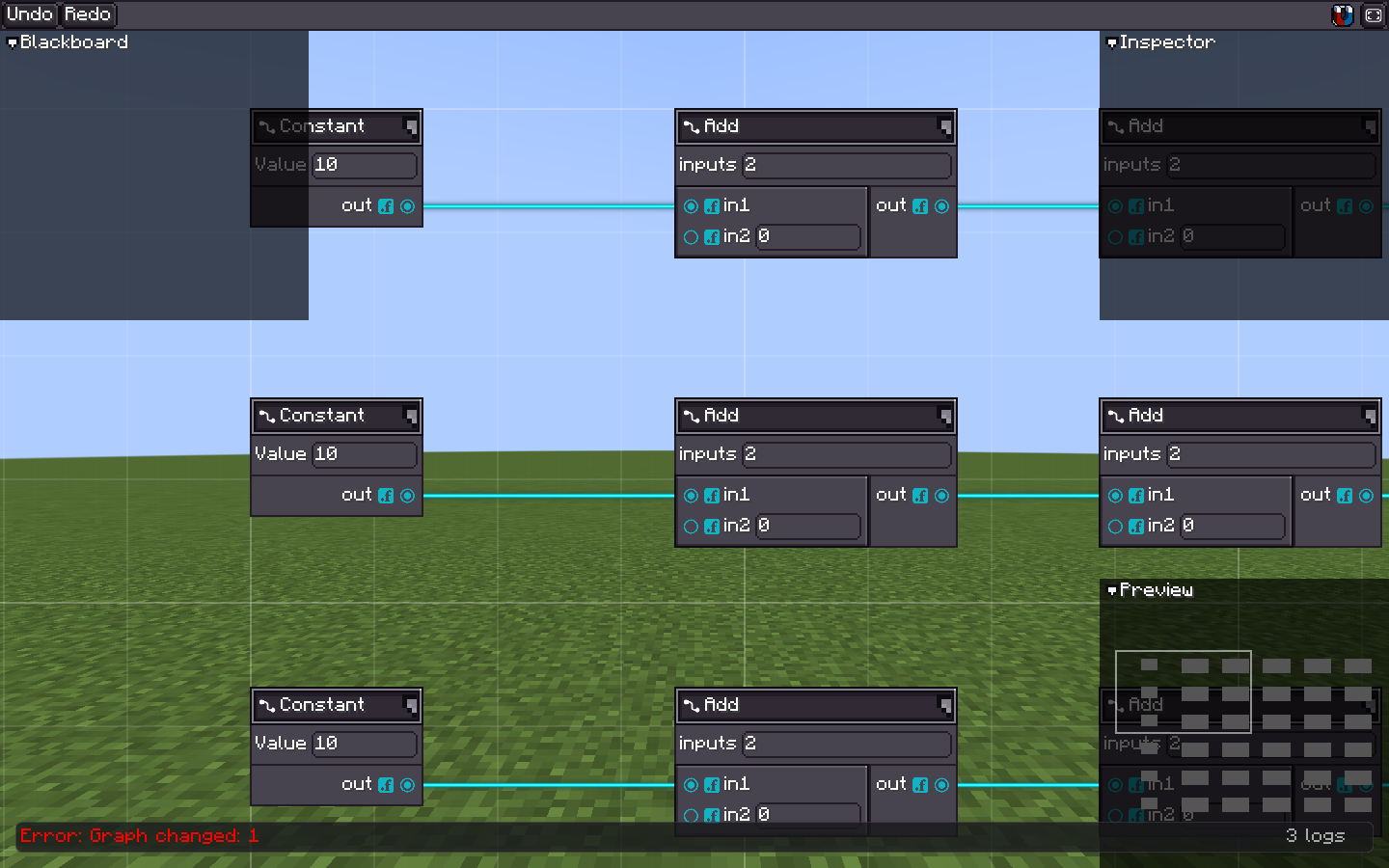
FULL 会保留标签、端口和连线细节。 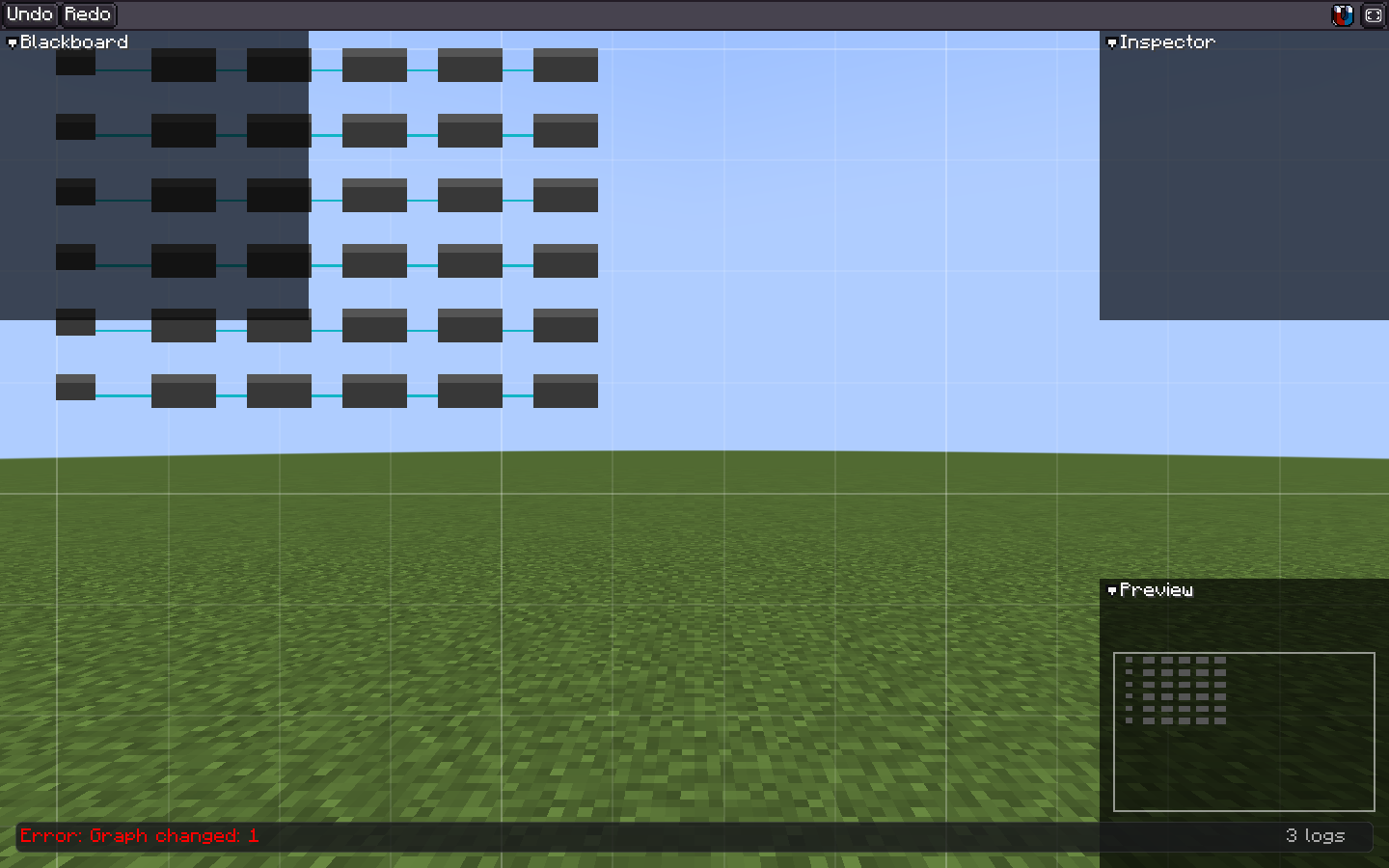
SIMPLIFIED 会省略高成本细节,同时保留图的整体结构。 java
graph.graphViewStyle(style -> style
        .lodEnabled(true)
        .lodSimplifiedPixelScale(0.5f)
        .lodBlockPixelScale(0.2f));

if (graph.getLod() == GraphViewLod.FULL) {
    // 绘制标签或其他细节。
}
BLOCK 用于总览,不应用于语义编辑。每个 LOD 都应保留命中区域和必要的图状态。