
GraphView
Since 2.2.1GraphView is a pannable, zoomable canvas for displaying node graphs or any arbitrary 2D content. Children are placed on a contentRoot element that can be translated and scaled. The view renders a repeating grid background and supports:
- Pan — click and drag (left-button on the view background, or middle-button anywhere).
- Zoom — mouse wheel, clamped to
[min-scale, max-scale]. - Fit — helpers to centre and scale the view to fit all children or a given bounding box.
INFO
Everything documented on UIElement (layout, styles, events, data bindings, etc.) applies here too.
Usage
var graph = new GraphView();
graph.graphViewStyle(style -> style
    .allowZoom(true)
    .allowPan(true)
    .minScale(0.2f)
    .maxScale(5f)
);

var node = new UIElement();
graph.addContentChild(node);
parent.addChild(graph);

// Fit the view after adding children:
graph.fitToChildren(20f, 0.1f);Internal Structure
| Field | CSS class | Description |
|---|---|---|
contentRoot | .__graph-view_content-root__ | Absolutely-positioned element that holds all user-added children and receives the pan/zoom transform. |
GraphView Style
INFO
allow-zoom
Whether scrolling the mouse wheel changes the zoom level.
Default: true
graph.graphViewStyle(style -> style.allowZoom(false));INFO
allow-pan
Whether clicking and dragging pans the view.
Default: true
graph.graphViewStyle(style -> style.allowPan(false));INFO
min-scale / max-scale
Zoom level bounds.
Defaults: 0.1 / 10
graph.graphViewStyle(style -> style.minScale(0.25f).maxScale(4f));INFO
grid-background
Texture tiled across the background. The default is a built-in grid sprite with REPEAT wrap mode.
Default: ldlib2:textures/gui/grid_bg.png (repeat)
graph.graphViewStyle(style -> style.gridTexture(myGridTexture));INFO
grid-size
Size (in world-space units) of each grid cell.
Default: 64
graph.graphViewStyle(style -> style.gridSize(32f));Fields
| Name | Type | Access | Description |
|---|---|---|---|
contentRoot | UIElement | public final | The transformed canvas holding all content. |
graphViewStyle | GraphViewStyle | private (getter) | Current style. |
offsetX | float | getter/setter | Current horizontal world-space offset. |
offsetY | float | getter/setter | Current vertical world-space offset. |
scale | float | private (getter) | Current zoom level. |
Methods
| Method | Returns | Description |
|---|---|---|
addContentChild(UIElement) | GraphView | Adds a child to contentRoot. |
removeContentChild(UIElement) | GraphView | Removes a child from contentRoot. |
clearAllContentChildren() | GraphView | Removes all children from contentRoot. |
graphViewStyle(Consumer<GraphViewStyle>) | GraphView | Configures style fluently. |
contentRoot(Consumer<UIElement>) | UIElement | Configures contentRoot. |
fitToChildren(float padding, float minScaleBound) | void | Adjusts offset and scale to fit all visible children, with the given padding and minimum scale. |
fit(float minX, float minY, float maxX, float maxY, float minScaleBound) | void | Adjusts offset and scale to fit the given bounding box. |
Adaptive grid and level of detail
Since 2.2.34The background grid now adapts its density as the canvas zoom changes. getLod() reports FULL, SIMPLIFIED, or BLOCK from the current physical pixel scale; graph nodes and wires can use it to avoid expensive detail while zoomed out.
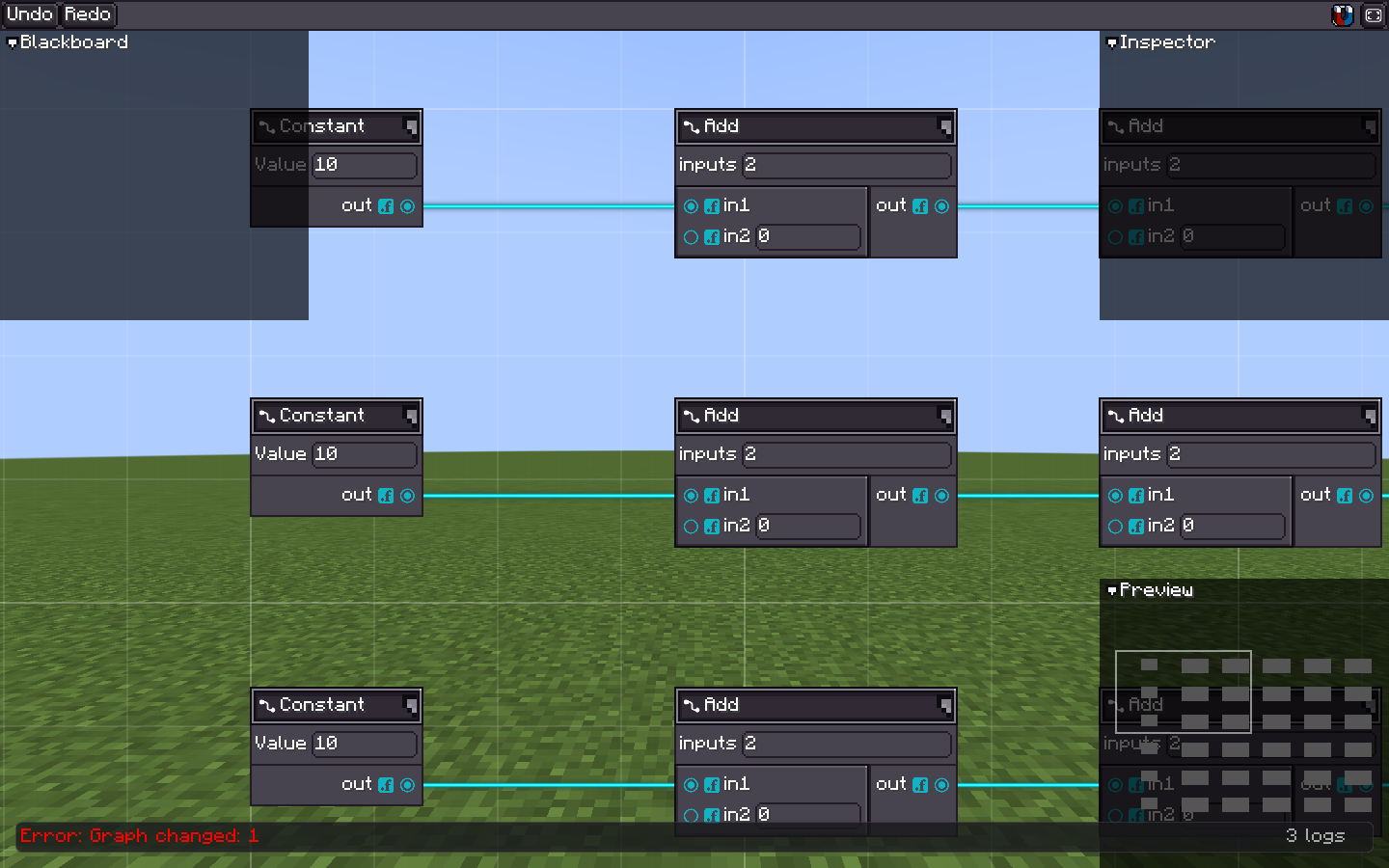
FULL keeps labels, ports, and wire detail when the graph is close enough to edit. 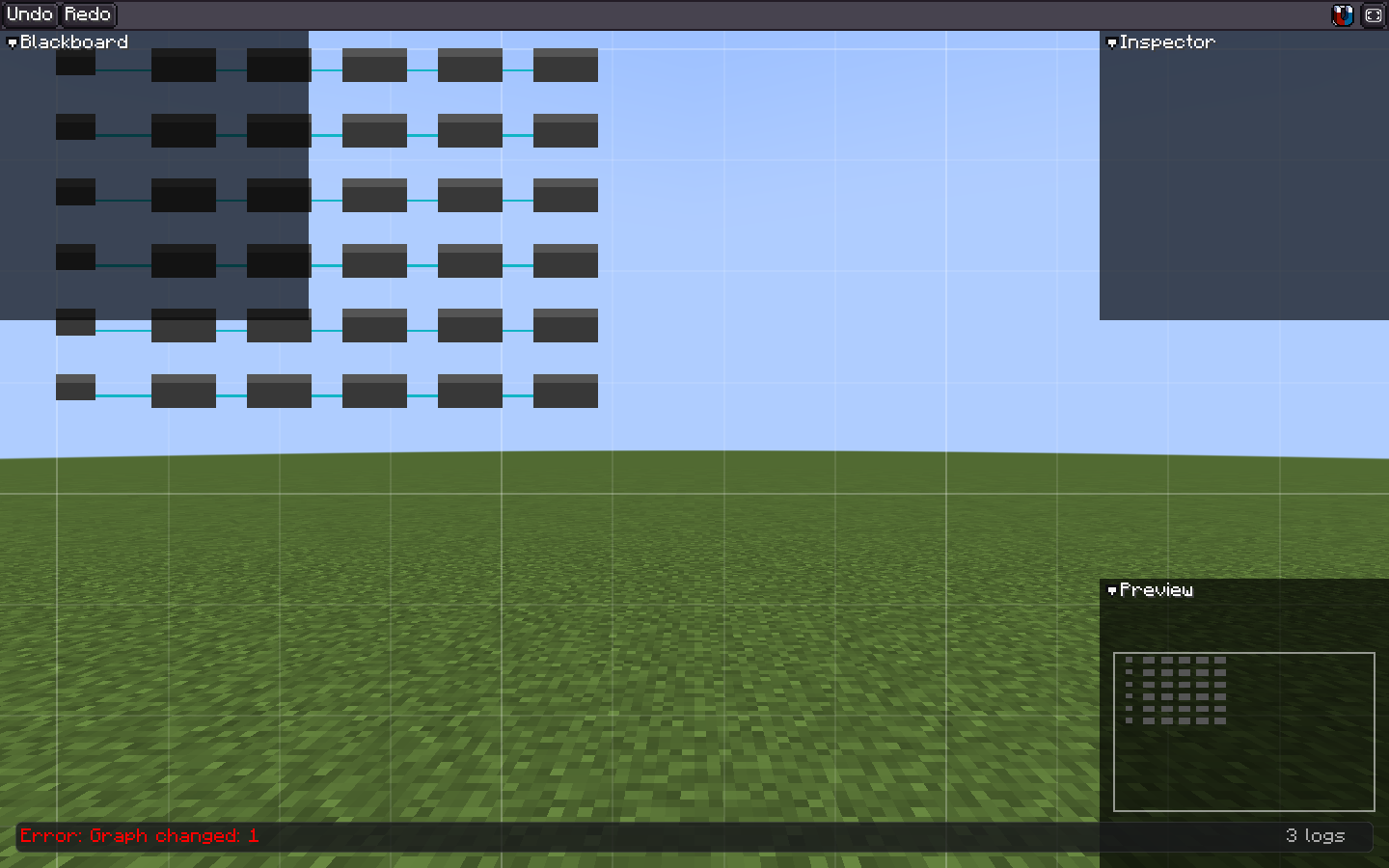
SIMPLIFIED removes expensive fine detail while preserving the graph's structure during navigation. graph.graphViewStyle(style -> style
.lodEnabled(true)
.lodSimplifiedPixelScale(0.5f)
.lodBlockPixelScale(0.2f));
if (graph.getLod() == GraphViewLod.FULL) {
// Draw labels or other fine detail.
}BLOCK is intended for an overview, not for semantic editing. Keep hit targets and essential graph state available at every LOD.