
Additional GPU Data
开始支持 2.2.0
Additional 与 Custom Stream 可以逐 Instance 改变数据,无需把 Renderer 拆成每粒子一个 Draw Call。
Additional GPU Data 将模拟数据直接暴露给材质,无需 CPU 每帧重建粒子几何。它包含两部分:
- 内置 Channel:Normalized Age、Velocity、Emitter Position、Trail Point Life、Beam Direction 等。
- 最多 4 条 Custom Data Stream:每条采样为
vec4,并且可以在运行时覆盖。
内置 Channel 支持表
| Channel | 类型 | Particle | Trail/AraTrail | Beam |
|---|---|---|---|---|
| random | float | ✓ | ✓ | ✓ |
| t(归一化 Age) | float | ✓ | ✓ | ✓ |
| age / lifetime | float | ✓ | — | — |
| position / velocity | vec3 | ✓ | — | — |
| isCollided | float | ✓ | — | — |
| emitter t / age | float | ✓ | ✓ | ✓ |
| emitter position / velocity | vec3 | ✓ | ✓ | ✓ |
| point t / point life | float | — | ✓ | — |
| beam direction / length | vec3 / float | — | — | ✓ |
不支持的组合返回 0。point t 会沿 Trail Segment 插值;Beam Direction 等于 end - start,只需方向时要 Normalize。
在 Shader Graph 中读取内置 Channel
添加 Additional Data 节点并选择一个 Registry Channel。节点输出类型与上表一致;Compiler 会自动启用 Graph 实际读取的 Channel,无需为了 Shader Graph 手动勾选对应开关。数据在 Vertex Stage 从固定 PhotonData Record 读取,Fragment 使用时自动经过 Varying。
非 Instanced CPU 路径与 Node Preview 返回 0。不支持当前 Renderer 的 Channel 同样返回 0。
配置 Custom Data Stream
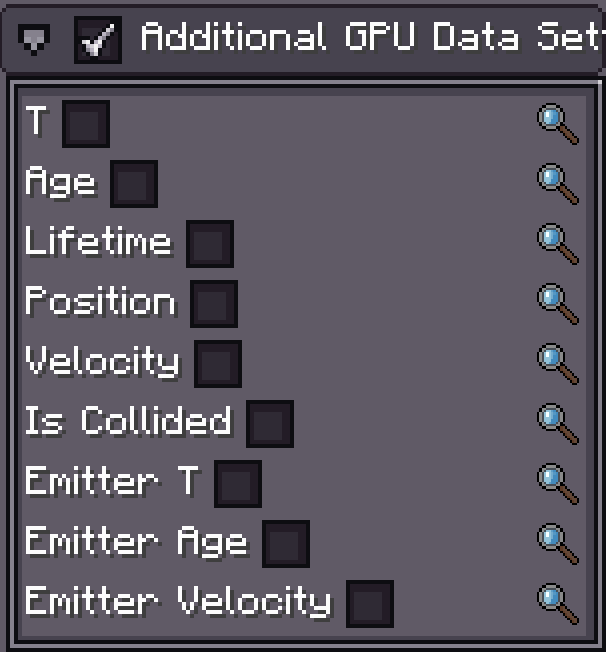
- 在 Emitter Inspector 中启用 Additional GPU Data Setting。
- 在 Custom Data 列表中添加 Stream,最多 4 条。
- 选择 Stream 类型、Time Source 和各 Channel 的 Function。
Stream Index 就是列表顺序,从 0 开始。Shader Graph 和手写 Shader 都按 Index 读取,给 Channel 改显示名称不会改变 GPU 布局;移动或删除 Stream 则会改变后续 Index。
| Stream 类型 | Inspector 内容 | GPU 值 |
|---|---|---|
| Vector | 1–4 条独立 Number Function,可分别命名 | vec4(x, y, z, w);未使用分量为 0 |
| Color | 一条 HDR Color/Gradient Function | vec4(r, g, b, a);HDR RGB 可大于 1 |
Time Source
| Source | 采样 x | 可用 Emitter |
|---|---|---|
| Self | Particle/Beam 自身的归一化生命周期;Trail/AraTrail Segment 的归一化生命 | 全部 |
| Emitter | 所属 Emitter 的归一化时间 | 全部 |
| Length | 当前点在 Trail 长度方向的位置 | Trail、AraTrail |
每条 Stream 的所有 Channel 使用同一 Time Source。Random Function 使用每个粒子、每条 Stream 独立且稳定的 Random Key,Buffer 每帧重传不会造成随机值闪烁。
在 Shader Graph 中读取 Custom Data
Custom Data 节点只用于 Particle Shader Graph/Shader Function Graph,不用于 Fullscreen Graph。
- 添加 Custom Data 节点。
- 将 Index 设为 Emitter 中的 Stream Index
0..3。 - 节点始终输出一个
vec4。 - Vector Stream 用 Split 选择 x/y/z/w;Color Stream 可直接连接颜色或 Emission。
例如 Stream 0 的 x 保存 Dissolve,y 保存 UV Distortion:
Custom Data (Index 0)
        │
      Split
      ├─ x ──> Alpha / Dissolve Threshold
      └─ y ──> UV Offset Strength
节点在 Vertex Stage 调用 photon_custom_data(index)。当 Fragment 逻辑使用输出时,Compiler 自动创建 Varying;用户不需要手写 out/in。Compiler 也会标记该材质需要 Custom Data,Renderer 随后为每个 Instance 上传固定 4 个 RGBA32F Texel 的 PhotonCustomData Record。
以下情况输出 vec4(0):
- Node Preview;
- 非 Instanced CPU 渲染;
- Additional GPU Data 未启用;
- Emitter 没有对应 Stream;
- Index 大于 3。负数选项会被钳制为 Stream 0。
因此应在最终使用的 GPU Instanced Particle、Trail、Beam 或 AraTrail 上验证,而不是只看节点预览。
在 Custom Shader Material 中读取 Custom Data
可以读取,但接口与 Shader Graph 不同。Custom Shader Material 使用传统 Instance Attribute 路径:每条 Custom Data Stream 是一个追加的 vec4 Attribute。
不要调用 photon_custom_data()
photon_custom_data() 读取 PhotonCustomData Buffer Texture。这个 Buffer 只在同一 Pass 中有 Shader Graph Material 实际使用 Custom Data 时上传,不能作为手写材质的稳定接口。Custom Shader Material 应声明 Attribute。
Attribute Location
如果没有手动启用任何内置 Channel,Stream 0 的位置为:
| Renderer Define | Stream 0 Location |
|---|---|
PARTICLE_INSTANCE | 8 |
PARTICLE_MODEL_INSTANCE | 9 |
TRAIL_INSTANCE | 3 |
ARA_TRAIL_INSTANCE / ARA_TRAIL_TUBE_INSTANCE | 3 |
BEAM_INSTANCE | 6 |
手动启用的每个“可上传”内置 Channel 会占用一个 Attribute Location。计算公式为:
customLocation = rendererBaseLocation
               + enabledUploadableBuiltinChannelCount
               + streamIndex
内置 Channel 按页面上方支持表的 Registry 顺序排列。增加一个开关可能移动所有 Custom Stream,因此发射器设置和 GLSL 必须一起维护。Beam Direction/Length 是 Shader 派生值,不占 Attribute。
Vertex Shader 示例
下面假设没有启用内置 Channel,并读取 Stream 0:
#version 330 core
#moj_import <photon:particle.glsl>

#if defined(PARTICLE_INSTANCE)
layout(location = 8) in vec4 iCustom0;
#define HAS_CUSTOM0
#elif defined(PARTICLE_MODEL_INSTANCE)
layout(location = 9) in vec4 iCustom0;
#define HAS_CUSTOM0
#elif defined(TRAIL_INSTANCE) || defined(ARA_TRAIL_INSTANCE) \
   || defined(ARA_TRAIL_TUBE_INSTANCE)
layout(location = 3) in vec4 iCustom0;
#define HAS_CUSTOM0
#elif defined(BEAM_INSTANCE)
layout(location = 6) in vec4 iCustom0;
#define HAS_CUSTOM0
#endif

out vec4 custom0;

void main() {
    ParticleData particle = getParticleData();
    // ...计算 gl_Position 与其他 varying...

#ifdef HAS_CUSTOM0
    custom0 = iCustom0;
#else
    custom0 = vec4(0.0); // Preview 与非 Instanced CPU 路径
#endif
}
Fragment Shader 通过 matching varying 读取:
in vec4 custom0;

void main() {
    float dissolve = custom0.x;
    vec3 emission = custom0.rgb;
    // ...
}
GLSL 声明了 Stream,Emitter 也必须实际创建该 Stream 并启用 Additional GPU Data。需要同时读取传统内置 Channel 时,先根据启用顺序声明它们,再重新计算 Custom Stream Location。
运行时覆盖
四种 Emitter Runtime 都暴露 CustomDataRuntime。不修改共享的 Authored Config,也能覆盖单条 Stream/Channel:
ParticleEmitter sparks = (ParticleEmitter) runtime.findObject("sparks");

// Stream 0、Channel 0(X/R)。RuntimeValue 接受 authored function 类型。
sparks.runtime().customData.slot(0, 0)
        .set(new Constant(0.85f));

// 恢复编辑器中编写的值。
sparks.runtime().customData.slot(0, 0).clear();
Trail、Beam 和 AraTrail 同样使用 runtime().customData.slot(stream, channel)。Color Stream 暴露 Color Binding;Scalar/Vector Stream 暴露对应分量 Binding。
WARNING
Timeline Animation 与 Java 写入相同 RuntimeValue Slot 时,当前采样最后一次写入生效。如果 Timeline Clip 每帧驱动该 Slot,Java 的一次性 set() 看起来会被忽略。请改用另一条 Stream、在 Timeline 求值后更新,或只让一个系统拥有该值。
性能
Shader Graph 只上传编译后的 Pass 真实使用的 Channel;只有 Graph 读取 Custom Data 时才创建 Custom Stream Buffer。旧式 Shader 依赖手动 Toggle,并上传声明的 Attribute。优先让大量粒子共享少量紧凑 Stream,不要为了不同数值创建大量无法合批的独立材质。