
Animation Track 与 Record Mode
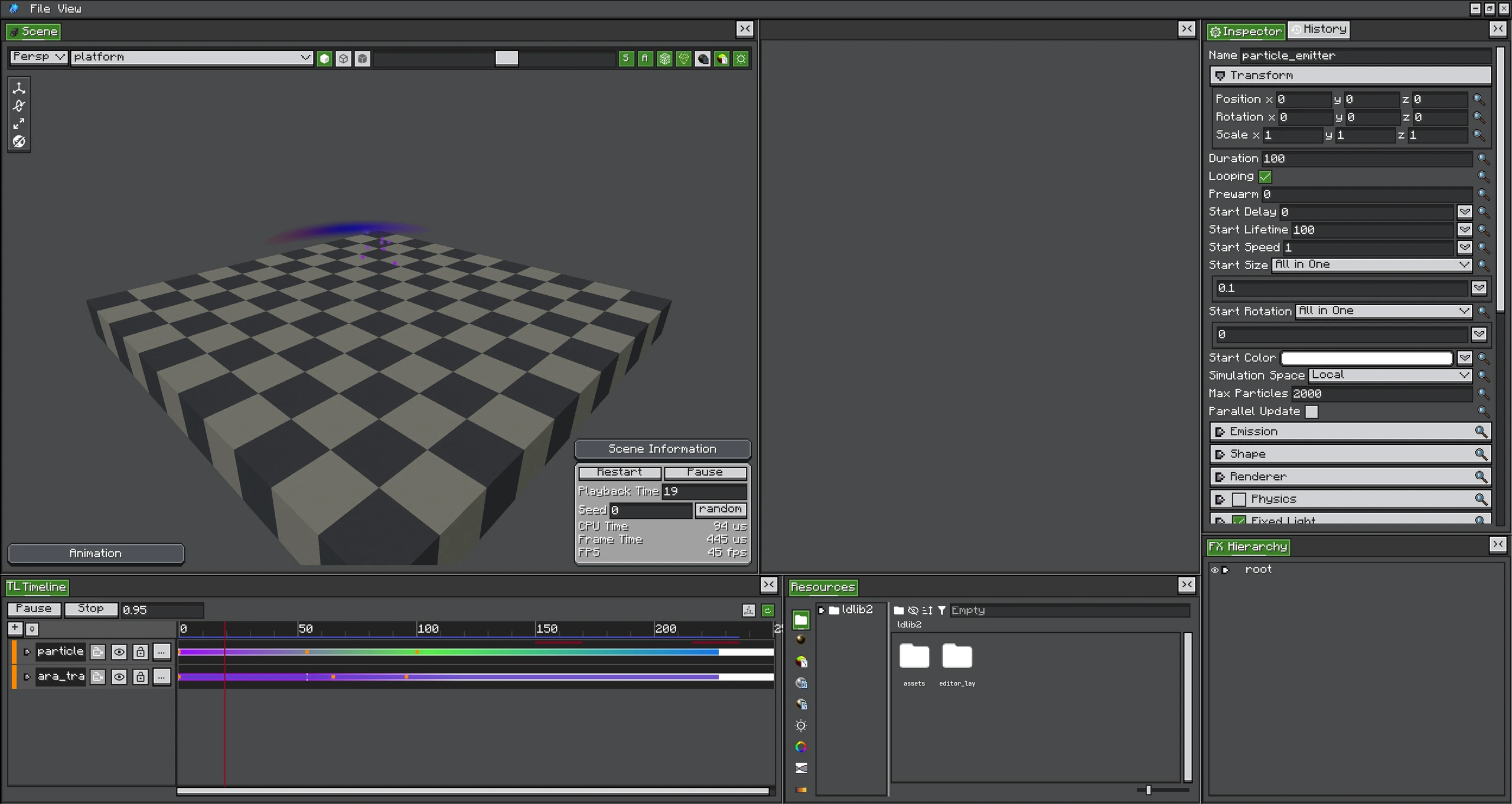
Record Mode 把 Inspector 中的修改写进所选动画 Property,Scene 则实时预览采样结果。
Animation Track 采样强类型 Property,并应用到 FX Object。Transform Property 写入 position、rotation 或 scale;Config Property Track 写入 Emitter Runtime 上已注册的 RuntimeValue Slot。
可动画 Property 类型
- position、rotation、scale;
- 标量 float/int 和 boolean Runtime Value;
NumberFunction与NumberFunction3;- Color/HDR Color;
- Emitter Type 注册的 Renderer 与 Material Override 字段;
- 每个 Config 动态生成的 Additional GPU Data Channel。
Property 菜单来自 Target Object 的 FXObjectType。它不能通过反射动画任意字段;字段必须有受支持 ConfigValueType 的 Runtime Binding。
Key 与 Sub Clip
| Item | 用途 |
|---|---|
| Keyframe | 在指定时间采样一个值,并在 Key 之间插值。 |
| Curve Clip | 在 Clip 范围内使用 Curve。 |
| Gradient Clip | 在范围内编辑 Color/Alpha Stop。 |
| Expression Clip | 使用 Clip Local Time 计算表达式。 |
Curve Key 提供 Tangent Handle;Color Lane 提供 Gradient Stop。Lane Item 使用和普通 Clip 相同的多选与移动规则。
Record Mode
Record Mode 会在播放推进时,把实时 Inspector 或 Gizmo 修改写入所选 Animation Property。
- 将 Animation Track 绑定到 Target。
- 添加并选择 Property。
- 开启 Record。
- 播放,并在需要的时间修改 Target。
- 关闭 Record,从零播放检查插值。
录制期间会冻结 Recording Target 的 Per-frame Animation Re-apply,避免用户刚做的修改立即被采样 Pose 覆盖。需要时 Capture 会读取 Authored/Live Value,绕过现有 Runtime Override。
Runtime Binding 行为
应用 Config Animation 时调用 slot.set(sampledValue)。删除或 Mute Property 时调用 slot.clear(),恢复 Authored Config。播放时不需要复制或修改 FX Definition。
同一个 Slot 的多个 Writer
Property Active 时,Timeline 拥有该 Slot。Java 只写一次同一 Slot,可能在下一次 Timeline Evaluate 时被覆盖。应使用其他 Property、按需要持续更新,或删除/Mute Timeline Binding。