
Animation Tracks and Record Mode
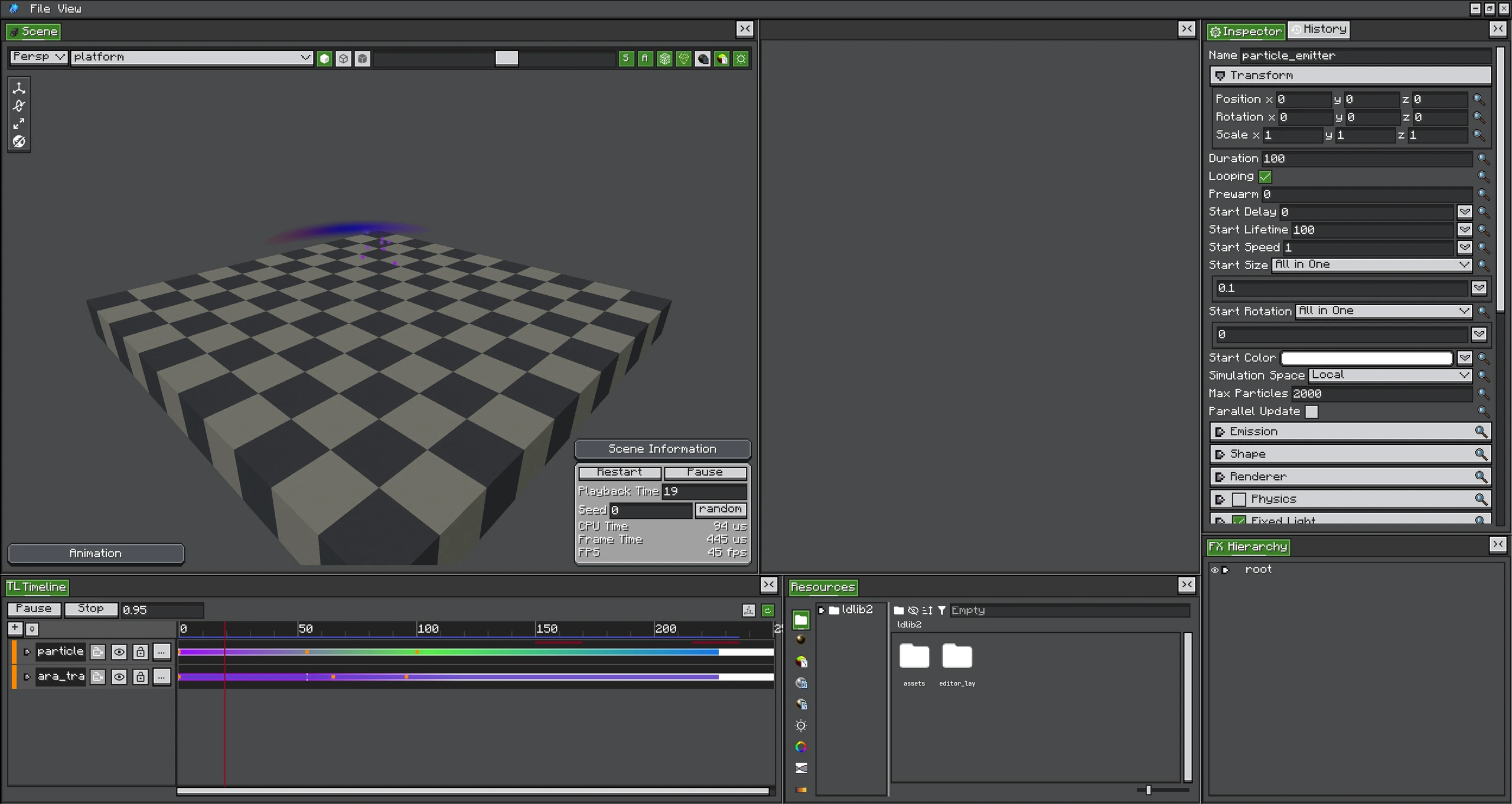
Record Mode writes Inspector changes into the selected animated property while the Scene previews the sampled result.
Animation Tracks sample typed properties and apply them to an FX object. Transform properties write position, rotation, or scale; config-property tracks write a registered RuntimeValue slot on the emitter runtime.
Animatable Property Types
- position, rotation, and scale;
- scalar float/int and boolean runtime values;
NumberFunctionandNumberFunction3values;- color/HDR color values;
- renderer and material override fields registered by the emitter type;
- per-config Additional GPU Data channels.
The property menu is built from the target object's FXObjectType. It cannot animate an arbitrary reflected field; the field needs a runtime binding with a supported ConfigValueType.
Keys and Sub-Clips
| Item | Use |
|---|---|
| Keyframe | Sample a value at a time and interpolate between keys. |
| Curve Clip | Use a curve over a clip range. |
| Gradient Clip | Use editable color/alpha stops over a range. |
| Expression Clip | Evaluate an expression against clip-local time. |
Curve keys expose tangent handles. Color lanes expose Gradient stops. Lane items can be selected and moved with the same multi-selection rules as ordinary clips.
Record Mode
Record Mode captures live Inspector or gizmo edits into the selected animation property while playback advances.
- Bind an Animation Track to the target.
- Add/select the property.
- Enable Record.
- Play and edit the target at the desired times.
- Disable Record and play from zero to inspect interpolation.
While recording, the per-frame animation re-apply is frozen for the recording target so the user's live edit is not immediately overwritten by the sampled pose. Capture reads the authored/live value, bypassing an existing runtime override where required.
Runtime Binding Behaviour
Applying a config animation calls slot.set(sampledValue). Removing/muting the property calls slot.clear(), returning to authored config. This avoids copying or mutating the FX definition during playback.
Same-slot writers
Timeline owns a bound slot while its property is active. Java code writing the same slot once may be overwritten on the next Timeline evaluation. Use a separate property, write every required update, or remove/mute the Timeline binding.