
Built-in Blueprints
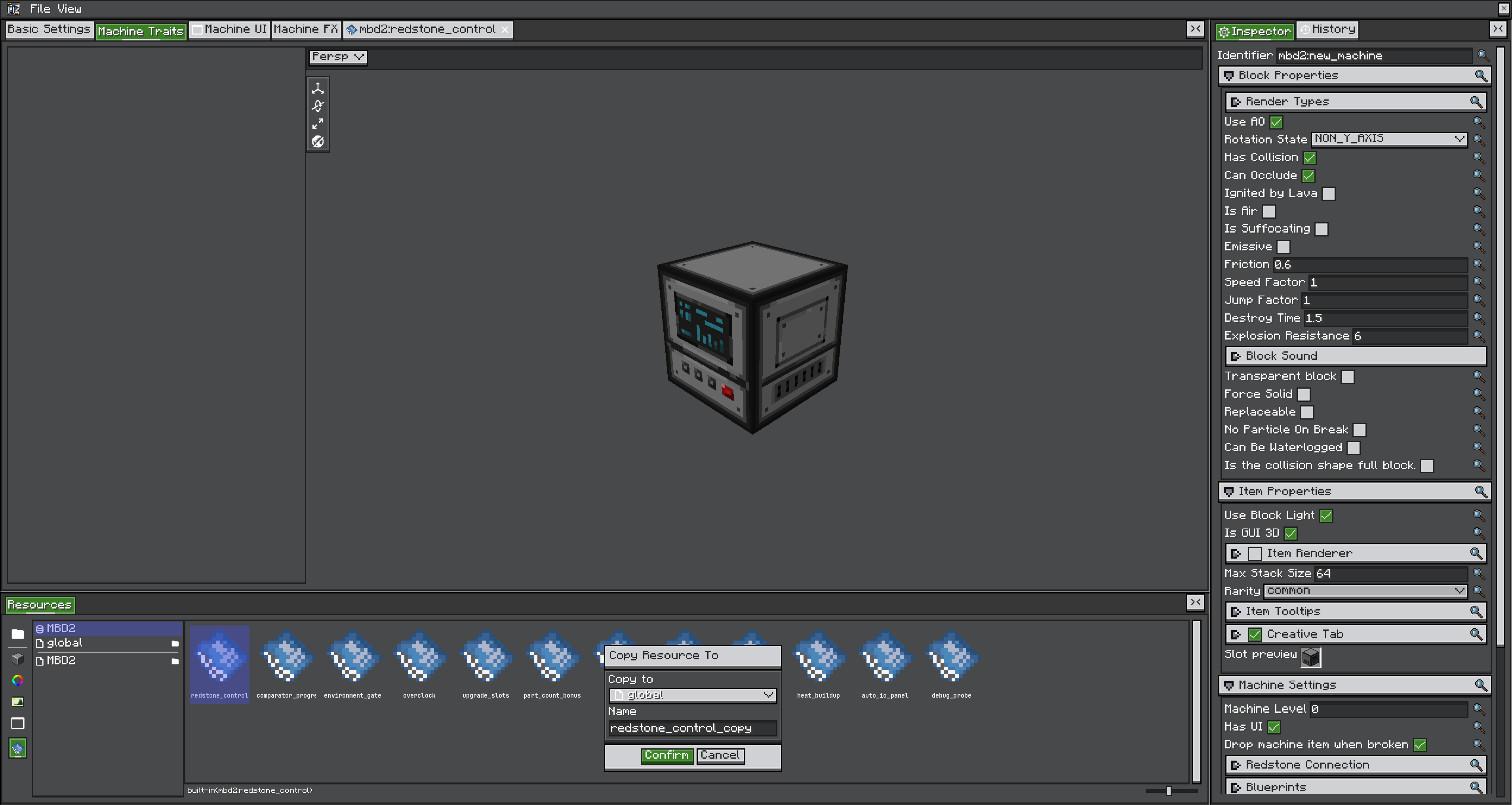
MBD2 21.1.1MBD2 ships twelve blueprints. Each does one job most packs want, and each is also a worked example: open one, read the notes on its canvas, and copy it into your own library to change it.
Reference one from a machine as built-in(mbd2:<name>). They are held in memory, so they resolve on a dedicated server with no content directory, and the editor opens them read-only — use Copy to fork one.
Stack them, do not merge them
A machine's blueprint list is an ordered pipeline, so redstone control plus an overclock plus a bonus output is three bindings, not one graph with switches. Anything that would need a "mode" parameter to be worth shipping is two blueprints.
The twelve
| Blueprint | Hooks | Parameters |
|---|---|---|
redstone_control | Machine Tick | requiresSignal false, threshold 1 |
comparator_progress | Machine Tick | invert false |
environment_gate | Before Recipe Working | needsRain false |
overclock | Recipe Modify (Before) | speedPerTier 2, costPerTier 4, maxOverclocks 4 |
upgrade_slots | Recipe Modify (Before) | traitName item_slot, slot 0, upgradeItem sugar, speedPerUpgrade 0.5, maxUpgrades 4 |
part_count_bonus | Recipe Modify (Before) | speedPerPart 0.05, maxSpeedup 3 |
upkeep | On Recipe Working | traitName fluid_tank, amountPerTick 10, reason Out of coolant |
chance_output | On Recipe Finish | bonusItem gold nugget, chance 0.1, traitName item_slot |
output_swap | Recipe Modify (Before) | product raw iron |
heat_buildup | Machine Tick + Recipe Modify | heatPerTick 1, coolPerTick 2, maxHeat 1000, bonusAtMaxHeat 2 |
auto_io_panel | Build UI | trait "", name "" |
debug_probe | Use Item On | probeItem stick |
Redstone control
Reads the strongest signal reaching the machine every tick and sets recipe logic's working-enabled flag from it. requiresSignal off means "runs until powered"; on means "only runs while powered".
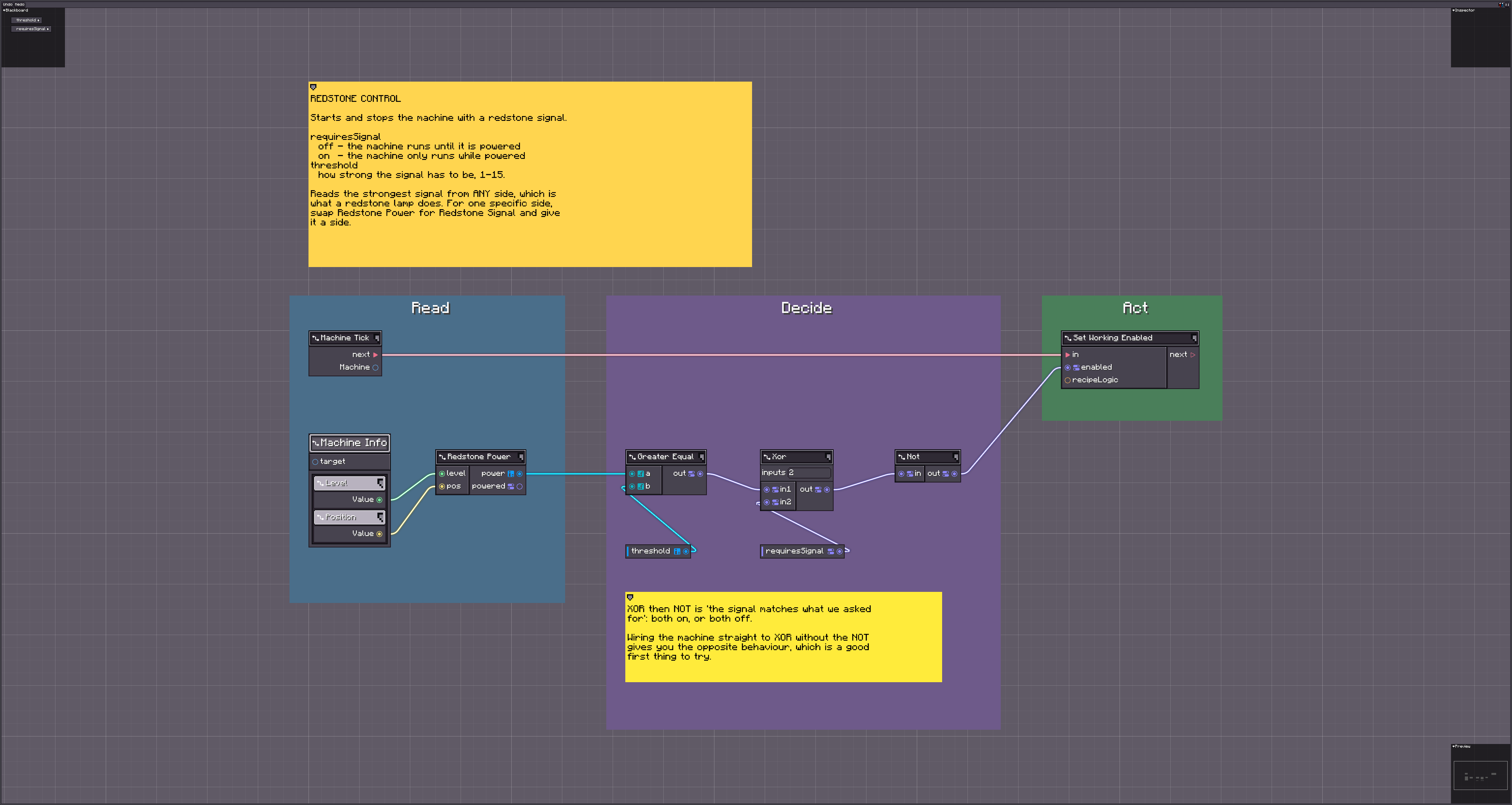
Reads any side, like a redstone lamp. Swap Redstone Power for Get Redstone Signal and give it a side to make it directional.
Comparator progress
Maps recipe progress (0..1) onto 0-15 and writes it to the machine's analog signal, so a comparator against the machine reads it. invert flips it.
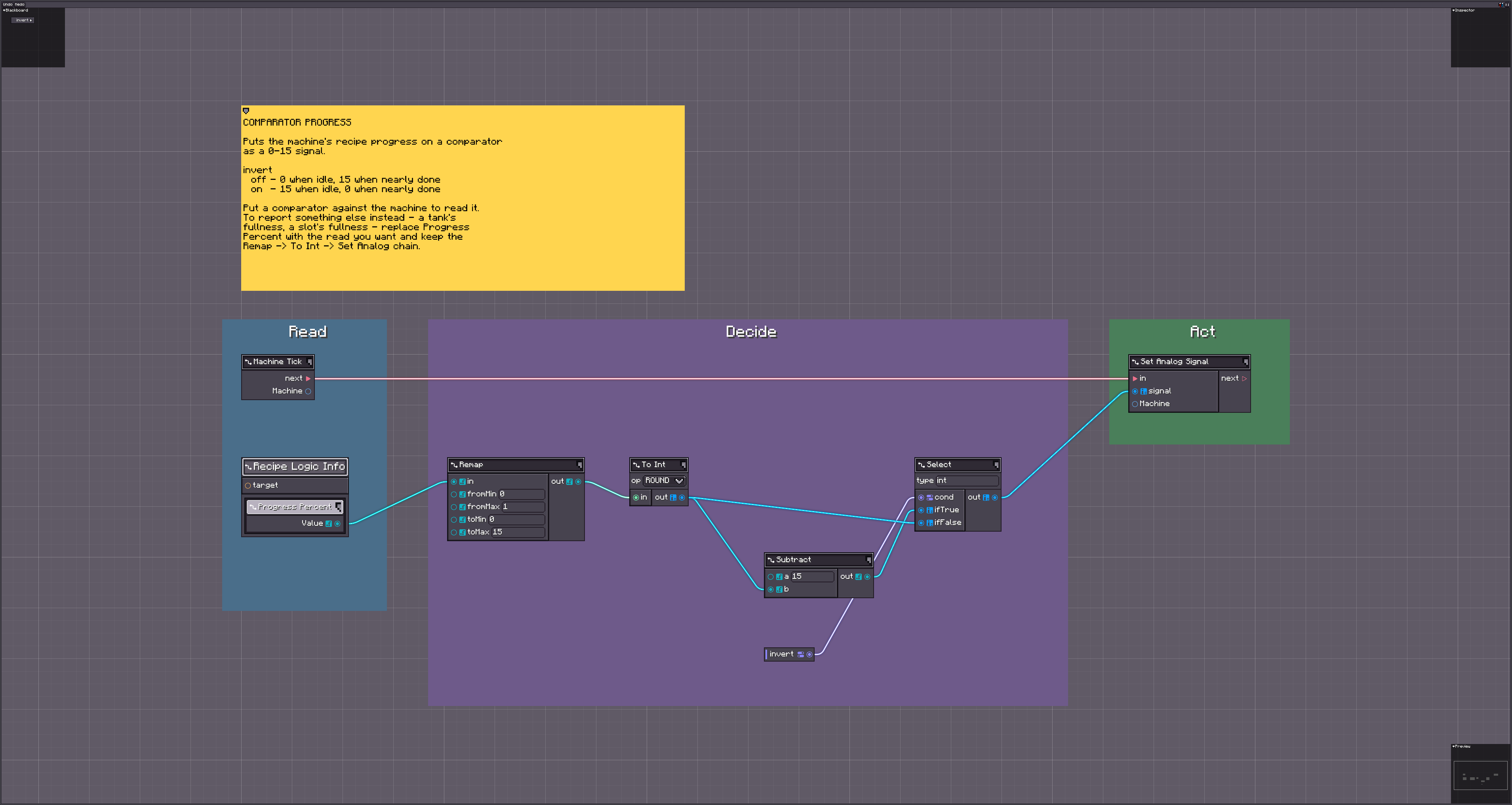
The remap is not a plain progress * 15: that would spend a whole comparator level on "hasn't started".
Environment gate
Refuses to start a recipe unless the weather matches needsRain. A recipe already running is left alone to finish.
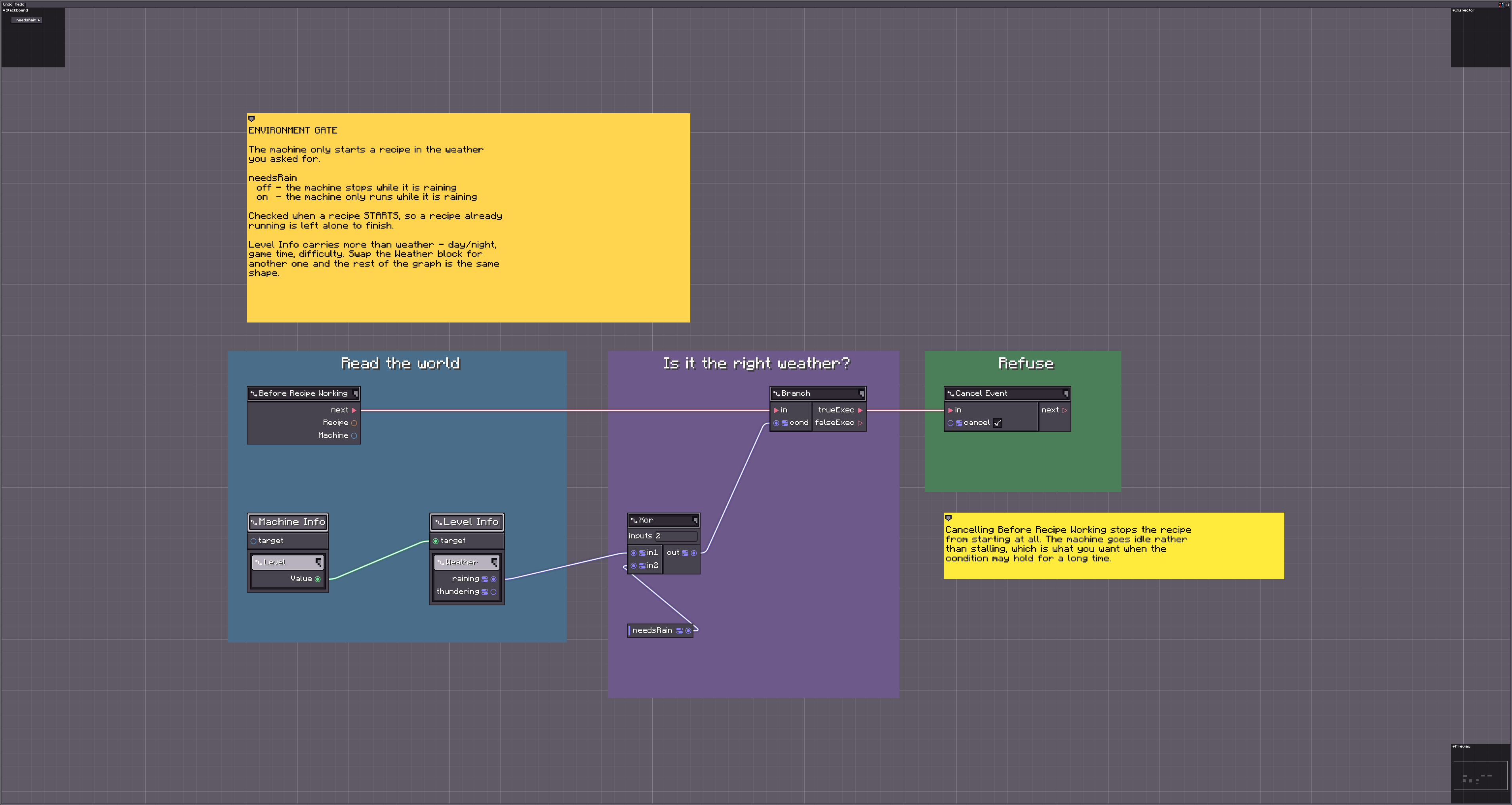
It hooks Before Recipe Working — the event that can still say no. Gating whether something happens belongs here; gating while it happens belongs on On Recipe Working, as upkeep does.
Overclock
Takes the machine's tier as a number of overclocks, divides the duration by speedPerTier that many times and multiplies the inputs by costPerTier that many times. At the defaults, tier 2 runs 4× faster for 16× the inputs. Tier 0 changes nothing.
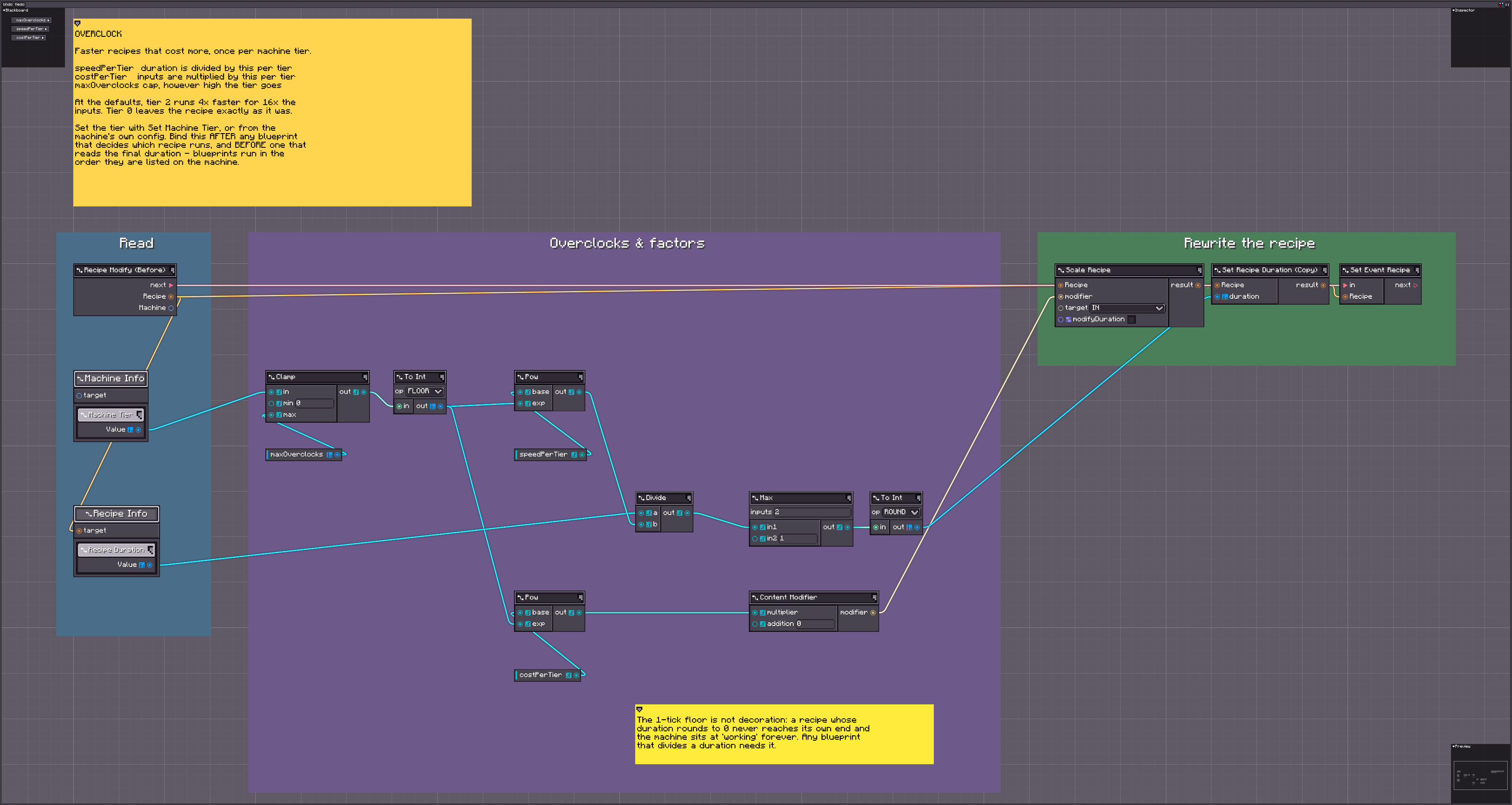
Off tier, not off stored energy: a recipe's cost should not depend on when it happened to start.
Upgrade slots
Looks in one slot of a named item trait, and if it holds upgradeItem divides the duration by 1 + count * speedPerUpgrade. The Mekanism/Thermal shape.
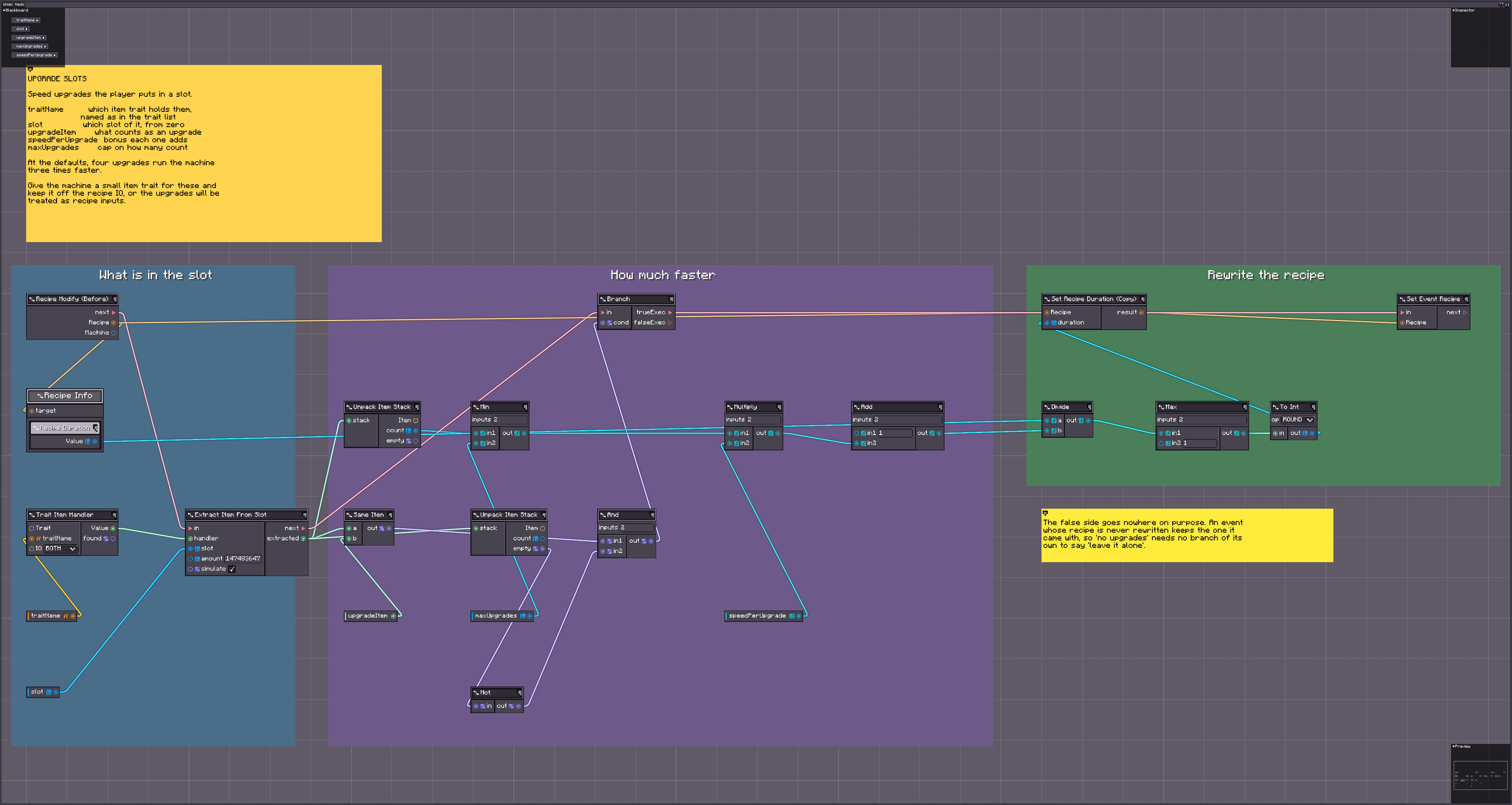
Give the machine a small item trait for these and keep it off the recipe IO, or the upgrades become recipe inputs.
Part count bonus
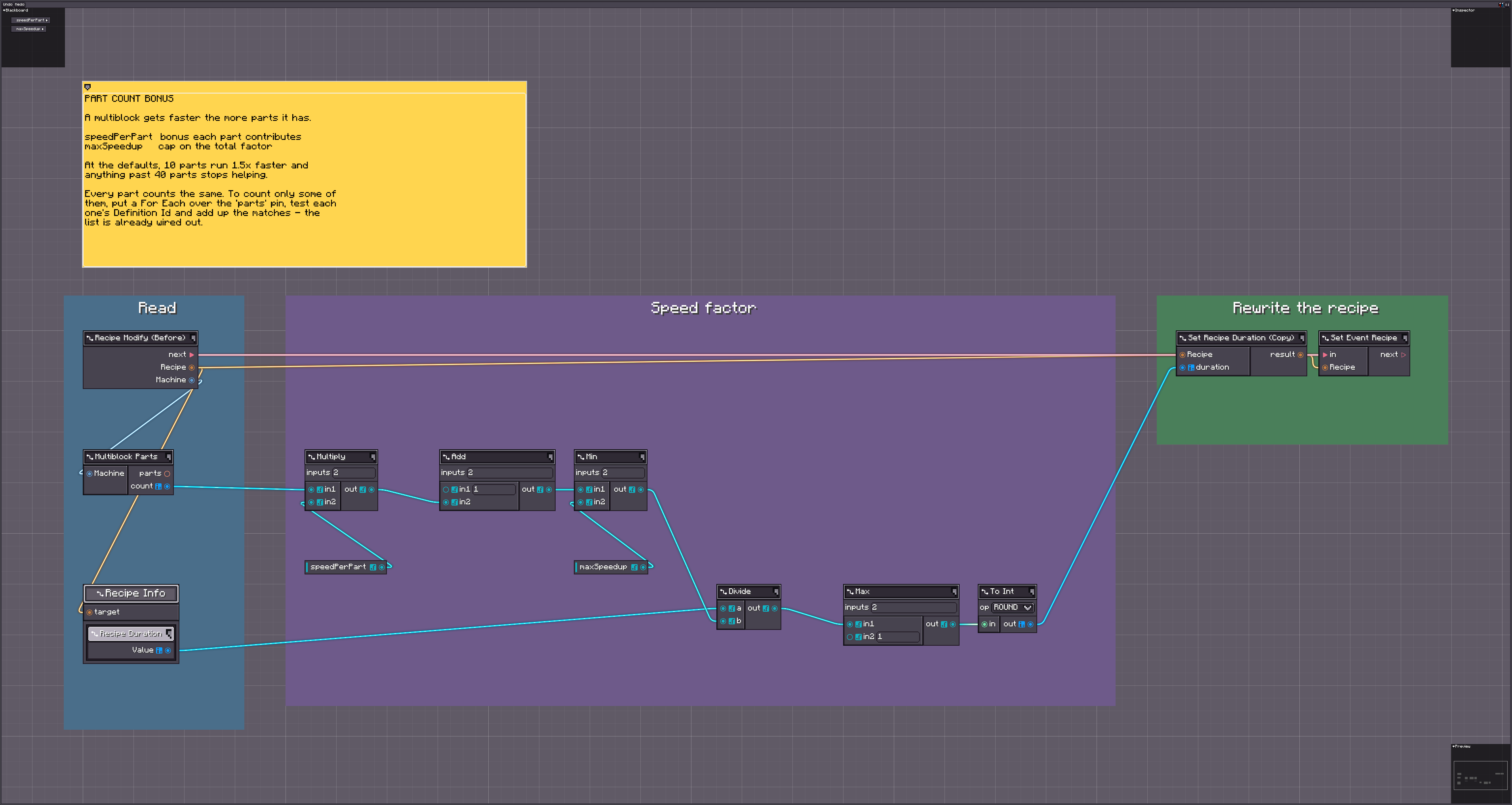
Counts the parts of a formed structure and divides the duration by 1 + count * speedPerPart, capped at maxSpeedup. On a machine that is not a formed multiblock the count is zero and nothing changes.
Upkeep
Drains amountPerTick mB from a named fluid trait every working tick and stalls the machine when the tank runs dry, showing reason in the UI.
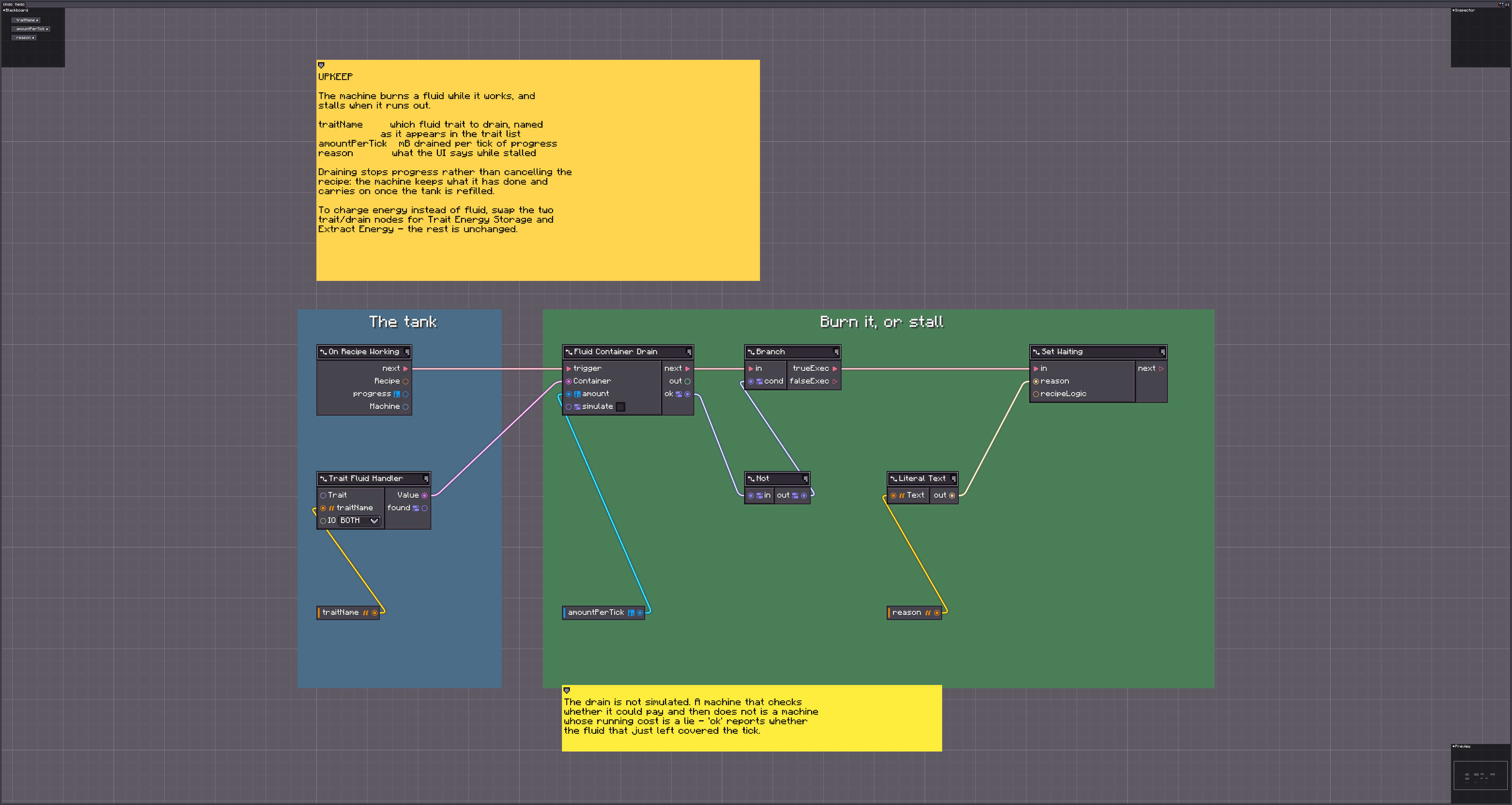
To charge energy instead, swap the two trait/drain nodes for Trait Energy Storage and Extract Energy.
Chance output
Rolls chance once per completed recipe and, on success, inserts bonusItem into a named item trait.
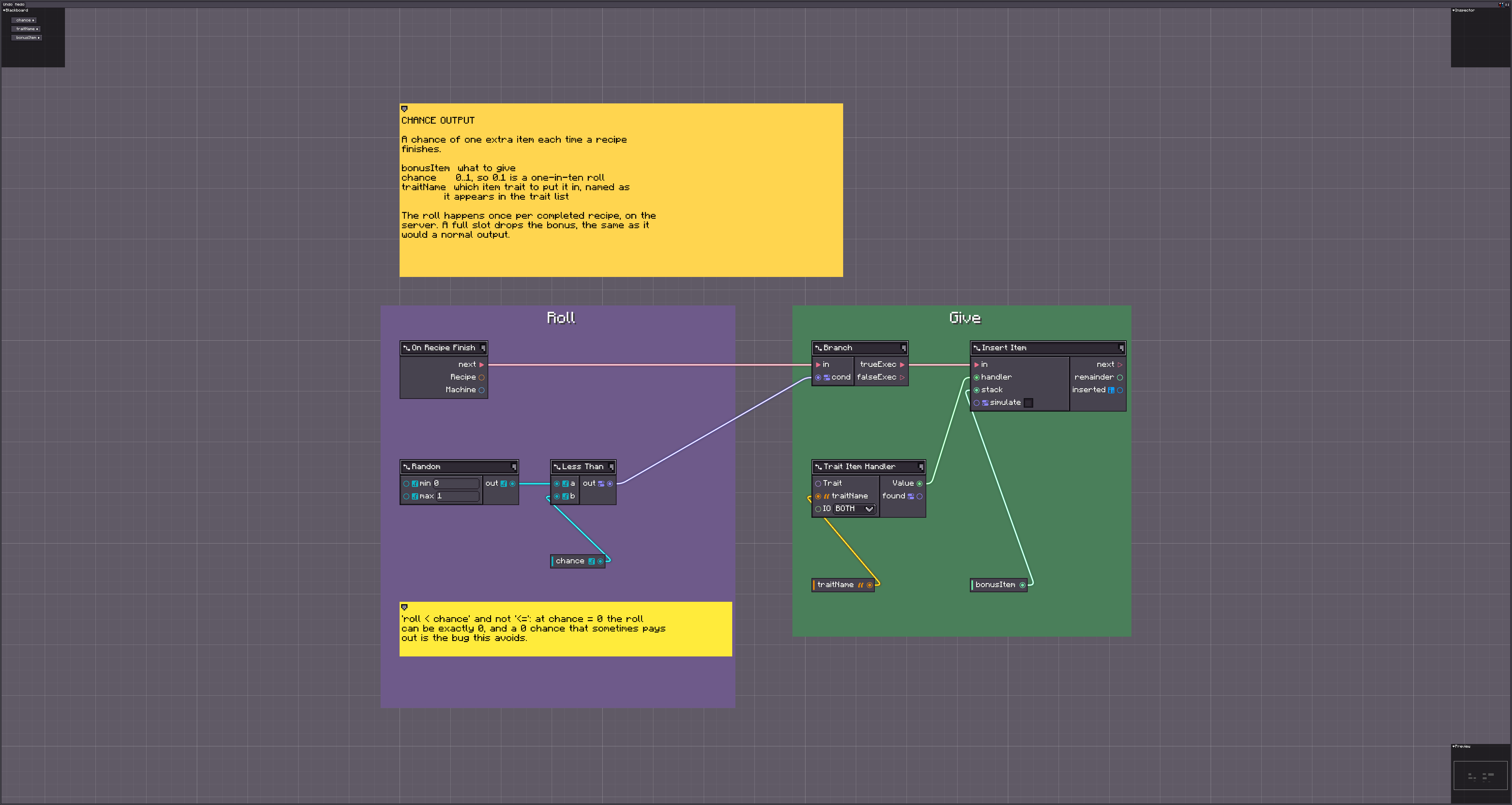
A full slot drops the bonus, the same as it would a normal output.
Output swap
Replaces every item output of the recipe with product. Fluid outputs are left alone, and the recipe still has to match its normal inputs.
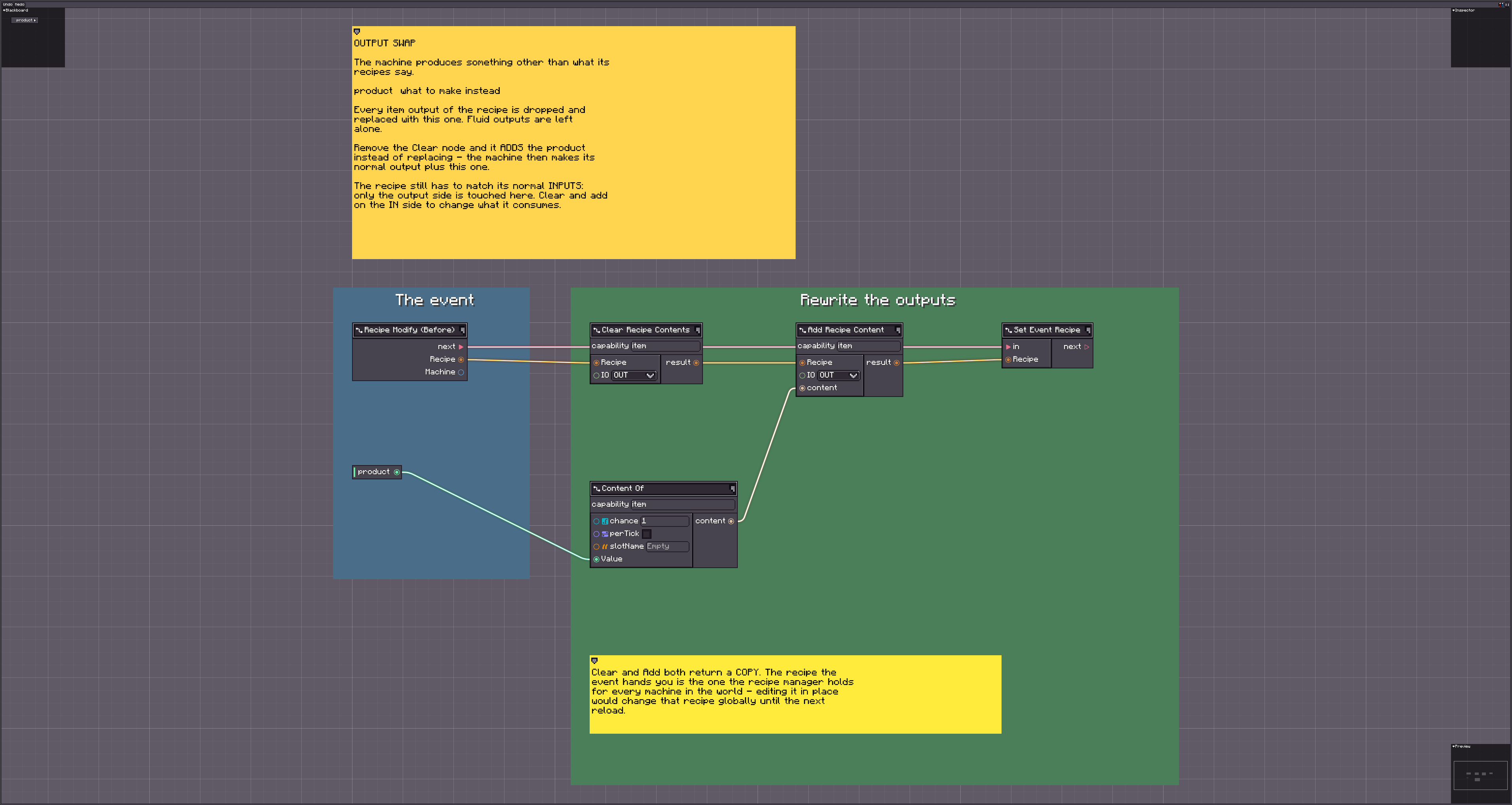
This is the demonstration that a blueprint can change what a recipe trades, not only how much of it.
Heat buildup
The machine warms while it works and cools while idle; the hotter it is, the faster it runs, up to bonusAtMaxHeat at maxHeat.
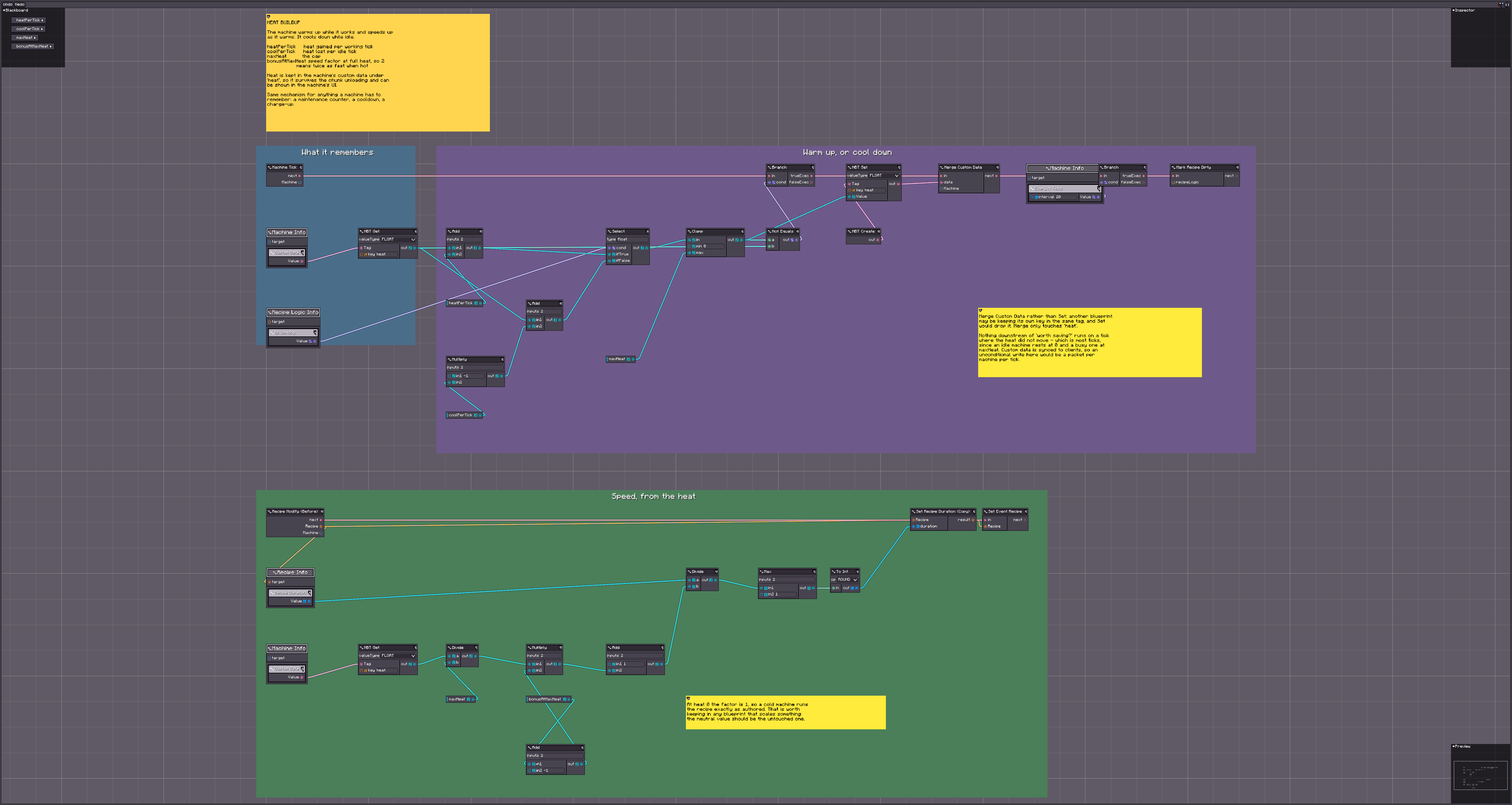
The same mechanism covers anything a machine has to remember: a maintenance counter, a cooldown, a charge-up. It writes its custom data only on ticks where the heat actually moved.
Auto IO panel
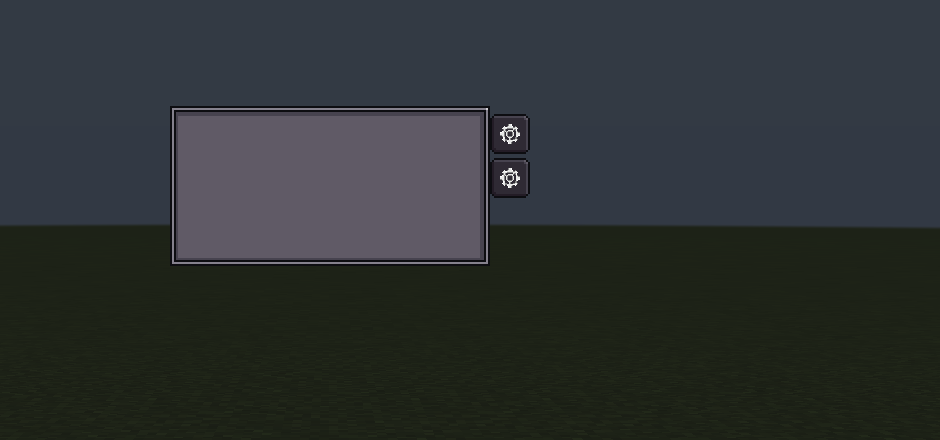
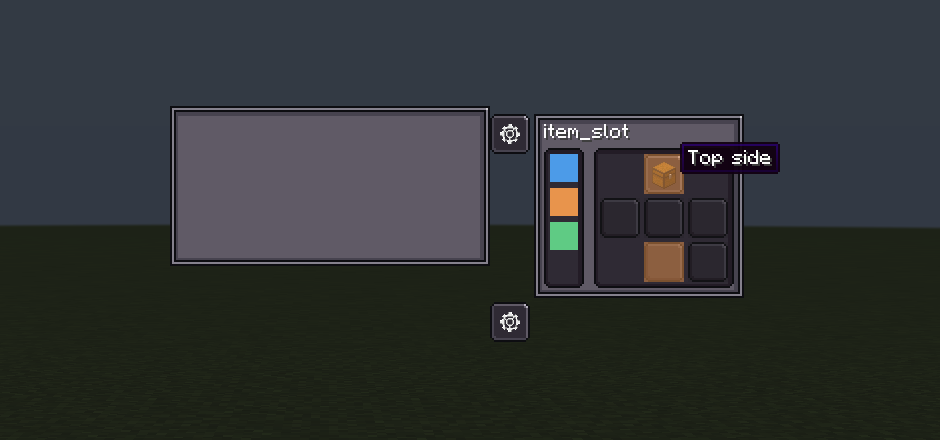
Adds a tab strip beside the machine's screen; folding a tab out shows the machine's six faces, and clicking a face cycles auto IO there — none, in, out, both. The setting is a runtime value, so it belongs to that one placed machine and survives a save.
| Parameter | Meaning |
|---|---|
trait | The trait to configure, named as it appears in the trait list |
name | Tab caption; empty uses the trait's own name |
Nothing is added if that trait does not do auto IO. Bind the blueprint more than once with different trait names and the tabs stack down the strip — they append to one shared container rather than each building their own, and an open panel pushes the tabs below it down instead of overlapping them.
The strip is positioned outside the machine panel, so appending a tab never moves the machine's own contents.
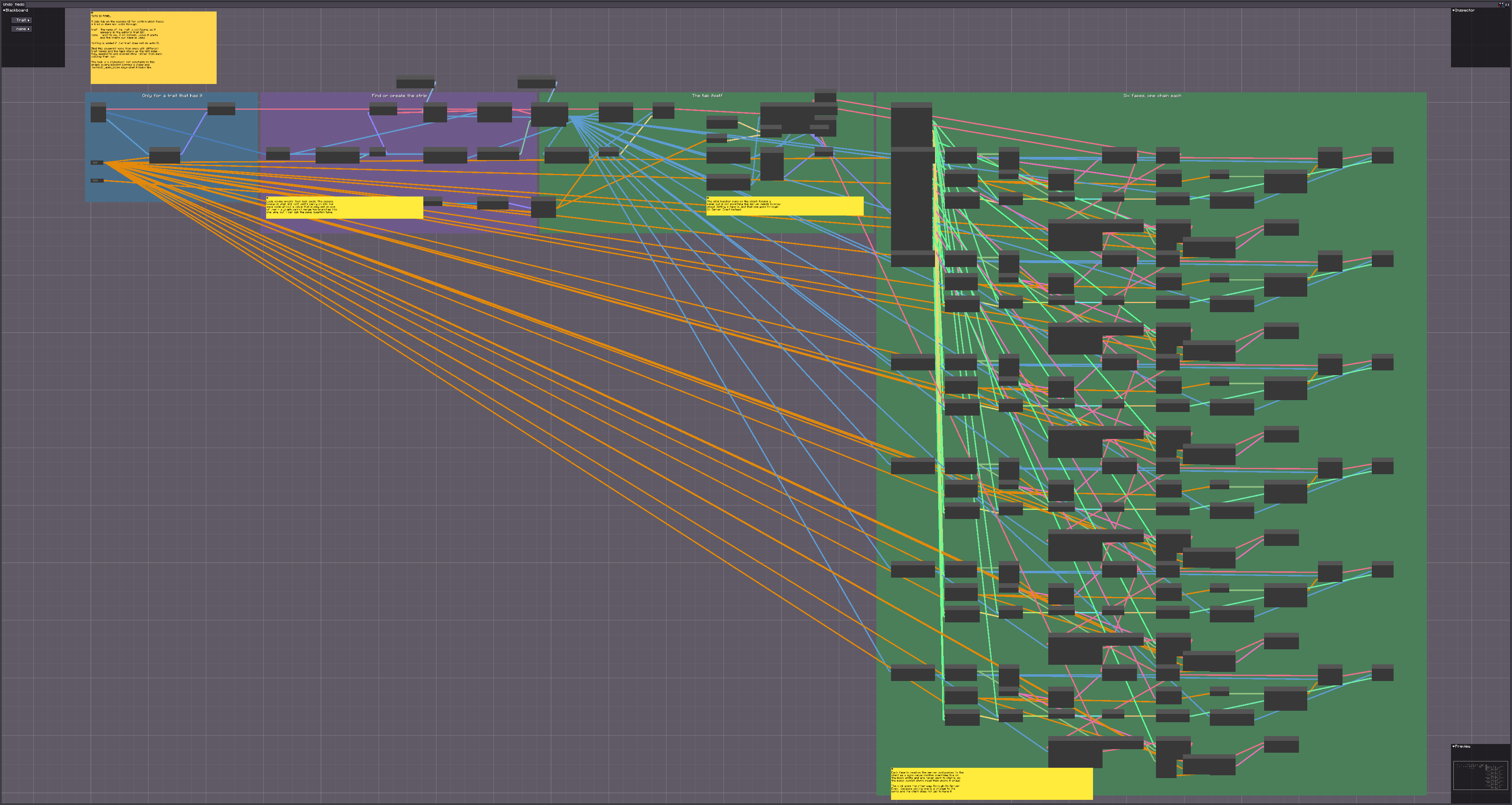
Two things it demonstrates for any UI blueprint: the look is a stylesheet the pack can replace, and the client learns each face's state through the machine's @DescSynced custom data — because runtime values are server-side and never sent.
lss/mbd2_auto_io.lss is loaded as a merged stylesheet, so a pack restyles the panel by shipping its own file at that path with only the rules it disagrees with. Later packs win. The sheet is attached to the tab strip rather than the screen, so nothing in it can leak into the machine's own UI.
Debug probe
Right-click the machine holding probeItem and it reports machine state, tier and recipe status in chat. The click is consumed, so the UI stays shut while you hold the probe.
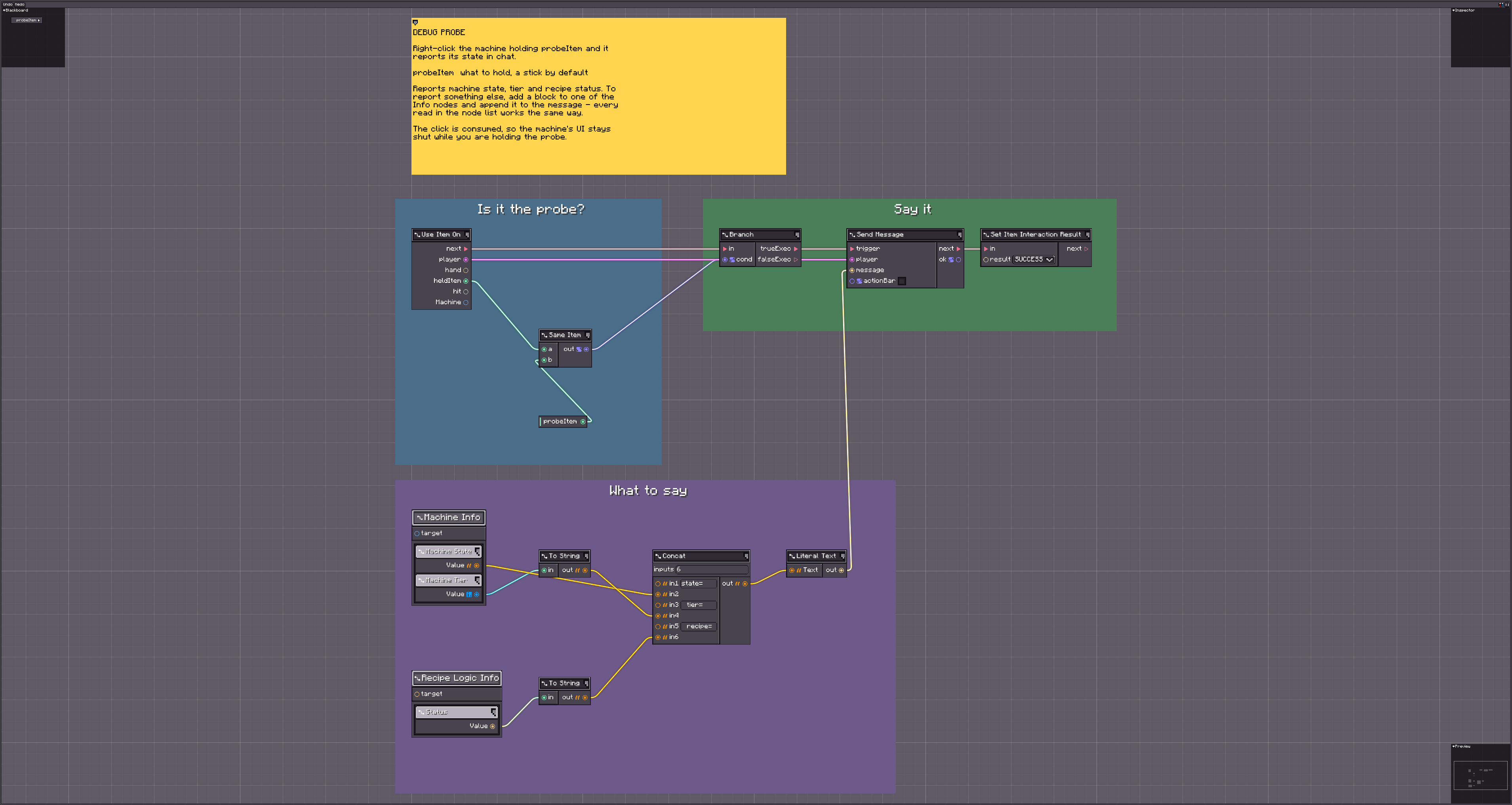
This is the fastest way to see whether a machine is in the state you think it is, and it needs no scripts or commands.