
Multiblock Machines
MBD2 21.1.1A multiblock project adds reusable predicates, a three-dimensional pattern, repetition ranges, controller placement, shape previews, catalysts, and part capability routing.
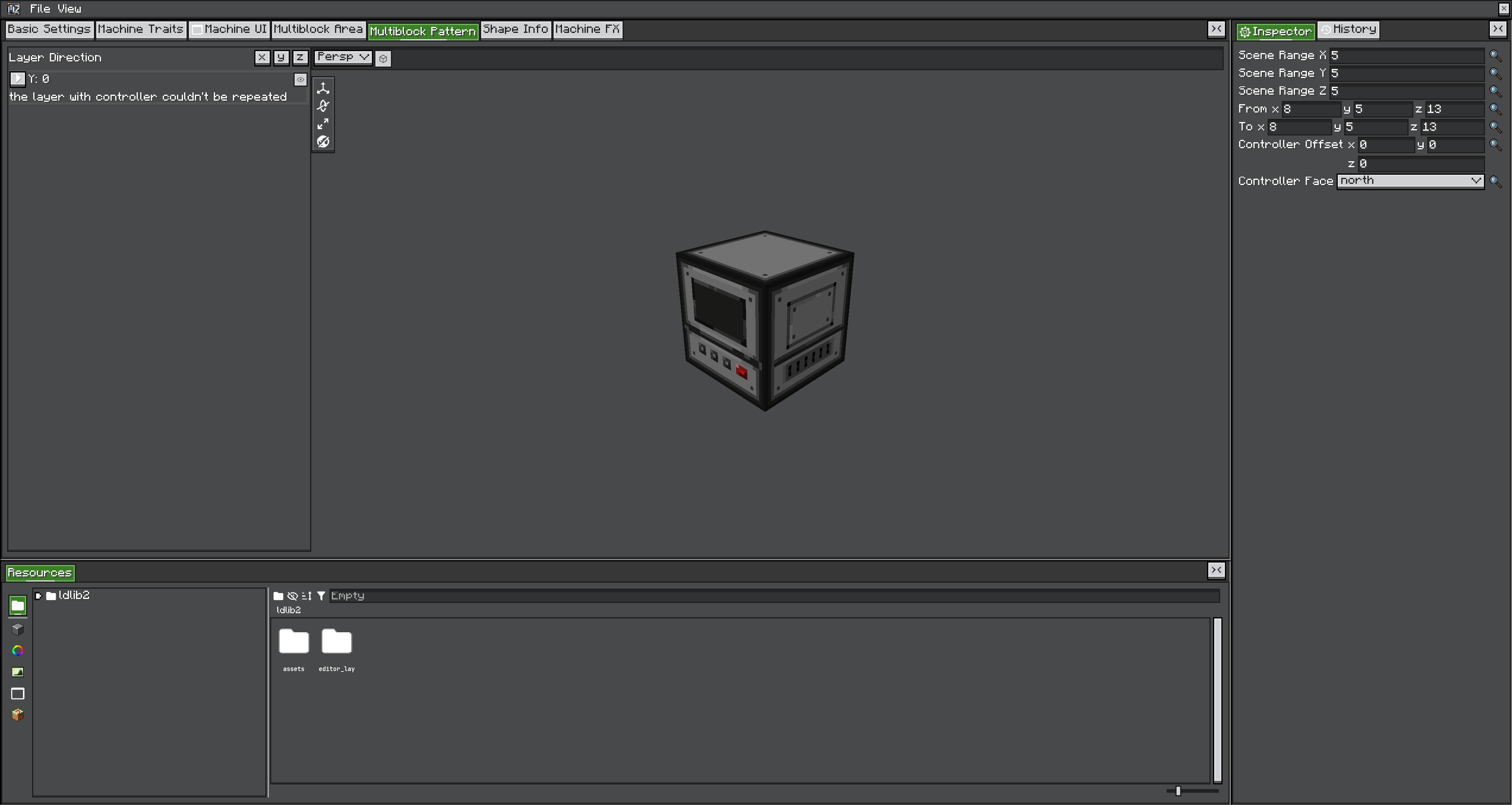
Build the pattern
- Create predicate resources before painting the grid.
- Choose the pattern layer axis and author every layer in a consistent controller-facing orientation.
- Assign one or more predicates to each placeholder; multiple predicates on one position are combined as alternatives.
- Mark exactly one placeholder as the controller and set its facing.
- Configure each aisle's minimum and maximum repetition.
- Generate and inspect shape information for minimum and maximum layouts.
Built-in predicate types
| Type | Matches |
|---|---|
blocks | One of the configured blocks |
blockstates | Exact configured block states |
partial_state | Selected block-state properties while ignoring unspecified properties |
tags | Blocks in configured block tags |
fluids | Configured fluid states |
air | Air only |
any | Any block state; use only where the structure truly does not care |
Prefer tags or partial states for pack-extensible casings. Prefer exact states when orientation or a property is part of the machine requirement.
Repetition and previews
Each aisle has an inclusive [min, max] repetition range. Runtime matching accepts any allowed count. If the editor has no explicit shape information, MBD2 derives previews from minimum repetitions and additional repeated-layer variants. Test the controller offset and all extrema; a valid minimum layout does not prove the maximum layout is oriented correctly.
Catalysts and UI behavior
The catalyst toggle can add alternative controller candidates and participate in catalyst lookup. showUIOnlyFormed prevents opening the controller UI before formation. showUIWhenClickStructure allows structure interaction to route to the UI.
Parts and proxy capabilities
Parts keep their own traits. A part can also expose selected controller traits through static proxyControllerCapabilities or predicate-configured proxy entries. Routing uses:
- Trait-name substring filter.
- Capability IO resolved relative to the part/controller facing and queried side.
- Optional automatic IO behavior.
- A merged wrapper when multiple matching traits/controllers contribute.
Proxying exposes a view of controller storage; it does not duplicate it. A bad merge implementation in a custom trait can bypass IO or simulation rules, so cover this path with game tests.