
Single-Block Machines
MBD2 21.1.1A machine project produces a definition that later registers one block, item, block-entity type, runtime MBDMachine, state machine, traits, UI, and optional recipe logic.
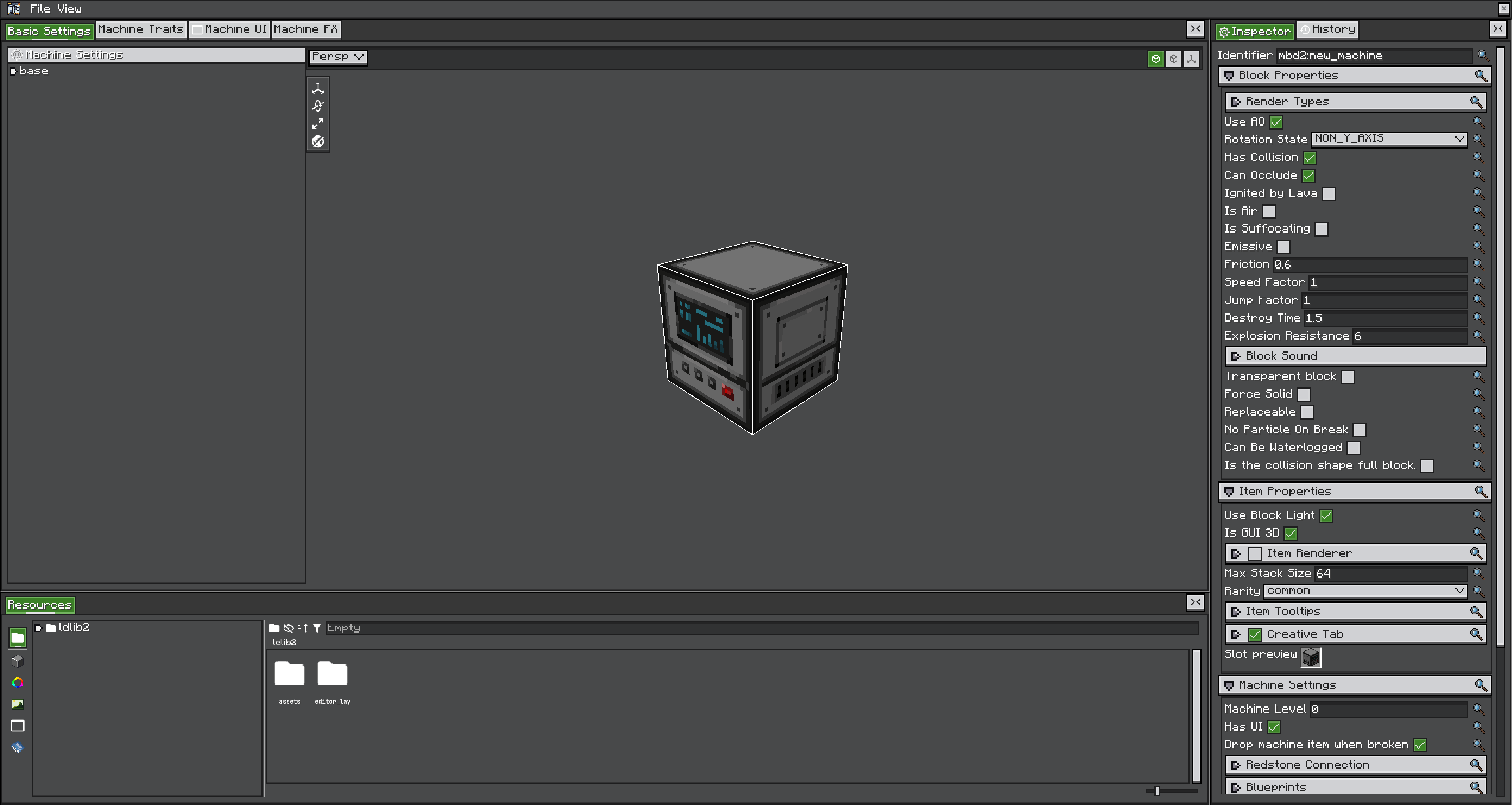
Create and identify the project
- Run
/mbd2_editorand create a Single Machine project. - Set a namespaced definition ID such as
example:heat_pressbefore configuring references. - Save the editable project, then export the
.smproduct used at runtime.
The ID becomes the generated block, item, block-entity type, and machine-definition ID. Changing it after a world has used the machine creates missing registry entries unless the pack supplies a migration.
Definition settings
| Group | Key decisions |
|---|---|
| Block properties | Rotation, collision/shape inherited from state, render layers, hardness/resistance and block behavior |
| Item properties | Item renderer, tooltip, GUI lighting, creative-tab toggle |
| Machine settings | Machine level, UI enabled, drop-machine-item behaviour, redstone signal connections, blueprint bindings, the FX library |
| Traits | Storage, recipe handlers, world capability exposure, automatic IO |
| Recipe logic | Enable flag, selected recipe type, damping, input-consumption timing, recipe modifiers |
| Part settings | Whether this single machine can be a multiblock part, sharing, controller capability proxying |
Most of these are also runtime values — the definition supplies the default, and one placed machine can hold its own override.
Part versus controller
A single machine can enable ConfigPartSettings and join one or more multiblock controllers. canShare determines whether multiple controllers may use it. Controller capability proxy entries choose a trait-name filter and per-side CapabilityIO; they do not copy storage into the part.
When a single machine is only a standalone machine, leave part settings disabled. Unnecessary part/proxy settings make capability routing harder to diagnose.
Next: States and rendering, then Traits and UI.