
Lit Particles and Shaders
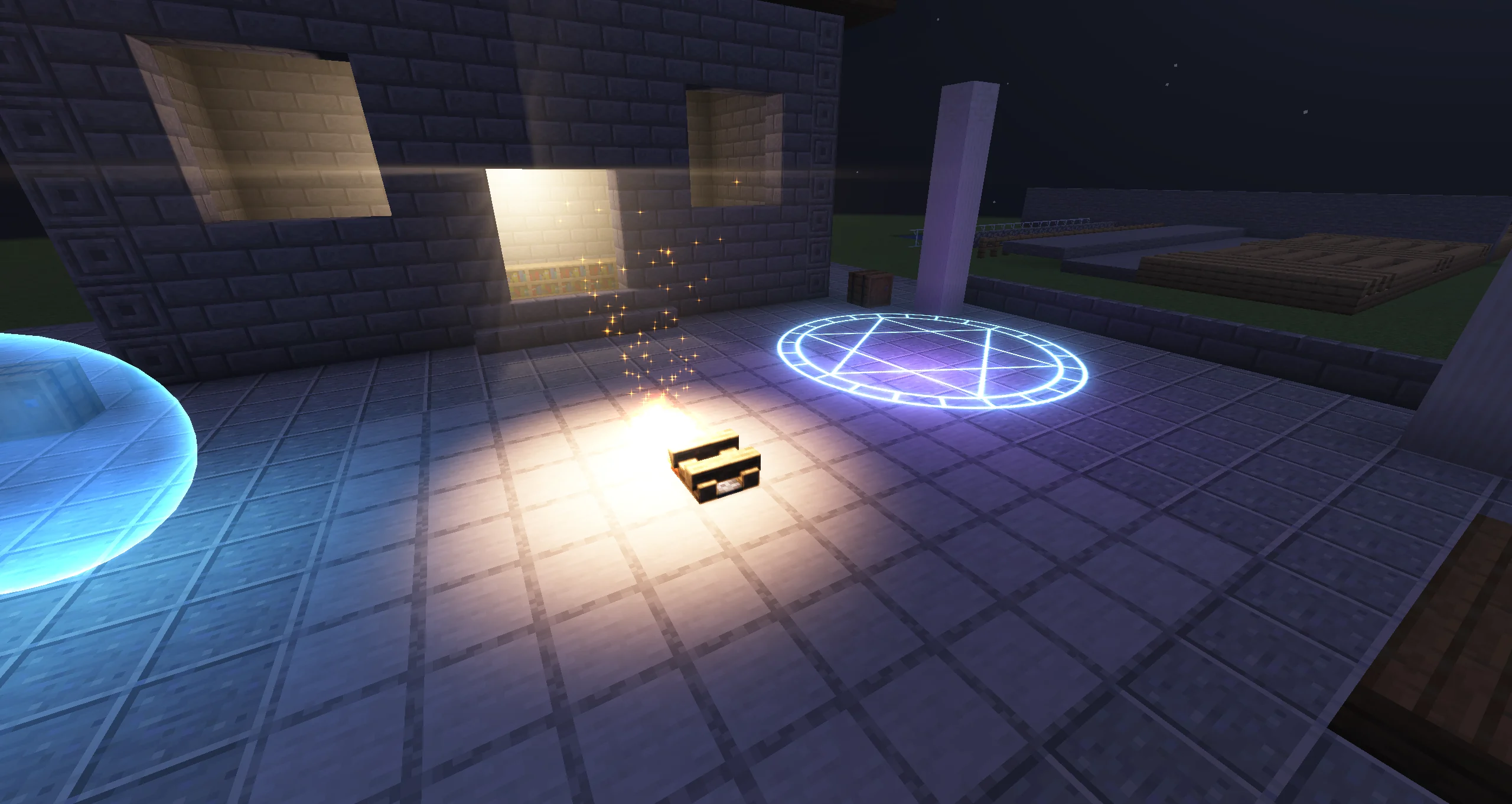
Since 2.2.8Particles take part in dynamic lighting in two directions. Light Emission makes particles cast light on their surroundings. Lit by Dynamic Lights makes particles receive the light of the lights around them. Shader Graph and hand-written shaders can receive light too.
Light Emission
Light Emission is a Particle Emitter module, off by default. It turns a share of the particles into dynamic lights that follow them and fade with them. Its curves run over each particle's lifetime.
| Option | Default | What it does |
|---|---|---|
| Ratio | 1 (0–1) | Share of particles that emit light, picked randomly per particle. |
| Max Lights | 32 (0–1024) | The most lights this emitter submits per frame. |
| Use Particle Color | on | Multiplies the light colour by the particle's current colour. |
| Color | white | Light colour over the particle's lifetime. The HDR intensity multiplies the brightness. |
| Intensity | 4 | Light brightness over the particle's lifetime. |
| Range | 4 | Distance in blocks at which each light reaches zero, over the particle's lifetime. |
| Alpha Affects Intensity | on | Fading particles fade their light too. |
| Size Affects Range | off | Multiplies the range by the particle's size. |
| Cast Shadows | off | Lets these lights cast shadows. They compete with every other light for the shadow budget. |
| Source Radius | 0.1 (0–8) | Size of each light's emitting sphere in blocks, for soft shadows. |
| Spot | off | Shines each light in a cone instead of every direction. |
| Spot → Inner Angle / Outer Angle | 20 / 35 | Half-angles in degrees of the fully lit core and of the edge where the cone fades to zero. |
| Spot → Align to Velocity | on | Aims each cone the way its particle moves. Particles that stand still use Direction. |
| Spot → Direction | (0, -1, 0) | Where the cones point, in Space axes. |
| Spot → Space | Local | Local: the emitter's axes, so rotating the effect re-aims the cones. World: world axes. Custom: the axes of a picked object. |
| Volumetric → Strength | off → 1 | Makes each light glow in the air, as a halo or a beam. With Cast Shadows and Voxel shadows, the glow is shadowed too. |
Only the Particle Emitter has this module. Trail, Beam and AraTrail emitters cannot emit lights. Light Emission (on/off), Color, Intensity and Range can be animated on the Timeline.
Lit by Dynamic Lights
Lit by Dynamic Lights is a material option on Texture Material and Sprite Material. It is off by default. Turn it on and set its Intensity (1, 0–16) to let smoke, dust or sparks pick up the colour of nearby lights.
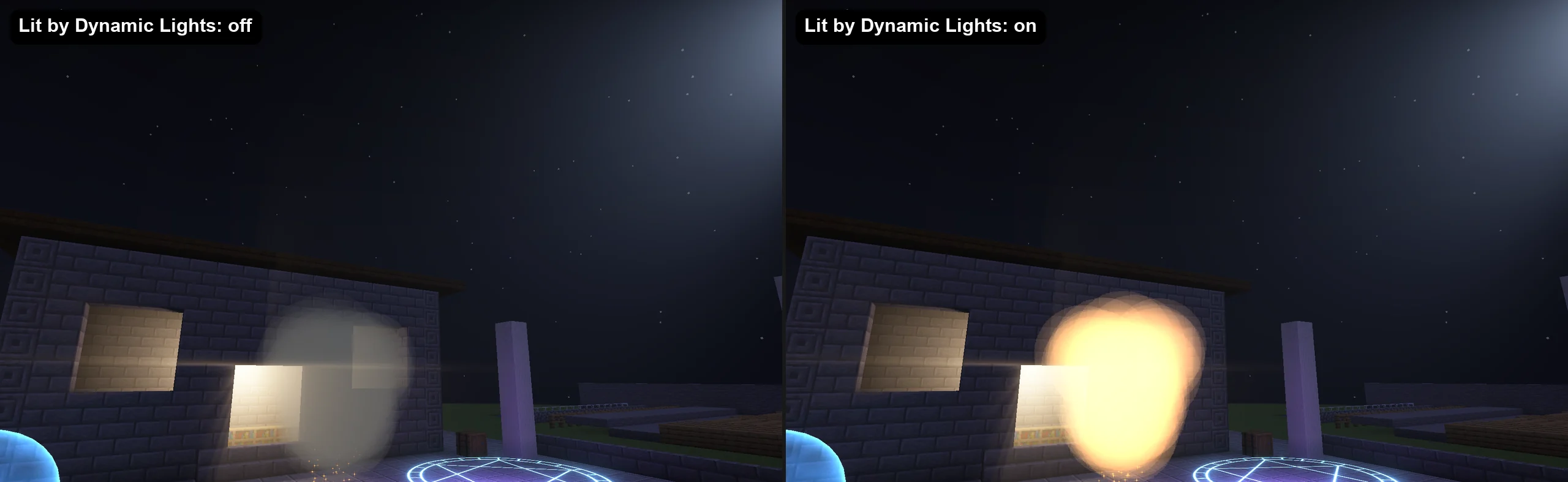
- A billboard has no normal, so the light arrives from every direction.
- The light is added on top of the particle's own colour. It saturates: the added light tops out at Intensity times the particle's colour and keeps the light's hue instead of clipping to white.
- With Voxel shadows, blocks between a shadowed light and the particle stop its light. With Screen space shadows, lit particles are not shadowed.
- Kila Material has the same feature as the Lit by Dynamic Lights module in the Lighting category, with the same Intensity. With its Shading module, the lights follow the shading normal, so they fall on the sides of six-way smoke. See Kila Material.
- The built-in
block_atlasmaterial has no settings, so it is never lit.
Fixed Light Is Not a Dynamic Light
The Fixed Light module (Sky Light and Block Light, 0–15) on Particle, Trail and Beam emitters only sets the vanilla light map value a particle is drawn with. It is on by default at 15/15, so particles render full-bright. It does not light anything around it and does not react to dynamic lights. Lit by Dynamic Lights adds its light on top, so a full-bright particle still picks up the colour of nearby lights. See Fixed Light.
| Feature | Where | What it does |
|---|---|---|
| Fixed Light | Emitter module | Fixes the vanilla light map value the particle is drawn with. |
| Light Emission | Particle Emitter module | The particles light their surroundings. |
| Lit by Dynamic Lights | Material option, Kila Material module | The particles receive light from dynamic lights. |
Dynamic Light Node
In a Shader Graph, the Dynamic Light node (group Photon Scene) returns the light that the dynamic lights cast on the current fragment. It works the same as Lit by Dynamic Lights and is available in particle Shader Graphs and in function graphs. It is fragment-only.
| Port | Type | Meaning |
|---|---|---|
normal (in) | vec3 | The surface normal in world space, for example the World output of the Normal node. Leave it unconnected for billboards: light then arrives from every direction. |
wrap (in) | float, default 0 | With a normal: how far light reaches past the side facing away, clamped to 0–1. 0 is plain Lambert; 1 lights the back half as well. |
light (out) | vec3 | The light colour arriving here, 0 where no light reaches. |
The output sums every dynamic light that reaches the fragment (Light objects, Light Emission, lights from Java) with its falloff, spot cone and shadow. It saturates so the boost tops out at 1× per channel and keeps the light's hue. A typical use:
Base Color = Texture × Vertex Color × (1 + Dynamic Light)A material that uses the node binds the lights automatically, at full strength. Multiply light by a value to make it weaker or stronger. The node outputs 0 while dynamic lights are off, in node and material previews, and when a function graph that contains it is used in a post-processing pass.
Hand-written Shaders
A Custom Shader Material receives light through the include photon:lit_particle.glsl. It needs three things.
1. A view-space position. The photon:particle vertex shader already outputs photonViewPos (the view-space position) and photonBaseColor (the particle colour before the light map). In your own vertex shader, add the same outputs:
out vec3 photonViewPos;
out vec3 photonBaseColor;

void main() {
    ParticleData data = getParticleData();
    vec4 viewPos = ModelViewMat * vec4(data.Position, 1.0);
    gl_Position = ProjMat * viewPos;
    photonViewPos = viewPos.xyz;
    photonBaseColor = data.Color.rgb;
    // ...the rest of your outputs
}
2. The include and a light function in the fragment shader.
| Function | Returns |
|---|---|
vec3 photon_particle_light(vec3 viewPos) | The light reaching viewPos from every direction. Use it for billboards. |
vec3 photon_surface_light(vec3 viewPos, vec3 viewNormal, float wrap) | Each light weighted by how squarely it falls on viewNormal (unit length, view space). A zero normal takes light from every direction. wrap above 0 lets light reach past the terminator. |
Both are fragment-only and return 0 when no lights are bound. These lines from Photon's hdr_particle.fsh add the light on top of a textured particle (texel is the texture sample):
#moj_import <photon:lit_particle.glsl>

in vec3 photonViewPos;
in vec3 photonBaseColor;

// in main(), after the base colour is computed
color.rgb += texel.rgb * photonBaseColor * ColorModulator.rgb * photon_particle_light(photonViewPos);
3. The samplers and uniforms in the shader JSON. Add these entries to the samplers and uniforms arrays next to your own. They are copied from assets/photon/shaders/core/hdr_particle.json:
"samplers": [
  { "name": "PhotonLightData" },
  { "name": "PhotonClusterGrid" },
  { "name": "PhotonClusterIndices" },
  { "name": "PhotonVisibilityAtlas" }
],
"uniforms": [
  { "name": "PhotonClusterInfo", "type": "int", "count": 4, "values": [ 64, 1, 1, 1 ] },
  { "name": "PhotonClusterView", "type": "float", "count": 4, "values": [ 0.5, 1.0, 0.0, 0.0 ] },
  { "name": "LitParticleParams", "type": "float", "count": 4, "values": [ 0.0, 0.0, 0.0, 0.0 ] },
  { "name": "PhotonVisibilityInfo", "type": "int", "count": 4, "values": [ 128, 8, 0, 0 ] },
  { "name": "PhotonViewInverse", "type": "matrix4x4", "count": 16, "values": [ 1.0, 0.0, 0.0, 0.0, 0.0, 1.0, 0.0, 0.0, 0.0, 0.0, 1.0, 0.0, 0.0, 0.0, 0.0, 1.0 ] }
]
When the JSON declares PhotonLightData, Custom Shader Material binds the lights on every draw at intensity 1, hides these nine entries from Shader Settings, and does not save them. Scale the returned light in GLSL to change its strength. The names are listed in Custom Shader Built-in Uniforms and Samplers.
Performance Tips
- Keep Range short on Light Emission lights. The cost follows the screen area the lights cover more than their number.
- Keep Max Lights to what the player can tell apart. A few dozen embers light the ground about as well as hundreds.
- Leave Cast Shadows off on Light Emission. Many particle lights would take the shadow budget from the effect's main lights.
- Give Volumetric to a few hero lights only. A shadowed volumetric light costs more than an unshadowed one.
- Lit by Dynamic Lights loops over the lights near each pixel of the particle. Thick, overlapping smoke under many lights adds up.