
Timeline
Since 2.2.0Timeline sequences an FX with tracks and clips. It can gate objects, restart them with deterministic seeds, animate transforms and emitter runtime properties, change simulation speed, dispatch signals, play sounds, and request post effects.
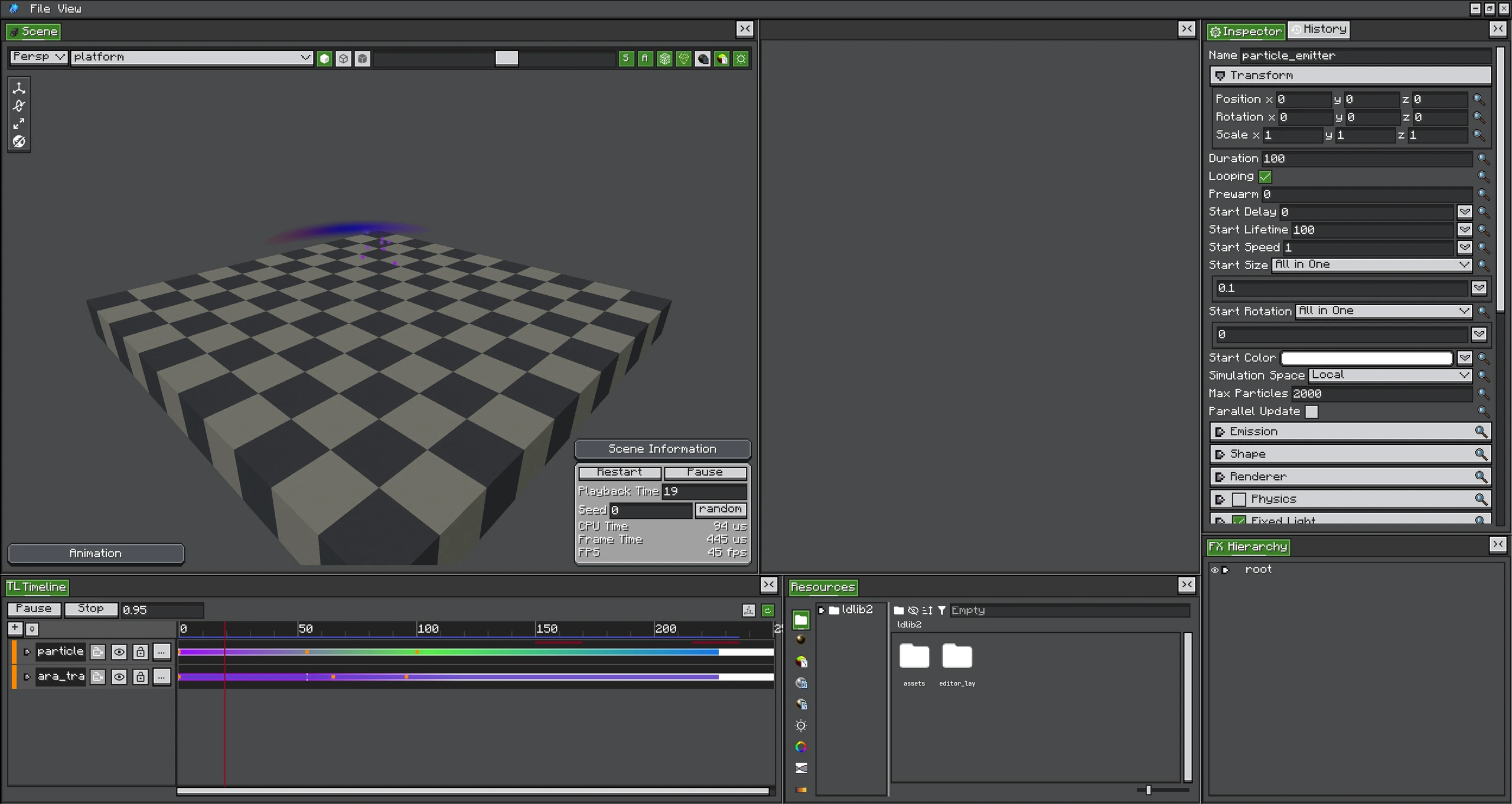
Built-in Track Types
| Track | Controls |
|---|---|
| Activator | Whether one target object is active during clip ranges. |
| Control | Which object/subtree is restarted and played by each clip. |
| Animation | Transform or registered emitter Runtime properties. |
| Speed | Hierarchical simulation timeScale. |
| Signal | Named events with CompoundTag data. |
| Audio | Sound, volume/pitch envelopes, and optional target position. |
| Post Process | Per-frame weighted post-effect requests and parameter overrides. |
| Group | Organizes tracks and applies hierarchy/mute structure. |
Runtime Clock
The always-on FX root advances TimelinePlayer once per particle-engine tick. A per-frame pass samples fractional time for smooth transform animation and submits active post-process clips. This keeps simulation deterministic at ticks while rendering interpolated motion.
Empty Timelines
Legacy and simple effects may have no Timeline data. An empty Timeline adds no playback work and the FX finishes according to its emitters exactly as before.