
Custom Shader Material
Since 2.0.0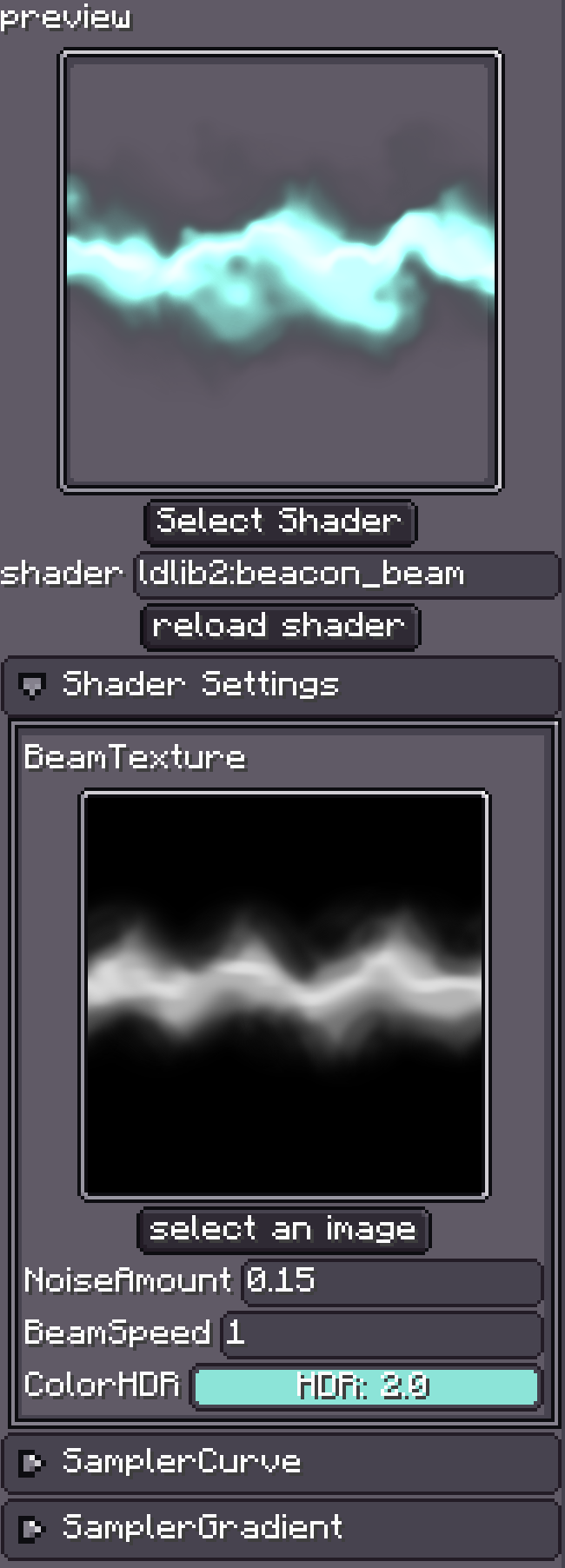
Custom Shader Material loads Minecraft Core Shader JSON, VSH, and FSH files directly. It is not a deprecated predecessor to Shader Graph. Use it to port GLSL, add a geometry stage, or implement an algorithm that graph nodes do not cover.
The subject is split into three pages:
- This page: create the material, select a shader, and configure parameters in the Inspector.
- Hand-written Core Shaders and ExtendedShader: a complete JSON/VSH/FSH material.
- Built-in Uniform and Sampler Reference: exact names, types, sources, and limitations.
For input layouts and particle data, also see Vertex Formats and GPU Instancing and Additional GPU Data.
Resource Layout
assets/<namespace>/shaders/core/<name>.json
assets/<namespace>/shaders/core/<vertex>.vsh
assets/<namespace>/shaders/core/<fragment>.fsh
assets/<namespace>/shaders/include/<library>.glsl   # optional
The material's shader ID is <namespace>:<name>, without assets/, shaders/core/, or .json:
assets/wiki/shaders/core/dissolve_particle.json
                         ↓
wiki:dissolve_particle
Development assets can live in an enabled resource pack or a mod JAR. When using the editor's file picker, the file must still be below assets/<namespace>/shaders/core/ so Photon can derive the shader ID.
Use It in the Editor
- Add Custom Shader Material under an emitter's Renderer > Materials.
- Click Select Shader and choose the Core Shader JSON, or enter its shader ID.
- After a successful compile, expand Shader Settings.
- Assign custom textures, numbers, vectors, and colors.
- After editing JSON/VSH/FSH, click Reload Shader.
A red error message in the preview means the shader did not compile. Photon caches this failure so it does not create another failed GL program every frame; fix the error and reload explicitly.
How the Inspector Finds Parameters
LDShaderHolder reads the JSON declarations and creates controls for entries that are not built in.
| JSON declaration | Inspector control |
|---|---|
Custom sampler such as Texture or NoiseTexture | texture picker and preview |
int, count 1–4 | integer or integer vector |
float, count 1–4 | float or float vector |
vec3 name containing color or rgb | RGB color |
vec4 name containing color or rgba | RGBA color |
vec4 name containing hdr or emission | HDR color and intensity |
Names therefore affect the editor. TintColor gets a color control; Direction gets a vector control.
Reserved names
Every sampler beginning with Sampler and every uniform beginning with U_ is considered built in and is hidden from Shader Settings. Use only names listed in the reference; do not use either prefix for custom parameters.
Parameter values are saved with the material. On reload, Photon retains values whose names and types still match. Renamed or removed entries must be configured again.
Shader Graph or Hand-written Shader?
| Requirement | Choose |
|---|---|
| General material logic and reuse across renderers | Shader Graph |
| Existing GLSL/Core Shader | Custom Shader Material |
| Geometry shader | Custom Shader Material |
| Automatic GPU-channel declaration | Shader Graph |
| Manual attributes, varyings, and GLSL includes | Custom Shader Material |
A hand-written shader does not infer the Additional GPU Data it needs. Enable each channel in the emitter and check whether its render path supports that channel.
Next
Build the three-file example in Hand-written Core Shaders and ExtendedShader. Keep the Built-in Uniform and Sampler Reference open while authoring.