
UI Test Harness
Since 2.2.34The UI test harness runs scenarios in a real Minecraft client. It creates an isolated world, opens real UIs, sends input through the normal screen path, waits for server synchronization, records assertions, and writes screenshots and reports.
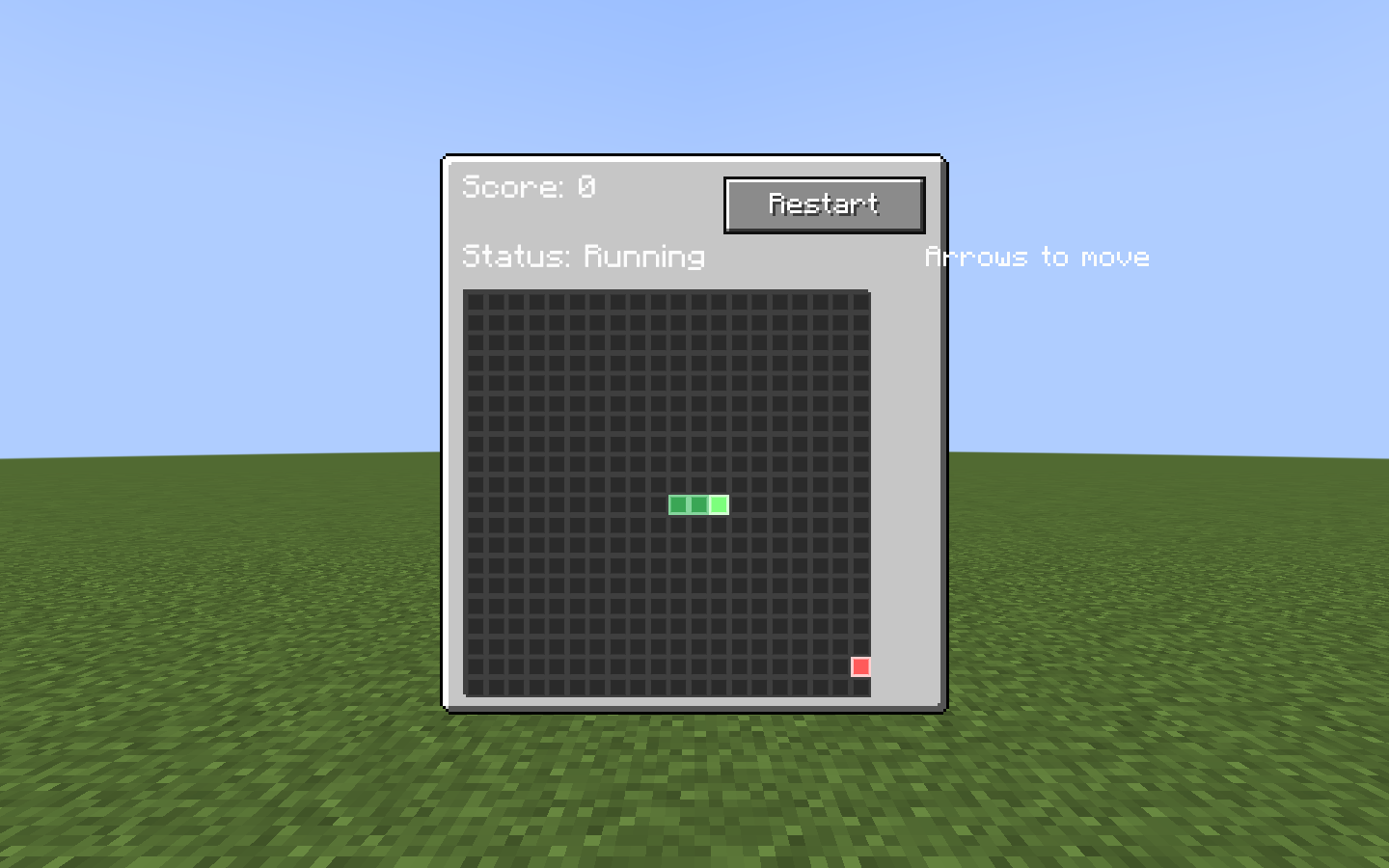
snake_hud scenario capture. The harness opened this HUD in a real client, drove its controls, and wrote the image beside report.txt and report.json. 1. Register a scenario
Put scenarios in src/main/java, not src/test, and register them in the client-only scenario registry.
@LDLRegisterClient(name = "furnace_ui", group = "mymod", registry = UIScenario.REGISTRY,
        environment = RegistrationEnvironment.DEV_ONLY)
public class FurnaceUiScenario implements UIScenario {
    private static final BlockPos POS = new BlockPos(8, 65, 8);

    @Override
    public void configure(ScenarioOptions options) {
        options.tags("machine").guiScale(3);
    }

    @Override
    public void define(ScenarioBuilder s) {
        s.clearArea(POS, 2)
         .setBlock(POS, MyBlocks.FURNACE.get())
         .awaitClientBlockEntity(POS)
         .useBlock(POS)
         .awaitScreen(ModularUIContainerScreen.class)
         .awaitModularUI()
         .click("#btn_start")
         .waitForTextContains("#status_label", "Burning")
         .screenshot("running")
         .teardown("close", ctx -> ctx.requirePlayer().closeContainer());
    }
}
RegistrationEnvironment.DEV_ONLY prevents scenarios from shipping in a production build.
2. Run it
gradlew runClient -PldTest=furnace_ui| Option | Meaning |
|---|---|
-PldTest=all | Run every registered scenario. |
-PldTest=name1,name2 | Run selected scenarios. |
-PldTest=group:mymod / tag:fast / regex:.*_ui | Select by group, tag, or name pattern. |
-PldTestKeepOpen | Keep the client open for iteration. |
-PldTestGuiScale=3 | Set the run-wide GUI scale. |
-PldTestInputMode=REAL | Use the physical OS cursor. This requires foreground focus. |
Reports are written to build/ldlib2-uitest/: report.json, report.txt, and screenshots/. verifyUiTest runs after runClient; a missing report is a failure.
For rapid iteration, keep the game open and run /ldlib2_autotest list or /ldlib2_autotest run furnace_ui in-game.
3. Build reliable steps
| Need | Builder methods |
|---|---|
| Prepare a world | setBlock, clearArea, withBlockEntity, giveItem |
| Open UI | openScreen, openModularUI, useBlock, awaitScreen, awaitModularUI |
| Interact | hover, click, drag, scroll, typeInto, key |
| Wait | frames, ticks, waitUntil, waitForText, waitForSync |
| Assert | check, checkText, checkVisible, checkValue, checkBounds |
| Capture | screenshot, screenshotElement |
Targets use LDLib2 CSS selectors: tag names, .class, #id, descendant and child selectors, plus state pseudo-classes. Prefer stable IDs such as #btn_start. Selector lists, attribute selectors and :nth-child are not supported; use ctx.query(...) for those cases.
Background runs
The default synthetic input mode does not take focus or move the physical mouse. Use REAL only to test OS-level behavior. The harness also blocks accidental OS input during an active run.
Wait for state, not frames
One builder step runs per rendered frame, while game and data-bound UI state may update at 20 ticks per second. Prefer waitForSync, waitForText, or waitUntil to an arbitrary frame delay.