
FluidSlot
Since 2.2.1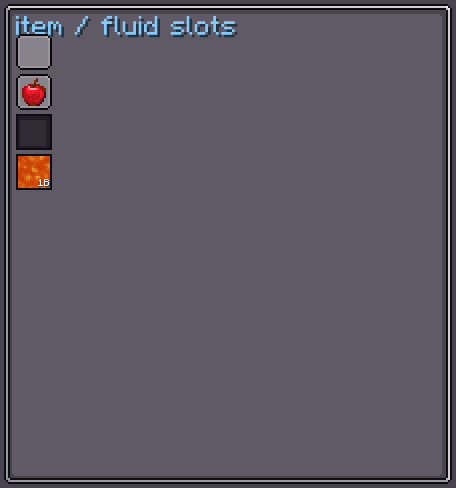
FluidSlot renders a FluidStack inside a slot with a directional fill visualisation. Clicking the slot with a fluid container in hand fills or drains it via the vanilla FluidUtil API. It also hooks into JEI, REI, and EMI when those mods are present.
INFO
Everything documented on UIElement (layout, styles, events, data bindings, etc.) applies here too.
Usage
var fluidSlot = new FluidSlot();
fluidSlot.bind(fluidHandler, 0); // IFluidHandler + tank index
fluidSlot.setCapacity(16000);
parent.addChild(fluidSlot);

// Phantom slot (XEI drag-drop)
fluidSlot.xeiPhantom();XML
<!-- Basic slot -->
<fluid-slot capacity="16000"/>

<!-- Disable XEI lookup -->
<fluid-slot capacity="4000" allow-xei-Lookup="false"/>| XML Attribute | Type | Description |
|---|---|---|
capacity | int | Tank capacity shown in the tooltip. Default: 0. |
allow-xei-Lookup | boolean | Whether hovering triggers XEI recipe lookup. Default: true. |
Internal Structure
| Field | CSS class | Description |
|---|---|---|
amountLabel | .__fluid-slot_amount-label__ | Label in the bottom-right corner showing the fluid amount (e.g. 1.5B). |
Slot Style
INFO
fill-direction
Direction in which the fluid texture fills the slot as the amount increases. Values: LEFT_TO_RIGHT, RIGHT_TO_LEFT, UP_TO_DOWN, DOWN_TO_UP, ALWAYS_FULL.
Default: LEFT_TO_RIGHT
fluidSlot.slotStyle(style -> style.fillDirection(FillDirection.UP_TO_DOWN));INFO
hover-overlay
Texture drawn over the slot on hover.
Default: ColorRectTexture(0x80FFFFFF)
fluidSlot.slotStyle(style -> style.hoverOverlay(myTexture));INFO
slot-overlay
Texture drawn over the slot background.
Default: none (empty)
fluidSlot.slotStyle(style -> style.slotOverlay(myOverlay));INFO
show-slot-overlay-only-empty
When true, slot-overlay is drawn only when the slot is empty.
Default: true
fluidSlot.slotStyle(style -> style.showSlotOverlayOnlyEmpty(false));INFO
show-fluid-tooltips
Whether hovering shows the fluid name, amount/capacity, temperature, and state tooltip.
Default: true
fluidSlot.slotStyle(style -> style.showFluidTooltips(false));Value Binding
FluidSlot extends BindableUIElement<FluidStack>:
fluidSlot.bind(DataBindingBuilder.fluidStackS2C(
    () -> tank.getFluidInTank(0)
).build());See Data Bindings for full details.
Fields
| Name | Type | Access | Description |
|---|---|---|---|
amountLabel | Label | public final | Label showing the compact fluid amount. |
slotStyle | SlotStyle | private (getter) | Current slot style. |
fluid | FluidStack | private (getter) | The currently displayed fluid. |
capacity | int | getter/setter | Tank capacity used for fill calculations and tooltips. |
allowClickFilled | boolean | getter/setter | Whether clicking with a container fills it from the tank. Default: true. |
allowClickDrained | boolean | getter/setter | Whether clicking with a container drains it into the tank. Default: true. |
Methods
| Method | Returns | Description |
|---|---|---|
bind(IFluidHandler, int) | FluidSlot | Binds to a fluid handler at the given tank index. Syncs fluid and capacity. |
setFluid(FluidStack) | FluidSlot | Sets the displayed fluid and notifies listeners. |
setFluid(FluidStack, boolean) | FluidSlot | Sets the fluid; second param controls notification. |
slotStyle(Consumer<SlotStyle>) | FluidSlot | Configures style fluently. |
xeiPhantom() | FluidSlot | Enables XEI phantom drag-drop on this slot. |
xeiRecipeIngredient(IngredientIO) | FluidSlot | Marks as recipe ingredient in XEI recipe views. |
xeiRecipeSlot() | FluidSlot | Marks as recipe slot with default IngredientIO.NONE. |
xeiRecipeSlot(IngredientIO, float) | FluidSlot | Marks as recipe slot with given I/O type and chance. |
getFluidAmountText() | Component | Returns the compact amount text shown in amountLabel. |
getFullTooltipTexts() | List<Component> | Returns the combined fluid and custom tooltip lines. |