
Tab
Since 2.2.1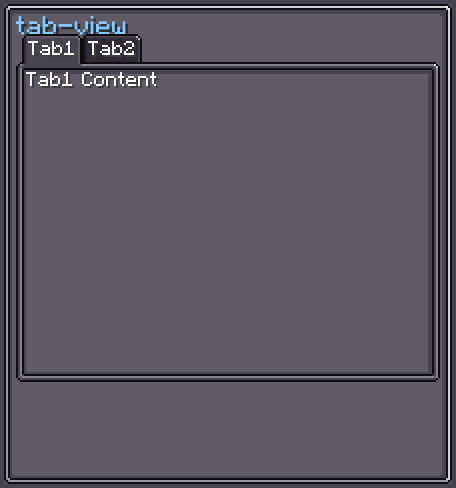
Tab is a single tab header element. It displays a text label and changes its background texture depending on whether it is idle, hovered, or selected. Tabs are normally managed inside a TabView, which handles the selection logic.
INFO
Everything documented on UIElement (layout, styles, events, data bindings, etc.) applies here too.
Usage
Tabs are usually created alongside a TabView:
var tabView = new TabView();

var tab1 = new Tab().setText("Settings");
var tab2 = new Tab().setText("Info");

tabView.addTab(tab1, new UIElement()); // tab + its content pane
tabView.addTab(tab2, new UIElement());
parent.addChild(tabView);XML
<tab-view>
    <tab text="Settings">
        <tab-content>
            <!-- children of the Settings pane go here -->
        </tab-content>
    </tab>
    <tab text="Info">
        <tab-content>
            <!-- children of the Info pane go here -->
        </tab-content>
    </tab>
</tab-view>
INFO
Tab is normally placed as a direct XML child of <tab-view>. The <tab-content> element specifies the content pane associated with this tab.
| XML Attribute | Type | Description |
|---|---|---|
text | string | Label text (literal, not translated). |
Internal Structure
| Index | Field | CSS class | Description |
|---|---|---|---|
0 | text | .__tab_text__ | The Label element showing the tab text. |
Tab Style
TabStyle mirrors Button's three-state texture system but uses the three states for idle, hovered, and selected.
INFO
base-background
Background when the tab is idle (not selected, not hovered).
Default: Sprites.TAB_DARK
tab.tabStyle(style -> style.baseTexture(myIdleTexture));INFO
hover-background
Background when the mouse hovers over the tab.
Default: Sprites.TAB_WHITE
tab.tabStyle(style -> style.hoverTexture(myHoverTexture));INFO
pressed-background
Background when the tab is selected (the pressed-background property is reused for the selected state).
Default: Sprites.TAB
tab.tabStyle(style -> style.selectedTexture(mySelectedTexture));CSS State
When a tab is selected, it gains the CSS class .__tab_selected__. The associated content element gains .__tab_content_selected__.
Fields
| Name | Type | Access | Description |
|---|---|---|---|
text | Label | public final | The label element. |
tabStyle | TabStyle | private (getter) | Current tab style. |
Methods
| Method | Returns | Description |
|---|---|---|
setText(String) | Tab | Sets the label text (literal). |
setText(String, boolean) | Tab | Sets label text. true = translatable. |
setText(Component) | Tab | Sets label from a Component. |
setDynamicText(Supplier<Component>) | Tab | Binds label to a data supplier for live updates. |
textStyle(Consumer<TextElement.TextStyle>) | Tab | Configures the label's text style fluently. |
tabStyle(Consumer<TabStyle>) | Tab | Configures TabStyle fluently. |
setOnTabSelected(Runnable) | — | Callback invoked when this tab is selected. |
setOnTabUnselected(Runnable) | — | Callback invoked when this tab is deselected. |
getContent() | UIElement (nullable) | Returns the content pane from the parent TabView. |
getTabView() | TabView (nullable) | Returns the parent TabView. |