
TabView
Since 2.2.1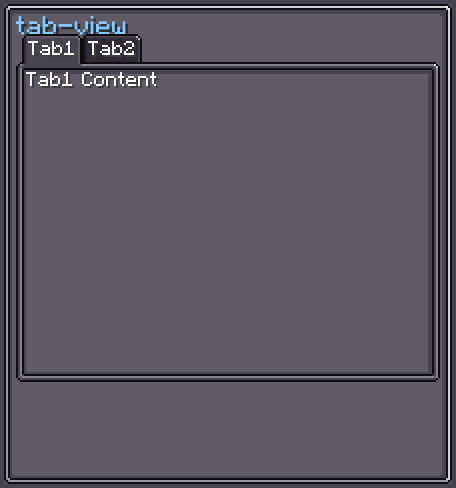
TabView is a tabbed-panel container. It maintains a horizontal scrollable row of Tab headers and a content pane that shows the currently-selected tab's contents. Switching tabs shows the new content and hides all others.
Only Tab (and its subclasses) can be added as children in the editor.
INFO
Everything documented on UIElement (layout, styles, events, data bindings, etc.) applies here too.
Usage
java
var tabView = new TabView();

var content1 = new UIElement();
content1.addChild(new Label().setText("Settings content", false));

var content2 = new UIElement();
content2.addChild(new Label().setText("Info content", false));

tabView.addTab(new Tab().setText("Settings"), content1);
tabView.addTab(new Tab().setText("Info"), content2);

tabView.setOnTabSelected(tab -> System.out.println("Selected: " + tab));
parent.addChild(tabView);XML
xml
<tab-view>
    <tab text="Settings">
        <tab-content>
            <label>Settings content here</label>
        </tab-content>
    </tab>
    <tab text="Info">
        <tab-content>
            <label>Info content here</label>
        </tab-content>
    </tab>
</tab-view>
Each <tab> element is a tab header; its <tab-content> child describes the content pane displayed when that tab is active.
Internal Structure
| Index | Field | CSS class | Description |
|---|---|---|---|
0 | tabContentContainer | .__tab-view_tab_content_container__ | Pane that holds all content elements (only the active one is displayed). |
1 | tabHeaderContainer | .__tab-view_tab_header_container__ | Row of tab headers (contains the tabScroller). |
The tabScroller is a ScrollerView nested inside tabHeaderContainer:
| Field | CSS class | Description |
|---|---|---|
tabScroller | .__tab-view_tab_scroller__ | Horizontally-scrollable view holding all tab headers. |
Fields
| Name | Type | Access | Description |
|---|---|---|---|
tabHeaderContainer | UIElement | public final | Container for the tab header row. |
tabScroller | ScrollerView | public final | Horizontal scroller holding the tab headers. |
tabContentContainer | UIElement | public final | Container for all content panes. |
tabContents | BiMap<Tab, UIElement> | private (getter) | Bidirectional map of tab headers ↔ content panes. |
selectedTab | Tab | private (getter/nullable) | The currently-selected tab. |
Methods
| Method | Returns | Description |
|---|---|---|
addTab(Tab, UIElement) | TabView | Appends a new tab and its content pane. Selects it if it is the first. |
addTab(Tab, UIElement, int) | TabView | Inserts a tab at a specific index. |
removeTab(Tab) | TabView | Removes a tab and its content. Selects the next tab if the removed one was selected. |
selectTab(Tab) | TabView | Selects a tab, showing its content and hiding all others. |
clear() | TabView | Removes all tabs and content. |
setOnTabSelected(Consumer<Tab>) | — | Callback invoked when any tab is selected. |
tabHeaderContainer(Consumer<UIElement>) | TabView | Configures the header container. |
tabScroller(Consumer<ScrollerView>) | TabView | Configures the header scroller. |
tabContentContainer(Consumer<UIElement>) | TabView | Configures the content container. |