
Scroller
Since 2.2.1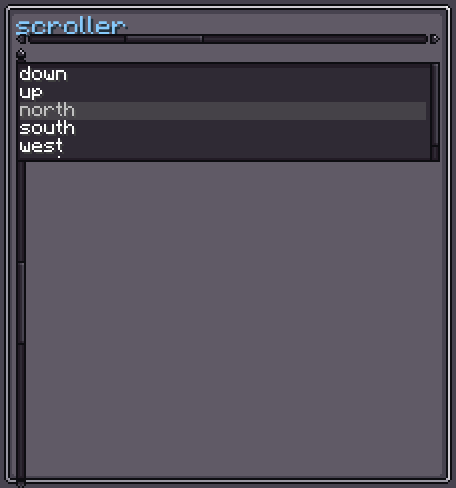
Scroller is a scroll bar control that holds a value in a [min, max] range. Two concrete variants are registered:
scroller-vertical— a thin vertical bar (5 px wide by default).scroller-horizontal— a thin horizontal bar (5 px tall by default).
Both expose a head button (scroll up/left), a tail button (scroll down/right), a drag-handle scrollBar, and a scrollContainer track. Clicking the track jumps the value to the clicked position. Scrolling the mouse wheel also changes the value.
Scroller is primarily used as an internal component inside ScrollerView and TextArea, but it can also be used standalone.
INFO
Everything documented on UIElement (layout, styles, events, data bindings, etc.) applies here too.
Usage
// Vertical scroll bar
var scroller = new Scroller.Vertical();
scroller.setRange(0, 100f);
scroller.setValue(50f);
scroller.setOnValueChanged(value -> System.out.println("Scroll: " + value));
parent.addChild(scroller);

// Horizontal scroll bar
var hScroller = new Scroller.Horizontal();
hScroller.setRange(0, 1f);XML
<!-- Vertical scroller, range 0–100 -->
<scroller-vertical min-value="0" max-value="100" value="0"/>

<!-- Horizontal scroller -->
<scroller-horizontal min-value="0" max-value="1" value="0.5"/>| XML Attribute | Type | Description |
|---|---|---|
min-value | float | Minimum value. Default: 0. |
max-value | float | Maximum value. Default: 1. |
value | float | Initial value. Default: 0. |
Internal Structure
| Field | CSS class | Description |
|---|---|---|
headButton | .__scroller_head_button__ | Up/left arrow button. |
tailButton | .__scroller_tail_button__ | Down/right arrow button. |
scrollContainer | .__scroller_scroll_container__ | Track background. |
scrollBar | .__scroller_scroll_bar__ | Draggable thumb button. |
Scroller Style
INFO
scroll-delta
Fraction of the total range moved per head/tail button click or mouse-wheel tick.
Default: 0.1 (10 %)
scroller.scrollerStyle(style -> style.scrollDelta(0.05f));INFO
scroll-bar-size
Size of the drag handle as a percentage of the track length. 100 means the handle fills the whole track.
Default: 20 (%)
scroller.setScrollBarSize(30f);
// or:
scroller.scrollerStyle(style -> style.scrollBarSize(30f));Value Binding
Scroller extends BindableUIElement<Float>, so it supports data binding:
scroller.bind(DataBindingBuilder.floatVal(
    () -> state.getScrollPosition(),
    v -> state.setScrollPosition(v)
).build());Fields
| Name | Type | Access | Description |
|---|---|---|---|
headButton | Button | public final | Up / left arrow button. |
tailButton | Button | public final | Down / right arrow button. |
scrollContainer | UIElement | public final | The track element. |
scrollBar | Button | public final | The draggable thumb. |
scrollerStyle | ScrollerStyle | private (getter) | Current style. |
minValue | float | private (getter) | Minimum of the range. |
maxValue | float | private (getter) | Maximum of the range. |
isDragging | boolean | private (getter) | true while the thumb is being dragged. |
Methods
| Method | Returns | Description |
|---|---|---|
setRange(float, float) | Scroller | Sets [min, max] and clamps current value. |
setMinValue(float) | Scroller | Sets the minimum value. |
setMaxValue(float) | Scroller | Sets the maximum value. |
setValue(Float) | Scroller | Sets the current value (clamped to range). |
setOnValueChanged(FloatConsumer) | Scroller | Registers a listener for value changes. |
setScrollBarSize(float) | Scroller | Sets the scroll bar thumb size (0–100 %). |
scrollerStyle(Consumer<ScrollerStyle>) | Scroller | Configures style fluently. |
getNormalizedValue() | float | Returns the current value normalized to [0, 1]. |
headButton(Consumer<Button>) | Scroller | Configures the head arrow button. |
tailButton(Consumer<Button>) | Scroller | Configures the tail arrow button. |
scrollContainer(Consumer<UIElement>) | Scroller | Configures the track element. |
scrollBar(Consumer<Button>) | Scroller | Configures the drag handle button. |