
ToggleGroup
Since 2.2.1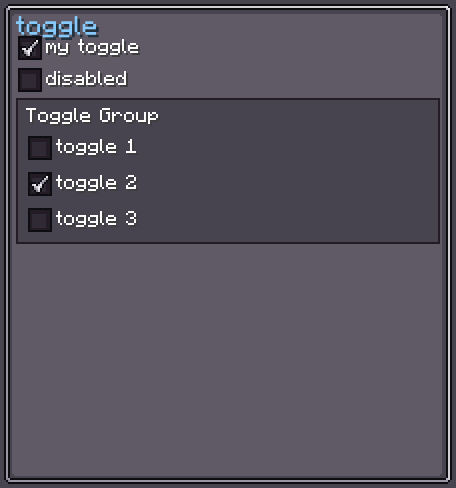
ToggleGroupElement is a layout container that automatically manages a Toggle.ToggleGroup for all Toggle children added to it. You do not need to call toggle.setToggleGroup(group) manually — the element does it for you when children are added or removed.
INFO
Everything documented on UIElement (layout, styles, events, data bindings, etc.) applies here too.
Usage
java
var group = new ToggleGroupElement();
group.getToggleGroup().setAllowEmpty(false);

group.addChild(new Toggle().setText("Option A", true).setOn(true));
group.addChild(new Toggle().setText("Option B", true));
group.addChild(new Toggle().setText("Option C", true));

// Retrieve the currently-active toggle
Toggle active = group.getToggleGroup().getCurrentToggle();XML
xml
<toggle-group>
    <toggle text="Option A" is-on="true"/>
    <toggle text="Option B"/>
    <toggle text="Option C"/>
</toggle-group>
WARNING
Only Toggle (and its subclasses) can be added as children in the XML editor. Other element types are rejected.
Toggle Group Behaviour
| Property | Default | Description |
|---|---|---|
allowEmpty | false | When false, at least one toggle is always active. When true, all toggles can be off. |
currentToggle | nullable | The currently selected Toggle, or null when allowEmpty = true and none is selected. |
java
var group = new ToggleGroupElement();
group.getToggleGroup().setAllowEmpty(true);

Toggle current = group.getToggleGroup().getCurrentToggle(); // may be nullFields
| Name | Type | Access | Description |
|---|---|---|---|
toggleGroup | Toggle.ToggleGroup | public final | The shared ToggleGroup instance. |
Methods
Inherits all methods from UIElement.
When you call addChild / removeChild, ToggleGroupElement overrides those methods to automatically register / unregister any Toggle children with the internal ToggleGroup.