
UI Xml
Since 2.1.6LDLib2 allows you to define UIs using XML, including both styles and the component tree.
This provides a workflow similar to HTML (H5) UI development, making UI structure clear and declarative.
A minimal UI XML template looks like this:
<?xml version="1.0" encoding="UTF-8" ?>
<ldlib2-ui xmlns:xsi="http://www.w3.org/2001/XMLSchema-instance"
           xsi:noNamespaceSchemaLocation="https://raw.githubusercontent.com/Low-Drag-MC/LDLib2/refs/heads/1.21/ldlib2-ui.xsd">
    <stylesheet location="ldlib2:lss/mc.lss"/>
    <style>
        .half-button {
            width: 50%
        }
    </style>
    <root class="panel_bg" style="width: 150; height: 300">
        <button text="click me!"/>
        <button class="half-button" text="half"/>
    </root>
</ldlib2-ui>
The attribute xsi:noNamespaceSchemaLocation points to the XSD schema provided by LDLib2. When editing the XML in VS Code, IntelliJ IDEA, or other IDEs, the schema enables:
- Syntax highlighting
- Validation and error checking
- Auto-completion and suggestions
Load UI Xml and setup
You can load and use a UI XML file in the following way:
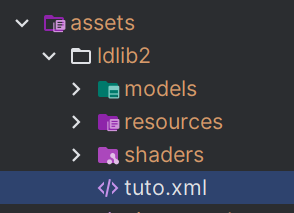
var xml = XmlUtils.loadXml(ResourceLocation.parse("ldlib2:tuto.xml"));
if (xml != null) {
    var ui = UI.of(xml);

    // find elemetns and do data bindings or logic setup here
    var buttons = ui.select(".button_container > button").toList(); // by selector
    var container = ui.selectRegex("container").findFirst().orElseThrow(); // by id regex
}INFO
XmlUtilsalso provides other ways to load XML documents, such as from strings or input streams. Choose the method that best fits your use case.
XML Syntax Overview
LDLib2 UI XML uses a declarative syntax to describe both the UI structure and its styles, similar to HTML + CSS.
At the top level, the <ldlib2-ui> root defines a complete UI document.
Inside it, you can describe styles, external stylesheets, and the component tree.
Stylesheet
INFO
Read LSS page before reading this chapter.
You can reference external LSS files using the <stylesheet> tag:
<stylesheet location="ldlib2:lss/mc.lss"/>This allows you to reuse shared styles or let resource packs override UI appearance globally.
When <stylesheet> is placed directly under #!xml <ldlib2-ui>, it is a global stylesheet for the whole UI.
Embedded Styles
Inline styles can be defined inside a <style> block using LSS (LDLib Style Sheet) syntax:
<style>
    label:host {
        vertical-align: center;
        horizontal-align: center;
    }
    .flex-1 {
        flex: 1;
    }
    .bg {
        background: sprite(ldlib2:textures/gui/icon.png)
    }
</style>
When <style> is placed directly under #!xml <ldlib2-ui>, it is also global for the whole UI.
Local Stylesheet on Elements
You can also place <style> or <stylesheet> inside any element node (for example root, element, button, tab, selector).
In this case, the stylesheet is treated as a local stylesheet and only affects:
- the current element
- its descendants
It does not affect parent elements or sibling branches.
<root>
    <element id="left-panel">
        <style>
            button {
                width: 70;
            }
        </style>
        <button text="inside panel"/>
    </element>

    <button text="outside panel"/>
</root>
In the example above, the width rule applies to the button inside left-panel, not to the sibling button outside.
INFO
ldlib2-ui.xsd includes these element-level <style> / <stylesheet> nodes, so IDE schema validation and completion work for local stylesheet definitions too.
Inline Style Attribute
For quick adjustments, styles can also be set directly on elements:
<button style="height: 30; align-items: center;"/>Inline styles have higher priority than stylesheet rules.
Component Tree
The UI layout is described as a tree of elements under <root>. Each XML node maps to a UI component, and nesting defines parent–child relationships.
Attributes are used to configure component properties, while child nodes define structure.
In short:
<stylesheet>→ load external styles<style>→ define embedded styles- element-level
<stylesheet>/<style>→ local stylesheet scoped to that element subtree styleattribute → inline styles- XML hierarchy → UI component tree
This makes UI definitions clear, readable, and easy to maintain.