
TextField
Since 2.2.1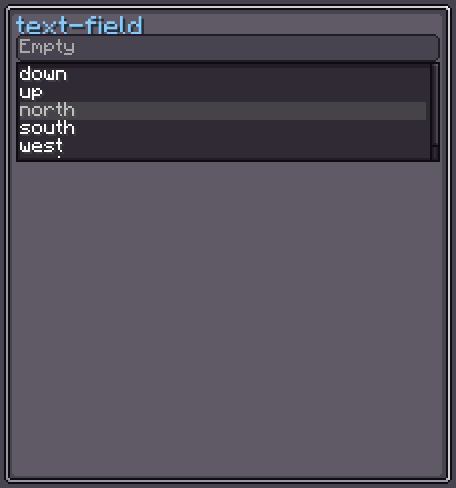
TextField is a single-line text input element. It supports multiple input modes (free string, number, resource location, compound NBT tag), drag-to-change values for numeric fields, a text validator for highlighting invalid input, a formatter for custom display, and undo/redo via Ctrl+Z / Ctrl+Y.
The field becomes editable when it is focused (clicked). Keyboard shortcuts follow standard Minecraft conventions: Ctrl+A select all, Ctrl+C/X/V copy/cut/paste, Ctrl+←/→ word navigation, Home/End.
INFO
Everything documented on UIElement (layout, styles, events, data bindings, etc.) applies here too.
Usage
// Free string input
var field = new TextField();
field.setTextResponder(text -> System.out.println("Typed: " + text));
parent.addChild(field);

// Integer input with a range
var intField = new TextField();
intField.setNumbersOnlyInt(0, 100);
intField.setText("50");
intField.setTextResponder(raw -> config.setValue(Integer.parseInt(raw)));

// Resource location input
var rlField = new TextField();
rlField.setResourceLocationOnly();XML
<!-- Free string -->
<text-field value="default text"/>

<!-- Integer mode, range 0–100 -->
<text-field mode="NUMBER_INT" value="50"/>

<!-- Resource location mode -->
<text-field mode="RESOURCE_LOCATION"/>

<!-- String with a regex validator -->
<text-field mode="STRING" regex-validator="^[a-zA-Z]+$"/>| XML Attribute | Type | Description |
|---|---|---|
mode | Mode | Input mode. One of: STRING, COMPOUND_TAG, RESOURCE_LOCATION, NUMBER_INT, NUMBER_LONG, NUMBER_FLOAT, NUMBER_DOUBLE, NUMBER_SHORT, NUMBER_BYTE. |
regex-validator | string | Regex pattern used to validate the text (only applied when mode="STRING"). |
value | string | Initial text value. |
Modes
| Mode | Description |
|---|---|
STRING | Accepts any printable characters. Optional regex validator. |
COMPOUND_TAG | Validates that the text is a valid NBT compound tag. |
RESOURCE_LOCATION | Restricts characters to valid resource location format (namespace:path). |
NUMBER_INT | Integer in a given [min, max] range. Supports drag and mouse-wheel to change value. |
NUMBER_LONG | Long integer in a given range. |
NUMBER_FLOAT | Float in a given range. |
NUMBER_DOUBLE | Double in a given range. |
NUMBER_SHORT | Short integer in a given range. |
NUMBER_BYTE | Byte in a given range. |
Number fields support:
- Mouse wheel to increment / decrement by
wheelDur. - Click-drag horizontally to slide the value smoothly.
- Shift modifier to multiply the step by 10.
Text Field Style
INFO
focus-overlay
Texture drawn over the field when it is hovered or focused.
Default: Sprites.RECT_RD_T_SOLID
field.textFieldStyle(style -> style.focusOverlay(myHighlight));INFO
font / font-size
Font and size of the rendered text.
Defaults: vanilla default font / 9
field.textFieldStyle(style -> style
    .font(ResourceLocation.parse("minecraft:uniform"))
    .fontSize(10)
);INFO
text-color / error-color
Color of valid text and of text that fails validation.
Defaults: 0xFFFFFF (white) / 0xFF0000 (red)
field.textFieldStyle(style -> style
    .textColor(0xFFFFFF)
    .errorColor(0xFF4444)
);INFO
cursor-color
Color of the blinking cursor.
Default: 0xEEEEEE
field.textFieldStyle(style -> style.cursorColor(0xFFFFFF));INFO
text-shadow
Whether to draw a drop shadow under the text.
Default: true
text-field {
    text-shadow: false;
}INFO
placeholder
Ghost text shown when the field is empty.
Default: translatable key text_field.empty
field.textFieldStyle(style -> style
    .placeholder(Component.literal("Enter value…"))
);Value Binding
TextField extends BindableUIElement<String>, so it supports the standard data-binding system:
field.bind(DataBindingBuilder.string(
    () -> config.getName(),
    name -> config.setName(name)
).build());See Data Bindings for full details.
Fields
| Name | Type | Access | Description |
|---|---|---|---|
textFieldStyle | TextFieldStyle | private (getter) | Current style instance. |
text | String | private (getter) | Last validated text value. |
rawText | String | private (getter) | Current display text (may not have passed validation). |
mode | Mode | private (getter) | Current input mode. |
isError | boolean | private (getter) | true when rawText fails the validator. |
formatter | Function<String, Component> | private (getter/setter/nullable) | Optional function to render rawText as a formatted Component. |
wheelDur | float | private (getter) | Step size for mouse-wheel / drag on number fields. |
cursorPos | int | private (getter) | Current cursor position in rawText. |
selectionStart | int | private (getter) | Selection start in rawText. |
selectionEnd | int | private (getter) | Selection end in rawText. |
Methods
| Method | Returns | Description |
|---|---|---|
setText(String) | TextField | Sets the value and notifies listeners. |
setAnyString() | TextField | Switches to free-string mode (no validation). |
setCompoundTagOnly() | TextField | Switches to compound-tag validation mode. |
setResourceLocationOnly() | TextField | Restricts input to valid resource location characters. |
setNumbersOnlyInt(int, int) | TextField | Integer mode with [min, max] range. |
setNumbersOnlyLong(long, long) | TextField | Long integer mode with [min, max] range. |
setNumbersOnlyFloat(float, float) | TextField | Float mode with [min, max] range. |
setNumbersOnlyDouble(double, double) | TextField | Double mode with [min, max] range. |
setNumbersOnlyShort(short, short) | TextField | Short integer mode with [min, max] range. |
setNumbersOnlyByte(byte, byte) | TextField | Byte integer mode with [min, max] range. |
setTextValidator(Predicate<String>) | TextField | Custom validator; invalid text is shown in error-color. |
setTextRegexValidator(String) | TextField | Convenience to compile a regex and use it as the validator. |
setCharValidator(Predicate<Character>) | TextField | Filters characters before they are inserted. |
setTextResponder(Consumer<String>) | TextField | Registers a listener called on each valid text change. |
setWheelDur(float) | TextField | Sets the scroll/drag step for number fields. |
textFieldStyle(Consumer<TextFieldStyle>) | TextField | Configures style fluently. |
getValue() | String | Returns the last validated text. |
getRawText() | String | Returns the current display text (may fail validation). |
isEditable() | boolean | true when focused, active, visible and displayed. |
isError() | boolean | true when rawText does not pass validation. |