
TagField
Since 2.2.1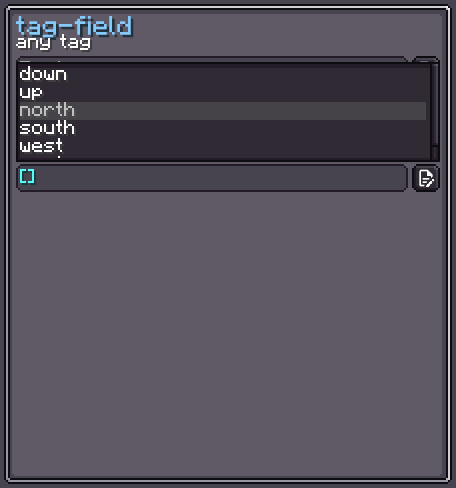
TagField is an NBT tag input field. It wraps a TextField and provides syntax-highlighted rendering of NBT text (strings in green, numbers in gold, booleans in purple, brackets in aqua, separators in gray, and keys in purple). Invalid input is shown in the error color.
The field's value is a Tag (any NBT type). TagField extends BindableUIElement<Tag>.
INFO
Everything documented on UIElement (layout, styles, events, data bindings, etc.) applies here too.
Usage
java
var tagField = new TagField();
tagField.setCompoundTagOnly(); // accept only CompoundTag
tagField.setTagResponder(tag -> System.out.println("Tag: " + tag));
parent.addChild(tagField);

// Set initial value
tagField.setValue(new CompoundTag(), false);Internal Structure
| Field | CSS class | Description |
|---|---|---|
textField | .__tag-field_text-field__ | The underlying TextField with syntax-highlight formatter. |
Value Binding
TagField extends BindableUIElement<Tag>:
java
tagField.bind(DataBindingBuilder.create(
    () -> config.getNbt(),
    tag -> config.setNbt(tag)
).build());See Data Bindings for full details.
Fields
| Name | Type | Access | Description |
|---|---|---|---|
textField | TextField | public final | The internal text input with NBT syntax highlighting. |
value | Tag | private (getter) | Current NBT value (EndTag.INSTANCE when empty). |
Methods
| Method | Returns | Description |
|---|---|---|
setValue(Tag, boolean) | TagField | Sets the NBT value; second param controls notification. |
setTagValidator(Predicate<Tag>) | TagField | Sets a custom validator. Invalid input is shown in the error color. |
setTagResponder(Consumer<Tag>) | TagField | Registers a listener called on each valid change. |
setCompoundTagOnly() | TagField | Accepts only CompoundTag. |
setListOnly() | TagField | Accepts only ListTag. |
setAny() | TagField | Accepts any NBT tag type (default). |