
Java Integration
maven
You can find the latest version from our maven.


repositories {
    // LDLib2
    maven { url = "https://maven.firstdark.dev/snapshots" }
}

dependencies {
    // for LDLib2 1.21
    implementation("com.lowdragmc.ldlib2:ldlib2-neoforge-${minecraft_version}:${ldlib2_version}:all")
    // for LDLib2 26.1+
    implementation("com.lowdragmc.ldlib2:ldlib2-neoforge-${minecraft_version}:${ldlib2_version}")
}
before 2.2.1
repositories {
    // LDLib2
    maven { url = "https://maven.firstdark.dev/snapshots" }
}

dependencies {
    // LDLib2
    implementation("com.lowdragmc.ldlib2:ldlib2-neoforge-${minecraft_version}:${ldlib2_version}:all") { transitive = false }
    compileOnly("org.appliedenergistics.yoga:yoga:1.0.0")
}
Recipe viewers are not transitive
JEI, REI and EMI support is optional. LDLib2 compiles against them but its published POM does not pull them in, so declare the recipe viewer you build against in your own dependencies. On 1.21.1, the JEI integration needs JEI 19.51.0.417 or later.
Joining servers without LDLib2
Since 2.2.41LDLib2's network channel is optional, so a client with LDLib2 installed can join a server that does not have it. Features that need the server side, such as UI sync, RPC events and menus, are not available there.
Optional module: ldlib2-compose
Since 2.2.44
Compose is a separate mod (ldlib2_compose) built once per Minecraft version. Its version starts with the Minecraft line it is built for: 21.0.0.1 is the first release for 1.21.x, and a 26.1 build would be 26.1.0.1. Use the artifact named after your Minecraft version; only 1.21.1 is published so far. See Versions. It needs LDLib2 2.2.44 or later, and the Kotlin Compose compiler plugin at the same version as your Kotlin plugin (2.1.20).
plugins {
    id 'org.jetbrains.kotlin.jvm' version '2.1.20'
    id 'org.jetbrains.kotlin.plugin.compose' version '2.1.20'
}

repositories {
    maven { url = "https://maven.firstdark.dev/snapshots" }
    maven {
        // androidx libraries used by the Compose runtime
        url = "https://maven.google.com"
        content { includeGroupByRegex "androidx\\..*" }
    }
}

jarJar.enable()

dependencies {
    implementation "com.lowdragmc.ldlib2:ldlib2-compose-1.21.1:21.0.0.1"
    // Players do not install ldlib2-compose themselves, so your mod ships it.
    jarJar(group: 'com.lowdragmc.ldlib2', name: 'ldlib2-compose-1.21.1') {
        version { require '[21.0.0.1,)'; prefer '21.0.0.1' }
    }
}
Declare ldlib2 ([2.2.44,)) and ldlib2_compose ([21.0.0.1,)) as required dependencies in neoforge.mods.toml. See Compose: Getting Started for details.
IDEA Plugin - LDLib Dev Tool
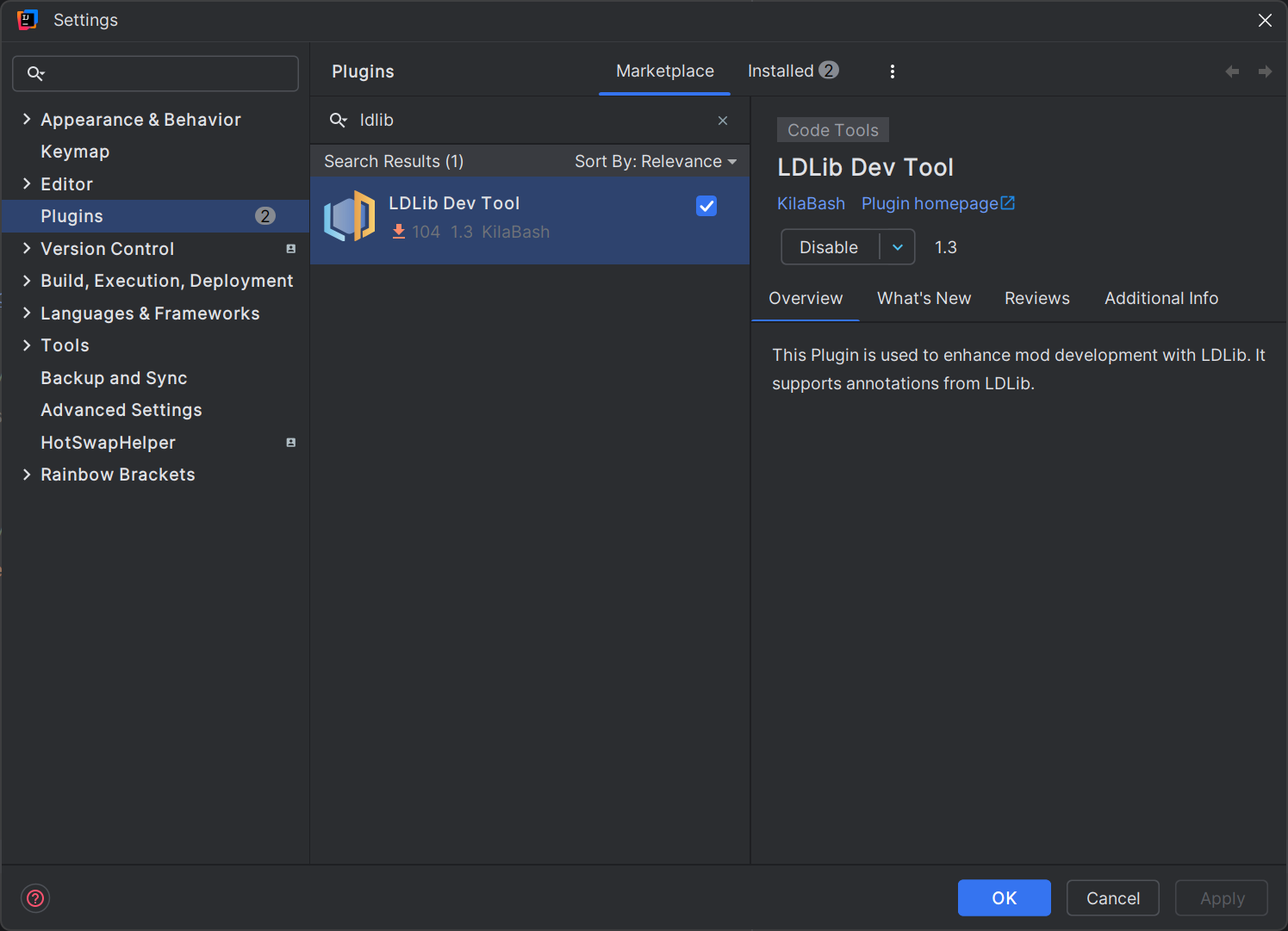
If you are going to develop with LDLib2, we strongly recommend you to install our IDEA Plugin LDLib Dev Tool. The plugin has:
- code highlight
- syntax check
- cdoe jumping
- auto complete
- others
which greatly assist you in utilizing features of LDLib2. Especially, all the annotations of LDLib2 have been supported for use.
LDLibPlugin
You can create a LDLibPlugin by using ILDLibPlugin and @LDLibPlugin
@LDLibPlugin
public class MyLDLibPlugin implements ILDLibPlugin {
    public void onLoad() {
        // do your register or setup for LDLib2 here.
    }
}