
UIElement
Since 2.2.1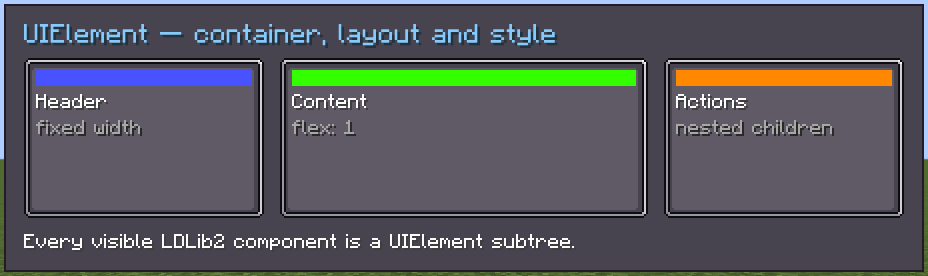
UIElement is the most fundamental and commonly used UI component in LDLib2. All UI components inherit from it.
Conceptually, it is similar to the #!html <div/> element in HTML: a general-purpose container that can be styled, laid out, and extended with behaviors.
Because of that, everything introduced in this page also applies to all other UI components in LDLib2—so please make sure to read it carefully.
Usages
var element = new UIElement();
element.style(style -> style.background(MCSprites.RECT));
element.layout(layout -> layout.width(40).height(40));
element.setFocusable(true);
element.addEventListener(UIEvents.MOUSE_DOWN, e -> e.currentElement.focus());
element.addClass("add-class");
element.removeClass("add-class");
root.addChild(element);Xml
<element id="my_id" class="class1 class2" focusable="false" visible="true" active="true" style="background: #fff; width: 50">
    <!-- add children here -->
    <button text="click me!"/>
    <inventory-slots/>
</element>
Styles
Layout
layout attributes are actually styles as well.
UIElement styles (include layouts) can be accessed as below:
element.style(style -> style.background(...));
element.layout(layout -> layout.width(...));
element.getStyle().background(...);
element.getLayout().width(...);Layout Properties
You'd better read Layout before using.
INFO
display
Controls whether the element participates in layout. FLEX enables flex layout, GRID enables grid layout, NONE removes the element from layout calculation, and CONTENTS doesn't affect layout but renders its children.
layout.display(TaffyDisplay.FLEX);
layout.display(TaffyDisplay.GRID); // enable grid layout
element.setDisplay(false); // equals to layout.display(TaffyDisplay.NONE);INFO
layout-direction
Sets the layout direction. Usually inherited from parent.
layout.layoutDirection(TaffyDirection.LTR);INFO
flex-basis
Sets the initial main size before flex grow/shrink. Supports point, percent, and auto.
layout.flexBasis(1);INFO
flex-grow
Controls how much the element grows when extra space is available.
layout.flexGrow(1);INFO
flex-shrink
Controls how much the element shrinks when space is insufficient.
layout.flexShrink(1);INFO
flex-direction
Defines the main axis direction, e.g. ROW or COLUMN.
layout.flexDirection(FlexDirection.ROW);INFO
position
Sets positioning mode. RELATIVE participates in layout, ABSOLUTE does not affect siblings.
layout.positionType(TaffyPosition.ABSOLUTE);INFO
top / right / bottom / left / start / end / horizontal / vertical / all
Offsets used when position is RELATIVE or ABSOLUTE.
layout.top(10);
layout.leftPercent(30); // 30%
layout.allAuto()INFO
margin-*
*: top / right / bottom / left / start / end / horizontal / vertical / all
Sets outer spacing around the element.
layout.marginTop(5);
layout.marginAll(3);INFO
padding-*
*: top / right / bottom / left / start / end / horizontal / vertical / all
Sets inner spacing between border and content.
layout.paddingLeft(8);INFO
width
Sets element width. Supports point, percent, and auto modes.
layout.width(100);
layout.widthPercent(20); // 20%INFO
aspect-rate
Locks width–height ratio. Useful for square or icon elements.
layout.aspectRate(1);INFO
align-items
Aligns children along the cross axis (container property).
layout.alignItems(AlignItems.CENTER);INFO
justify-content
Aligns children along the main axis (container property).
layout.justifyContent(AlignContent.CENTER);INFO
align-self
Overrides cross-axis alignment for a single element.
layout.alignSelf(AlignItems.CENTER);INFO
align-content
Aligns wrapped lines when flex-wrap is enabled.
layout.alignContent(AlignContent.CENTER);Grid Properties
INFO
To use grid layout, set display(TaffyDisplay.GRID) on the container element. Template properties define the grid structure on the container, while grid-row and grid-column are placed on child elements to control their positions.
INFO
grid-template-rows
Defines the explicit row tracks of a grid container.
Supported track sizes: Npx (fixed pixels), N% (percent), Nfr (fractional unit), auto, min-content, max-content, minmax(min, max), fit-content(limit), repeat(count, size), [name] (named line). Multiple tracks are space-separated.
layout.display(TaffyDisplay.GRID);
layout.gridTemplateRows("1fr 1fr 1fr");             // three equal rows
layout.gridTemplateRows("50px 1fr auto");           // fixed, flexible, auto
layout.gridTemplateRows("repeat(3, 100px)");        // three 100px rows
layout.gridTemplateRows("[header] 50px [content] 1fr [footer] 50px"); // named linesINFO
grid-template-columns
Defines the explicit column tracks of a grid container. Uses the same track sizing syntax as grid-template-rows.
layout.display(TaffyDisplay.GRID);
layout.gridTemplateColumns("10px 1fr 10px");    // fixed margins + flexible center
layout.gridTemplateColumns("repeat(3, 1fr)");   // three equal columns
layout.gridTemplateColumns("minmax(100px, 1fr) 200px");INFO
grid-template-areas
Assigns named areas to grid cells. Each quoted string represents a row; words within it name the cells in that row. Use . for empty cells. All rows must have the same number of cells.
layout.display(TaffyDisplay.GRID);
layout.gridTemplateColumns("1fr 1fr 1fr");
layout.gridTemplateRows("auto 1fr auto");
layout.gridTemplateAreas(
    "\"header header header\" \"sidebar content content\" \"footer footer footer\""
);
// Children reference areas via gridRow/gridColumn by area nameINFO
grid-auto-rows
Sets the row track size for implicitly created rows — those not covered by grid-template-rows.
layout.gridAutoRows("auto");
layout.gridAutoRows("minmax(50px, auto)");INFO
grid-auto-columns
Sets the column track size for implicitly created columns.
layout.gridAutoColumns("auto");
layout.gridAutoColumns("100px");INFO
grid-auto-flow
Controls how auto-placed items fill the grid. ROW fills rows first (default); COLUMN fills columns first. ROW_DENSE / COLUMN_DENSE back-fill earlier gaps.
layout.gridAutoFlow(GridAutoFlow.ROW);
layout.gridAutoFlow(GridAutoFlow.COLUMN);
layout.gridAutoFlow(GridAutoFlow.ROW_DENSE);INFO
grid-row
Controls a child element's row placement within the grid container. Set this on the child, not the container.
Placement values: "1" (line number), "1 / 3" (start / end lines), "span 2" (span N rows), "1 / span 2" (start + span), "header" (named area row), "-1" (last line).
child.layout(layout -> layout.gridRow("1"));          // row 1
child.layout(layout -> layout.gridRow("1 / 3"));      // rows 1–3
child.layout(layout -> layout.gridRow("span 2"));     // span 2 rows
child.layout(layout -> layout.gridRow("header"));     // named area row
child.layout(layout -> layout.gridRow("-1")); // last row lineINFO
grid-column
Controls a child element's column placement within the grid container. Uses the same placement syntax as grid-row.
child.layout(layout -> layout.gridColumn("2"));
child.layout(layout -> layout.gridColumn("1 / span 3"));
child.layout(layout -> layout.gridColumn("sidebar"));Basic Properties
INFO
background
Sets the texture rendered behind the element, such as a solid color, rect sprite, or image.
style.background(MCSprites.BORDER);INFO
overflow
Deprecated, 1.21 API only. Use clip in 26.1 and newer.
In the 1.21 API, overflow controlled how overflowing content was handled. overflow was a layout property, with convenience helpers such as overflowVisible(...) and setOverflowVisible(...). In 26.1+, UIElement#setOverflowVisible(false) maps to Clip.SCISSOR.
layout.overflow(YogaOverflow.HIDDEN);
style.overflowVisible(false);
element.setOverflowVisible(false); // helper on UIElementINFO
clip
Since mc26.1Controls whether and how the element's subtree is clipped. clip replaces the old 1.21 overflow / overflow-clip API. Any mode other than NONE also prevents hit testing outside the element's content bounds.
| Mode | Description |
|---|---|
NONE | No clipping. This is the default. |
SCISSOR | Clips rendering to the element's content bounds. Use this as the 26.1+ replacement for overflow: hidden or setOverflowVisible(false). |
MASK | Clips rendering with the texture set by mask. Use this for a static mask texture. |
DYNAMIC_MASK | Same as MASK, but the mask is refreshed every frame. Use this for animated or otherwise changing masks. |
style.clip(Clip.SCISSOR);
style.clip(Clip.MASK).mask(MCSprites.BORDER);
style.clip(Clip.DYNAMIC_MASK).mask(animatedMask);INFO
mask
Since mc26.1Defines the texture used by clip: mask and clip: dynamic-mask. The mask is drawn over the element's bounds and multiplies the rendered subtree's color and alpha by the sampled mask factor.
Opaque grayscale masks use the texture luminance: white keeps content visible and black hides it. Alpha-encoded masks use the alpha channel, which is useful for transparent PNG masks and soft edges. The mask property has no visible effect unless clip is MASK or DYNAMIC_MASK.
style.clip(Clip.MASK);
style.mask(MCSprites.BORDER);INFO
tooltips
Defines tooltip content displayed when hovering the element.
style.tooltips("tips.0", "tips.1");
style.appendTooltipsString("tips.2");INFO
z-index
Controls the stacking order of the element. Higher values appear above lower ones.
style.zIndex(1);INFO
opacity
Sets the transparency level of the element. 0 is fully transparent, 1 is fully opaque.
style.opacity(0.8f);INFO
color
Tints the current element's background and overlay textures using an ARGB multiplier. This tint is applied only to the current element and does not affect child elements.
style.color(0x80FF8080);INFO
overflow-clip
Deprecated, 1.21 API only. Use clip: mask with mask in 26.1 and newer.
In the 1.21 API, when the element's overflow was hidden, overflow-clip clipped child rendering using the given texture's red channel as a mask. In 26.1+, set clip to MASK or DYNAMIC_MASK, then set the mask texture with mask.
style.overflowClip(MCSprites.BORDER);INFO
transform-2d
Applies 2D transformations such as translate, scale, or rotate.
style.transform2D(Transform2D.identity().scale(0.5f));
element.transform(transform -> transform.translate(10, 0))INFO
transition
Defines animated transitions between property changes.
layout.transition(new Transition(Map.of(LayoutProperties.HEIGHT, new Animation(1, 0, Eases.LINEAR))));States
isVisible
When isVisible is set to false, the element and all of its children will no longer be rendered.
Unlike display: NONE, this does not affect layout calculation.
Elements with isVisible = false are also excluded from hit-testing, so many UI events (such as clicks) will not be triggered.
isActive
When isActive is set to false, the element may lose its interactive behavior—for example, buttons can no longer be clicked—and the element will no longer receive tick events.
INFO
When isActive is set to false, a __disabled__ class is automatically added to the element.
You can use the following LSS selectors to style active and inactive states:
selector.__disabled__ {
}

selector:disabled {
}

selector:not(.__disabled__) {
}

selector:not(:disabled) {
}
focusable
Elements are focusable: false by default. Some components, such as TextField, are focusable by design, but you can still manually change an element’s focusable state.
Only when focusable is set to true can an element be focused via focus() or by mouse interaction.
INFO
When an element is in the focused state, a __focused__ class is automatically added.
You can style focused and unfocused states using the following LSS selectors:
selector.__focused__ {
}

selector:focused {
}

selector:not(.__focused__) {
}

selector:not(:focused) {
}
hover state
When an element is hovered, a __hovered__ class is automatically added.
For CSS compatibility, you can use :hover as selector sugar, which is equivalent to .__hovered__.
selector.__hovered__ {
}

selector:hover {
}
isInternalUI
This is a special state that indicates whether an element is an internal part of a component.
For example, a button contains an internal text element used for rendering its label.
Semantically, internal elements are not allowed to be added, removed, or reordered directly.
However, you can still edit their styles and manage their child elements via the editor or XML.
In the editor, internal elements are displayed in gray in the hierarchy view.
In XML, you can access internal elements using the #!xml <internal index="..."/> tag, where index specifies which internal element to reference:
<button>
    <!-- obtain the internal text component here -->
    <internal index="0">
    </internal>
</button>
INFO
In LSS, you can use :host and :internal to explicitly target host or internal elements. By default, selectors match both unless constrained.
button > text {
}

button > text:internal {
}

button > text:host {
}
Fields
Only public or protected fields that are externally observable or configurable are listed.
| Name | Type | Access | Description |
|---|---|---|---|
taffyStyle | TaffyLayoutStyle | protected (getter) | Underlying Taffy style bridge used for layout calculation. |
nodeId | NodeId | protected (getter) | Node handle registered in the TaffyTree. |
modularUI | ModularUI | private (getter) | The ModularUI instance this element belongs to. |
id | String | private (getter/setter) | Element ID, used by selectors and queries. |
classes | Set<String> | private (getter) | CSS-like class list applied to this element. |
styleBag | StyleBag | private (getter) | Stores resolved style candidates and computed styles. |
styles | List<Style> | private (getter) | Inline styles attached to this element. |
layoutStyle | LayoutStyle | private (getter) | Layout-related style wrapper for layout properties. |
style | BasicStyle | private (getter) | Basic visual styles (background, overlay tint color, opacity, zIndex, etc.). |
isVisible | boolean | private (getter/setter) | Whether the element is visible. |
isActive | boolean | private (getter/setter) | Whether the element participates in logic and events. |
focusable | boolean | private (getter/setter) | Whether the element can receive focus. |
isInternalUI | boolean | private (getter) | Marks internal (component-owned) elements. |
Methods
Layout & Geometry
| Method | Signature | Description |
|---|---|---|
getLayout() | LayoutStyle | Returns the layout style controller. |
layout(...) | UIElement layout(Consumer<LayoutStyle>) | Modify layout properties fluently. |
getTaffyLayout() | Layout | Returns the resolved Taffy layout result for this element. |
getPositionX() | float | Absolute X position on screen. |
getPositionY() | float | Absolute Y position on screen. |
getSizeWidth() | float | Computed width of the element. |
getSizeHeight() | float | Computed height of the element. |
getContentX() | float | X position of content area (excluding border & padding). |
getContentY() | float | Y position of content area. |
getContentWidth() | float | Width of content area. |
getContentHeight() | float | Height of content area. |
adaptPositionToScreen() | void | Adjusts position to stay within screen bounds. |
adaptPositionToElement(...) | void | Adjusts position to stay inside another element. |
Tree Structure
| Method | Signature | Description |
|---|---|---|
getParent() | UIElement | Returns parent element, or null. |
getChildren() | List<UIElement> | Returns an unmodifiable list of children. |
addChild(...) | UIElement addChild(UIElement) | Adds a child element. |
addChildren(...) | UIElement addChildren(UIElement...) | Adds multiple children. |
removeChild(...) | boolean removeChild(UIElement) | Removes a child element. |
removeSelf() | boolean | Removes this element from its parent. |
clearAllChildren() | void | Removes all children. |
isAncestorOf(...) | boolean | Checks if this element is an ancestor of another. |
getStructurePath() | ImmutableList<UIElement> | Path from root to this element. |
Style & Classes
| Method | Signature | Description |
|---|---|---|
style(...) | UIElement style(Consumer<BasicStyle>) | Modify inline visual styles. |
lss(...) | UIElement lss(String, Object) | Apply a stylesheet-style property programmatically. |
addClass(...) | UIElement addClass(String) | Adds a CSS-like class. |
removeClass(...) | UIElement removeClass(String) | Removes a class. |
hasClass(...) | boolean | Checks if the class exists. |
getLocalStylesheets() | List<Stylesheet> | Returns local stylesheets attached to this element. |
addLocalStylesheet(...) | UIElement addLocalStylesheet(Stylesheet) | Adds a local stylesheet (self + descendants only). |
addLocalStylesheet(...) | UIElement addLocalStylesheet(String) | Parses and adds local stylesheet from LSS text. |
removeLocalStylesheet(...) | UIElement removeLocalStylesheet(Stylesheet) | Removes a local stylesheet from this element scope. |
clearLocalStylesheets() | UIElement | Removes all local stylesheets attached to this element. |
transform(...) | UIElement transform(Consumer<Transform2D>) | Applies a 2D transform. |
animation() | StyleAnimation | Creates a style animation targeting this element. See StyleAnimation. |
animation(a -> {}) | StyleAnimation | Runs animation setup immediately if ModularUI is valid, or once on MUI_CHANGED when it becomes valid. |
Focus & Interaction
| Method | Signature | Description |
|---|---|---|
focus() | void | Requests focus for this element. |
blur() | void | Clears focus if this element is focused. |
isFocused() | boolean | Returns true if this element is focused. |
isHover() | boolean | Returns true if mouse is directly over this element. |
isSelfOrChildHover() | boolean | Returns true if a slef or child is hovered. |
startDrag(...) | DragHandler | Starts a drag operation. |
Events
| Method | Signature | Description |
|---|---|---|
addEventListener(...) | UIElement addEventListener(String, UIEventListener) | Registers a bubble-phase event listener. |
addEventListener(..., true) | UIElement addEventListener(String, UIEventListener, boolean) | Registers a capture-phase listener. |
removeEventListener(...) | void | Removes an event listener. |
stopInteractionEventsPropagation() | UIElement | Stops mouse & drag event propagation. |
Usage
// Bubble-phase listener (default): fires after children handle the event
element.addEventListener(UIEvents.MOUSE_DOWN, event -> {
    event.currentElement.focus();
});

// Capture-phase listener: fires before children handle the event
element.addEventListener(UIEvents.CLICK, event -> {
    event.stopPropagation(); // prevent children from seeing this event
}, true);

// Removing a specific listener
UIEventListener listener = event -> { /* ... */ };
element.addEventListener(UIEvents.CLICK, listener);
element.removeEventListener(UIEvents.CLICK, listener);

// Stop all mouse/drag events from bubbling to parent elements
element.stopInteractionEventsPropagation();Available Events
| Event | Description |
|---|---|
UIEvents.MOUSE_DOWN | Mouse button pressed over the element |
UIEvents.MOUSE_UP | Mouse button released |
UIEvents.CLICK | Mouse clicked (pressed and released on the same element) |
UIEvents.DOUBLE_CLICK | Mouse double-clicked |
UIEvents.MOUSE_MOVE | Mouse moved while over the element |
UIEvents.MOUSE_ENTER | Mouse pointer entered the element's bounds |
UIEvents.MOUSE_LEAVE | Mouse pointer left the element's bounds |
UIEvents.MOUSE_WHEEL | Mouse wheel scrolled |
UIEvents.DRAG_ENTER | A drag operation entered this element |
UIEvents.DRAG_LEAVE | A drag operation left this element |
UIEvents.DRAG_UPDATE | Drag target position updated |
UIEvents.DRAG_SOURCE_UPDATE | Drag source position updated |
UIEvents.DRAG_PERFORM | Item was dropped on this element |
UIEvents.DRAG_END | Drag operation ended |
UIEvents.FOCUS | Element gained keyboard focus |
UIEvents.BLUR | Element lost keyboard focus |
UIEvents.FOCUS_IN | Focus moved into this element's subtree |
UIEvents.FOCUS_OUT | Focus moved out of this element's subtree |
UIEvents.KEY_DOWN | Keyboard key pressed |
UIEvents.KEY_UP | Keyboard key released |
UIEvents.CHAR_TYPED | A printable character was typed |
UIEvents.HOVER_TOOLTIPS | Tooltip collection when hovering |
UIEvents.VALIDATE_COMMAND | Slash command validation |
UIEvents.EXECUTE_COMMAND | Slash command execution |
UIEvents.LAYOUT_CHANGED | Layout was recalculated |
UIEvents.STYLE_CHANGED | Styles were recomputed |
UIEvents.REMOVED | Element was removed from its parent |
UIEvents.ADDED | Element was added to a parent |
UIEvents.MUI_CHANGED | ModularUI association changed |
UIEvents.TICK | Periodic client-side tick |
Client–Server Sync & RPC
| Method | Signature | Description |
|---|---|---|
addSyncValue(...) | UIElement | Registers a synced value. |
removeSyncValue(...) | UIElement | Unregisters a synced value. |
addRPCEvent(...) | RPCEmitter | Registers an RPC event. |
sendEvent(...) | void | Sends an RPC event to server. |
sendEvent(..., callback) | <T> void | Sends an RPC event with response callback. |
Server Events
Server-side event listeners run on the server instead of the client. They use the same UIEvents type constants and support both bubble and capture phases. They are automatically synchronized via an internal RPC mechanism.
// Runs on the server when UIEvents.TICK fires
element.addServerEventListener(UIEvents.TICK, event -> {
    // server-side tick logic
});RPC Events
RPC (Remote Procedure Call) events let the client explicitly invoke logic on the server and optionally receive a response.
// Register an RPC event during element initialization
RPCEmitter emitter = element.addRPCEvent(ele ->
    RPCEventBuilder.simple(UIEvents.CLICK, (e, args) -> {
        // This runs on the server
        ServerPlayer player = e.modularUI.player;
        player.sendSystemMessage(Component.literal("Hello from server!"));
    })
);

// Trigger the RPC from client (e.g., inside a client event listener)
element.addEventListener(UIEvents.CLICK, event ->
    element.sendEvent(emitter.event())
);Data Bindings
Data bindings automatically synchronize values between server and client. Use addSyncValue in Java, or the bind* DSL helpers in Kotlin.
// Bidirectional: synced server <-> client
element.addSyncValue(new SyncValue<>(Integer.class,
    () -> myData.count,
    v  -> myData.count = v
));Rendering
| Method | Signature | Description |
|---|---|---|
isDisplayed() | boolean | Returns true if display is not NONE. |