
UI Test Harness
Since 2.2.34The UI test harness runs scenarios in a real Minecraft client. It creates an isolated world, opens real UIs, sends input through the normal screen path, waits for server synchronization, records assertions, and writes screenshots and reports.
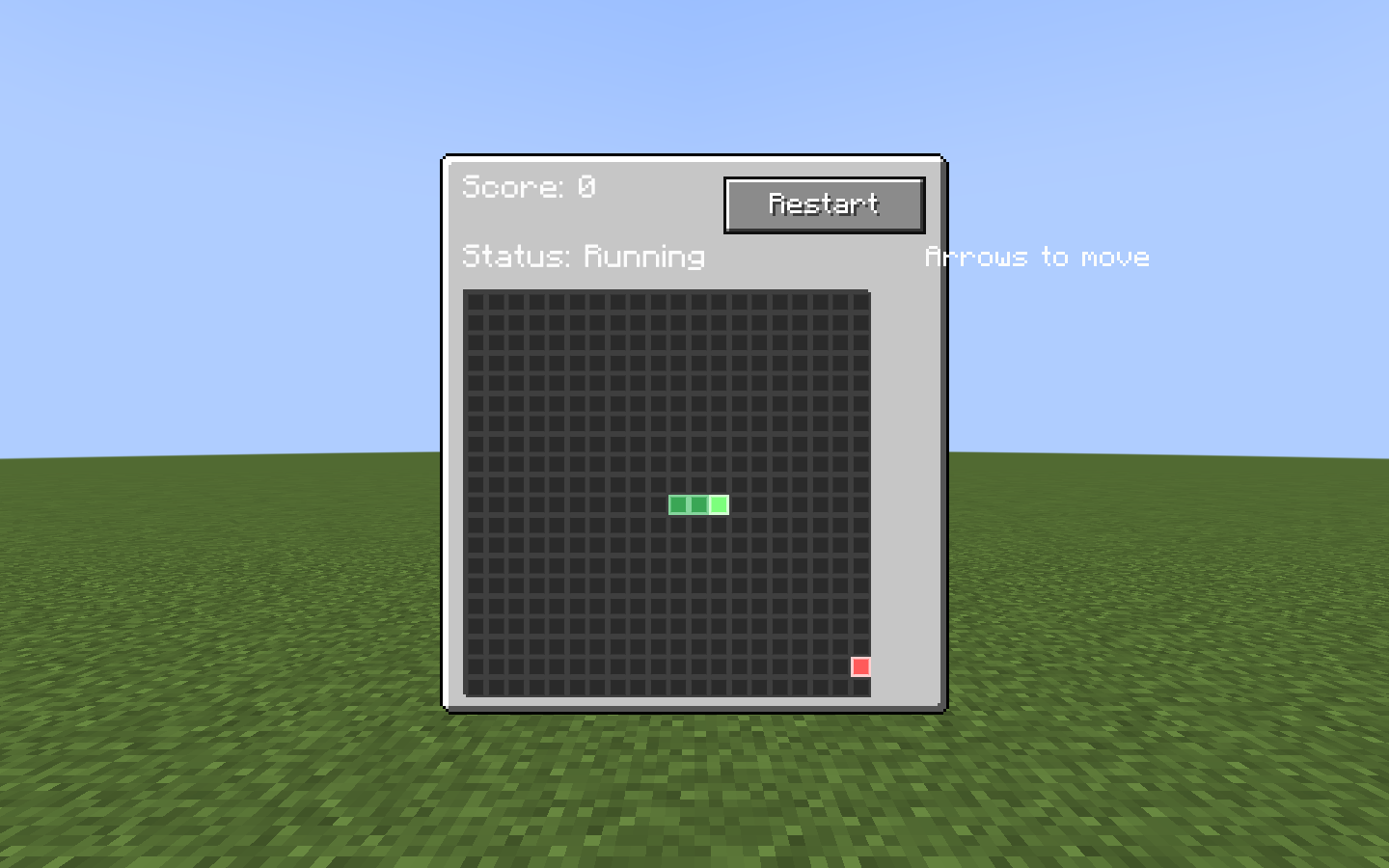
snake_hud scenario capture. The harness opened this HUD in a real client, drove its controls, and wrote the image beside report.txt and report.json. | Page | Covers |
|---|---|
| This page | Setting up the Gradle scripts, writing a scenario, run options, steps, and UIs in their own OS window. |
| Running Tests | Background runs, headless runs, resolution, and parallel runs with runParTest. |
| Multi-Process Tests | A dedicated server plus several clients with runMpTest. |
1. Set up in your mod
The LDLib2 jar contains the harness itself: the scenario registries, the builders, and the orchestrators for parallel and multi-process runs. The Gradle wiring is not in the jar. It lives in three scripts in the LDLib2 repository under gradle/, and your mod applies copies of them.
| Script | Adds | Needed for |
|---|---|---|
ldlib2-uitest.gradle | The -PldTest* properties on the client run, verifyUiTest, report clean-up, and -PldTestHeadless. | Every run. Required. |
ldlib2-uitest-par.gradle | runParTest, verifyParTest, and the uiTestShard<N> runs. | Parallel runs. |
ldlib2-mptest.gradle | runMpTest, verifyMpTest, and the mpServer, mpClientA, mpClientB runs. | Multi-process tests. |
Copy the scripts from the LDLib2 tag that matches the LDLib2 version you depend on, then apply them after your runs { } block, in this order:
runs {
    client {
        // ...
    }
    // ...
}

apply from: rootProject.file('gradle/ldlib2-uitest.gradle')
apply from: rootProject.file('gradle/ldlib2-uitest-par.gradle')   // optional: runParTest
apply from: rootProject.file('gradle/ldlib2-mptest.gradle')       // optional: runMpTest
Without ldlib2-uitest.gradle, -PldTest does nothing and verifyUiTest does not exist. The other two scripts rely on it for headless support, so always apply it.
Build requirements
- The scripts are written for NeoGradle. They use
runs { ... runType 'client' }; a ModDevGradle project must translate them. - The client run must be named
client. - Apply
ldlib2-uitest-par.gradleandldlib2-mptest.gradlein the root project. Their orchestrators start child builds with the root'sgradlew. - If another subproject in your build also applies NeoGradle, its
run<Name>task rule answers an unqualifiedgradlew runParTestorgradlew runMpTestand fails the build. Register disabled tasks with those names in that subproject, or callgradlew :runParTest/gradlew :runMpTest. This needs the scripts from LDLib2 2.2.44 or newer. Since 2.2.44
// In the other NeoGradle subproject's build.gradle
['runParTest', 'runMpTest'].each { name -> tasks.register(name) { enabled = false } }
Copy the scripts again when you upgrade
The scripts change together with LDLib2, so replace your copies whenever you upgrade. Copies older than 2.2.39 do not delete the previous report before a run. If the client then fails to start, verifyUiTest reads the old report and prints the previous run's result.
2. Register a scenario
Put scenarios in src/main/java, not src/test, and register them in the client-only scenario registry.
@LDLRegisterClient(name = "furnace_ui", group = "mymod", registry = UIScenario.REGISTRY,
        environment = RegistrationEnvironment.DEV_ONLY)
public class FurnaceUiScenario implements UIScenario {
    private static final BlockPos POS = new BlockPos(8, 65, 8);

    @Override
    public void configure(ScenarioOptions options) {
        options.tags("machine").guiScale(3);
    }

    @Override
    public void define(ScenarioBuilder s) {
        s.clearArea(POS, 2)
         .setBlock(POS, MyBlocks.FURNACE.get())
         .awaitClientBlockEntity(POS)
         .useBlock(POS)
         .awaitScreen(ModularUIContainerScreen.class)
         .awaitModularUI()
         .click("#btn_start")
         .waitForTextContains("#status_label", "Burning")
         .screenshot("running")
         .teardown("close", ctx -> ctx.requirePlayer().closeContainer());
    }
}
RegistrationEnvironment.DEV_ONLY prevents scenarios from shipping in a production build.
3. Run it
gradlew runClient -PldTest=furnace_ui| Option | Meaning |
|---|---|
-PldTest=all | Run every registered scenario. |
-PldTest=name1,name2 | Run selected scenarios. |
-PldTest=group:mymod / tag:fast / regex:.*_ui | Select by group, tag, or name pattern. |
-PldTestExclude=slow_one | Remove scenarios from the selection. Accepts the same forms as -PldTest. |
-PldTestKeepOpen | Keep the client open for iteration. |
-PldTestWindow=1440x900 | Pin the window size. Default: maximized, or 1920x1080 in a headless run. See Resolution. |
-PldTestGuiScale=3 | Set the run-wide GUI scale. Default 2. ScenarioOptions#guiScale overrides it for one scenario. |
-PldTestWatchdogSec=90 | Fail the run when no frame has been rendered for this many seconds. Default 90. |
-PldTestInputMode=REAL | Use the physical OS cursor. This requires foreground focus. |
-PldTestHeadless | Run without a visible window. See Headless runs. |
Reports are written to build/ldlib2-uitest/: report.json, report.txt, and screenshots/. verifyUiTest runs after runClient; a missing report is a failure. Since 2.2.39 the previous build/ldlib2-uitest/ is deleted before runClient starts, so a client that dies early cannot leave an old report behind.
A selection that matches no scenario fails the run. Since 2.2.38 the report records it as an error entry named <selection>; earlier versions reported an empty pass.
For rapid iteration, keep the game open and run /ldlib2_autotest list or /ldlib2_autotest run furnace_ui in-game.
4. Build reliable steps
| Need | Builder methods |
|---|---|
| Prepare a world | setBlock, clearArea, withBlockEntity, giveItem |
| Open UI | openScreen, openModularUI, useBlock, awaitScreen, awaitModularUI |
| Interact | hover, click, drag, scroll, typeInto, key |
| Wait | frames, ticks, waitUntil, waitForText, waitForSync |
| Assert | check, checkText, checkVisible, checkValue, checkBounds |
| Capture | screenshot, screenshotElement, screenshotSurface |
Targets use LDLib2 CSS selectors: tag names, .class, #id, descendant and child selectors, plus state pseudo-classes. Prefer stable IDs such as #btn_start. Selector lists, attribute selectors and :nth-child are not supported; use ctx.query(...) for those cases.
Background runs
The default synthetic input mode does not take focus or move the physical mouse. Use REAL only to test OS-level behavior. The harness also blocks accidental OS input during an active run. See Background runs.
Wait for state, not frames
One builder step runs per rendered frame, while game and data-bound UI state may update at 20 ticks per second. Prefer waitForSync, waitForText, or waitUntil to an arbitrary frame delay.
Settling after assertions
Since 2.2.41Every step, including one that only asserts, idles for the scenario's settle time afterwards. ScenarioOptions#settleAfterAssertions(false) drops that idle after assertion steps.
@Override
public void configure(ScenarioOptions options) {
    options.settleAfterAssertions(false);
}
This cannot make a failing check pass: each assertion keeps the timing it already had, because that timing comes from the settle of the step before it. Only the next action arrives sooner. A scenario that was quietly relying on the extra pause fails at the step that needs it. If a scenario really needs time between two assertions, add an explicit ticks(...) or waitUntil(...) step there.
5. Test a UI in its own OS window
Since 2.2.38ctx.el, ctx.query, and every input step resolve through the UI behind Minecraft#screen. A UI hosted in a ModularUIWindow is behind no screen: it reads input from its own OS window and draws into its own off-screen target. Three APIs address it:
| API | Use |
|---|---|
ctx.in(window.getModularUI(), selector) | Query elements in that window's UI instead of the screen's. |
ctx.input(window) | Get a WindowInput that posts events into the window's own event queue: moveTo, mouseDown, mouseUp, scroll, key, charTyped, closeRequest. |
screenshotSurface(label, ctx -> window.surface()) | Capture the window's own framebuffer. |
s.step("aim at Save", ctx -> ctx.input(window).moveTo(
                ctx.in(window.getModularUI(), "button").withText("Save").one().element()))
 .step("press", ctx -> ctx.input(window).mouseDown(GLFW.GLFW_MOUSE_BUTTON_LEFT))
 .step("release", ctx -> ctx.input(window).mouseUp(GLFW.GLFW_MOUSE_BUTTON_LEFT))
 .screenshotSurface("saved", ctx -> window.surface());
Coordinates passed to moveTo(x, y) are in that window's GUI space, which is what ElementBounds reports for its elements.
One input primitive per step
The window drains its event queue once per frame. Post one primitive per step, as above; a drag batched into one step never starts. The exception is a control that closes its own window, such as a window's close button. LDLib2 controls act on mouse-down, so press and release it in the same step, or there is no window left to release into.